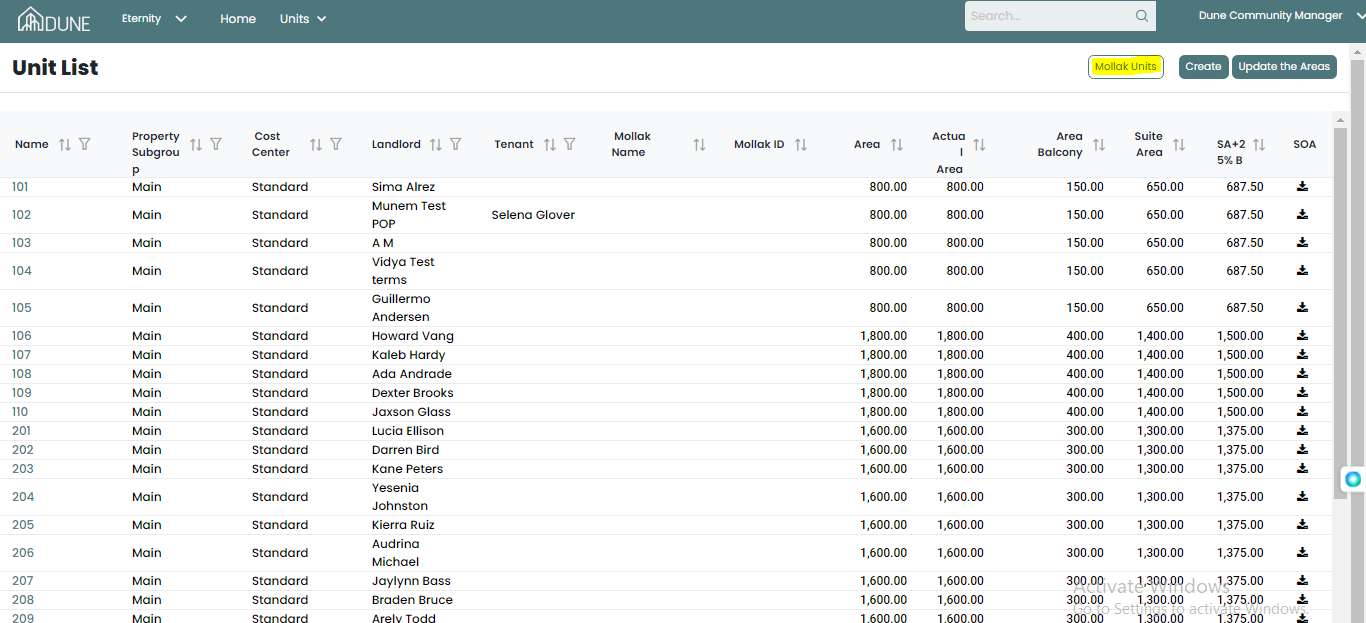
In the unit screen, you can see all units created (belong) to the property group
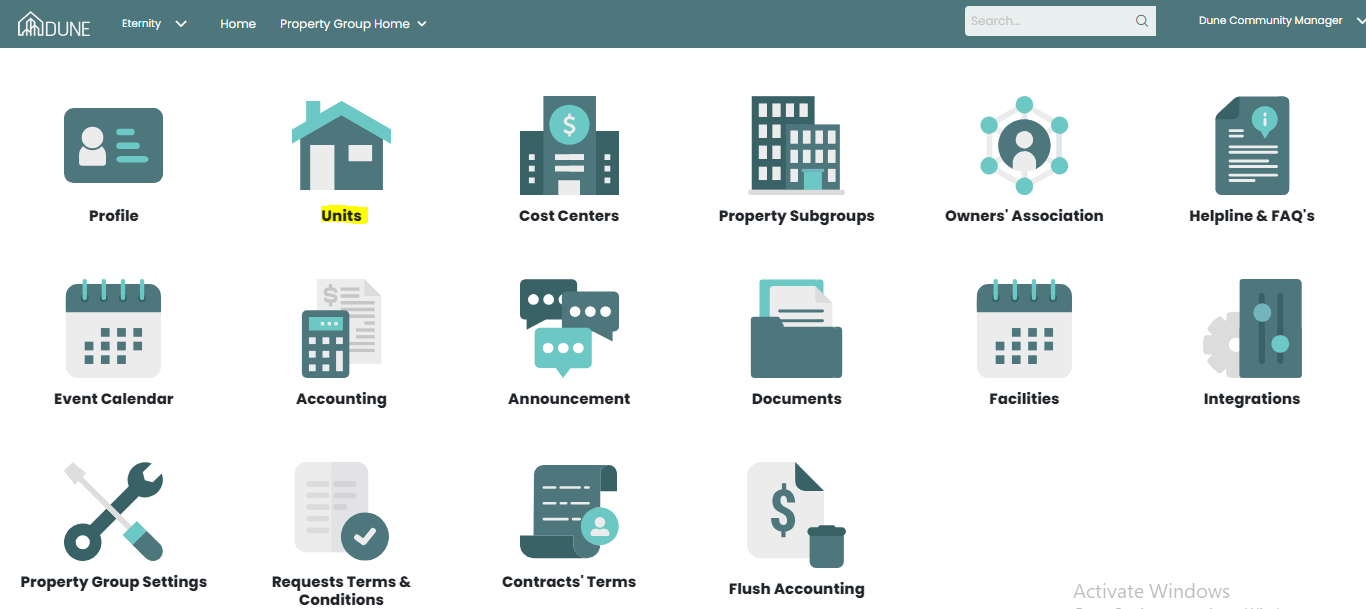
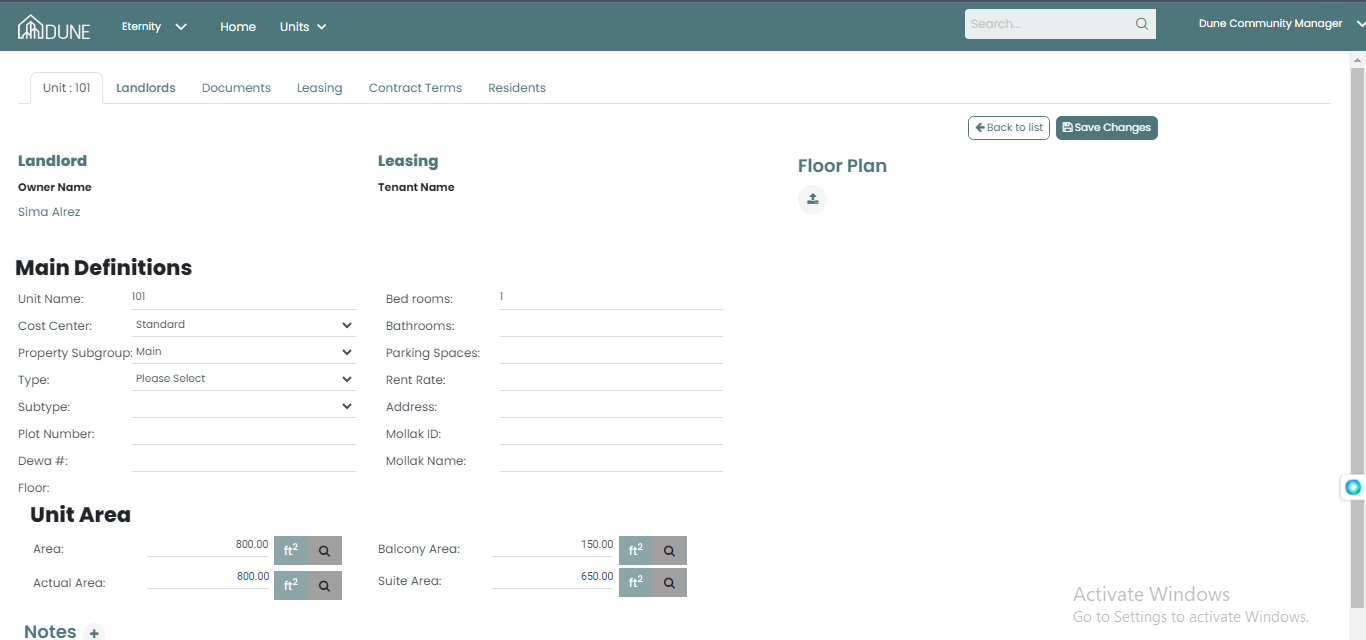
You can check the information for each unit by clicking on it then you will be able to see details of it like areas, landlord and tenant.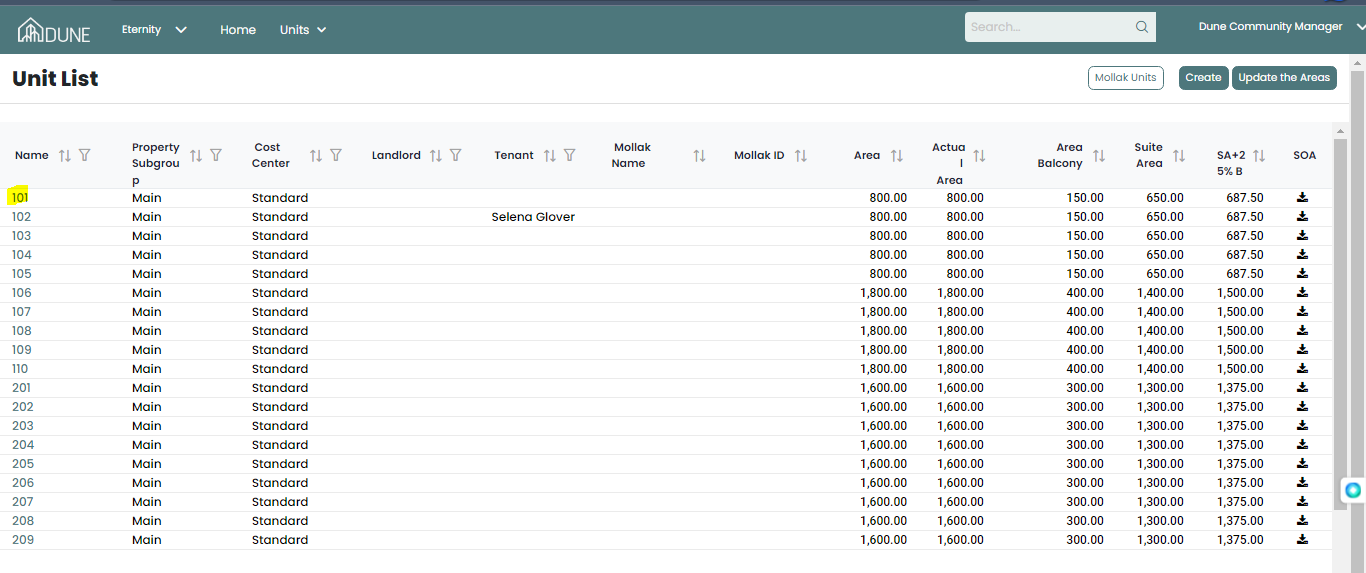
Also in the same units screen, you can assign units from Mollak if the property group exists and is linked to Mollak by clicking on the Mollak unit and sync by clicking on Fetch all
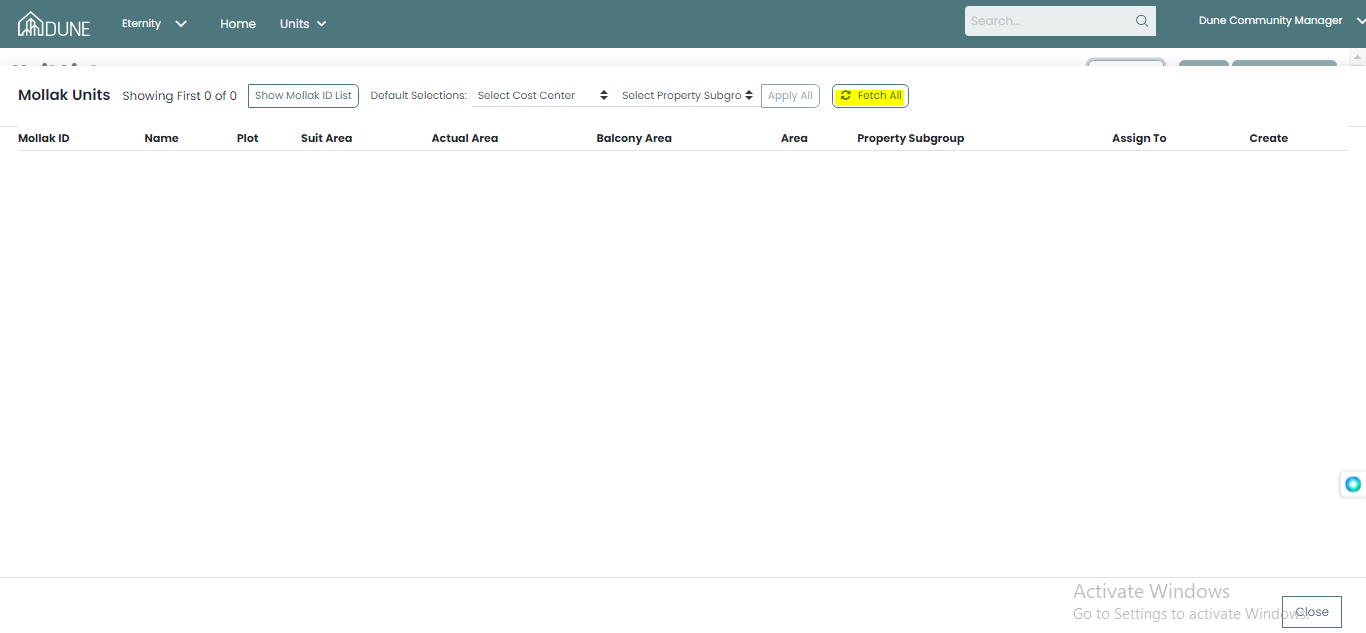
You choose cost center and property Subgroup and click assign if it's added before the integration or create it if you add it the first time which means no units previously added to the property group
Was this article helpful?
That’s Great!
Thank you for your feedback
Sorry! We couldn't be helpful
Thank you for your feedback
Feedback sent
We appreciate your effort and will try to fix the article