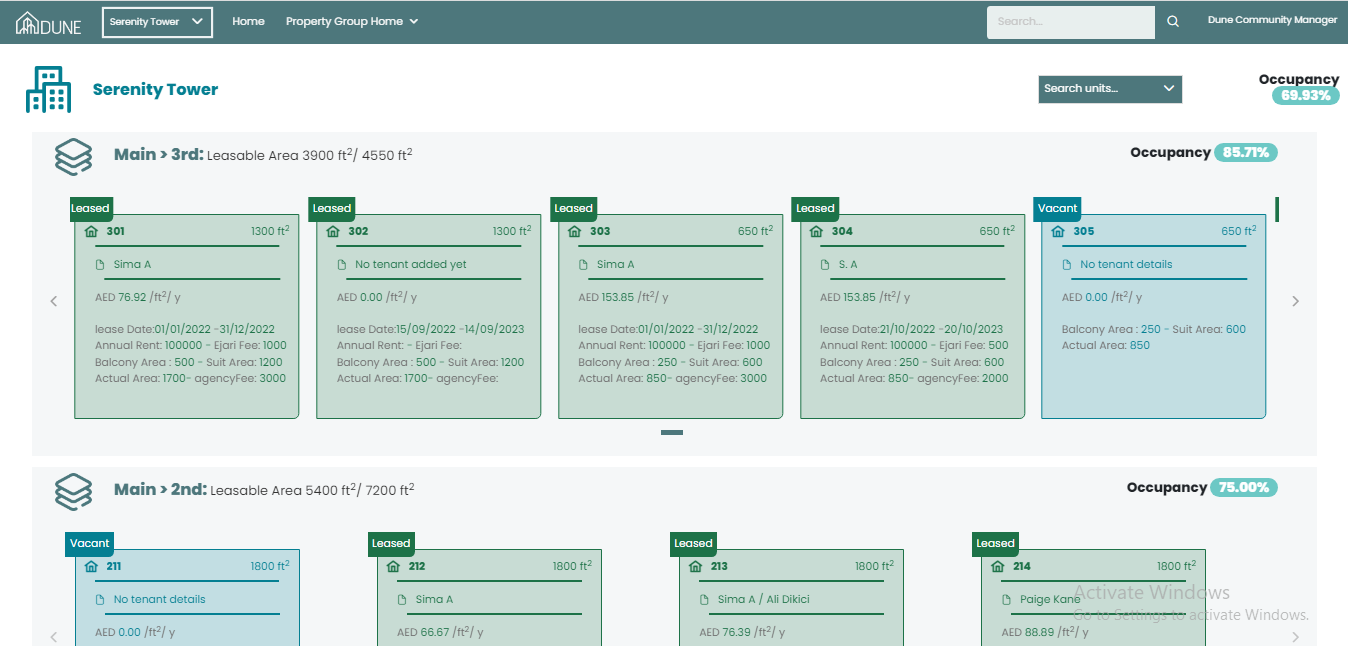
Once you open the property group you will be able to see the occupancy rate per property group and per floor, units information in addition to the order of the building and units.
You can search for a specific unit using the search box: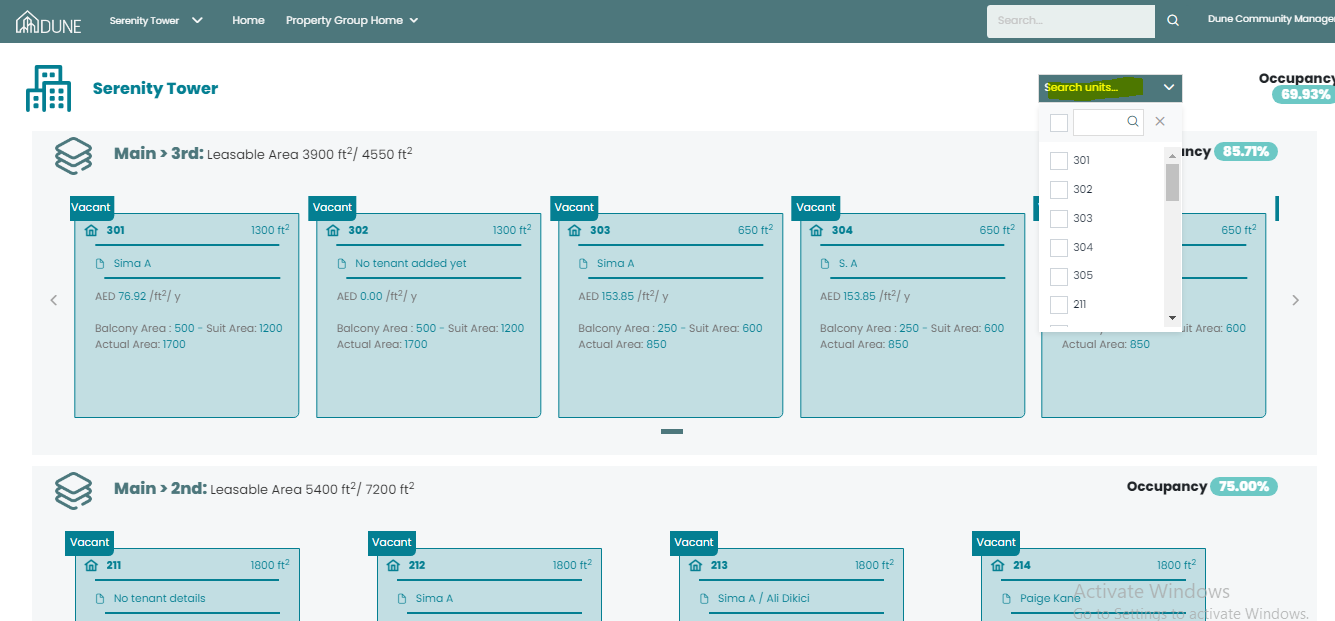
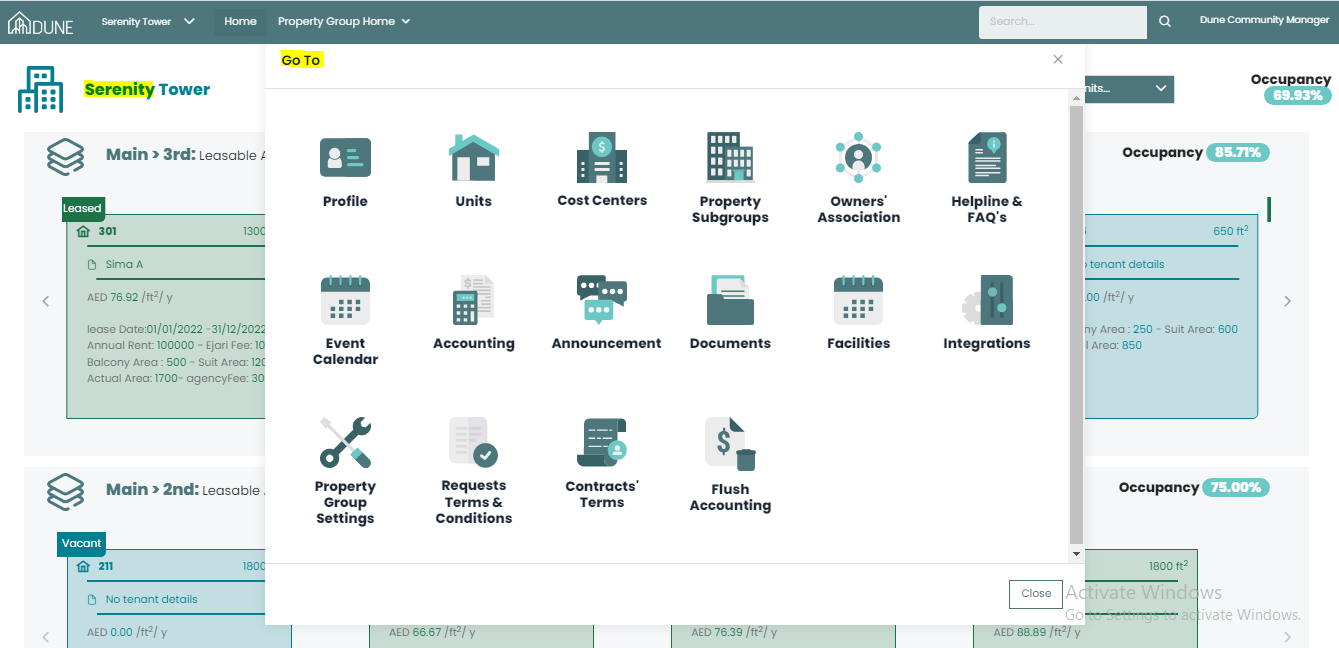
By clicking on your property group name, the Go to screen will open for you and you will be able to choose any option from the property group list:
Was this article helpful?
That’s Great!
Thank you for your feedback
Sorry! We couldn't be helpful
Thank you for your feedback
Feedback sent
We appreciate your effort and will try to fix the article