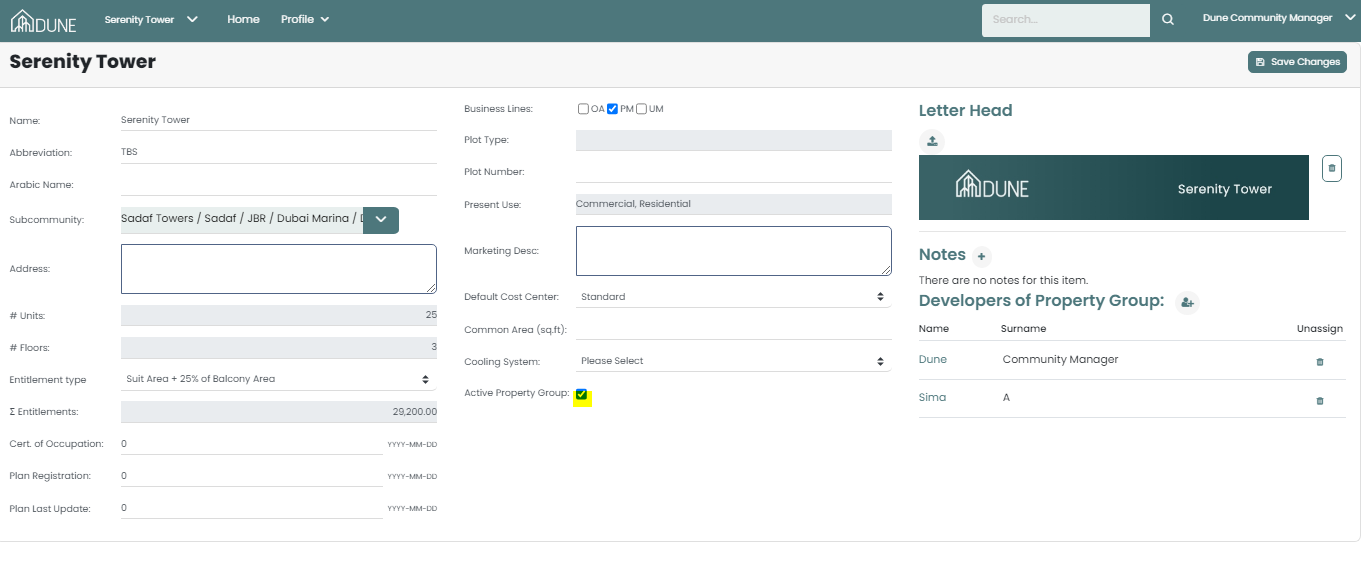
From the global view, click on your property group. This will open a page where you can select the "Property Profile" option. In the profile, you can define various details for your property group, including the name, address, letterhead, entitlement type, and more.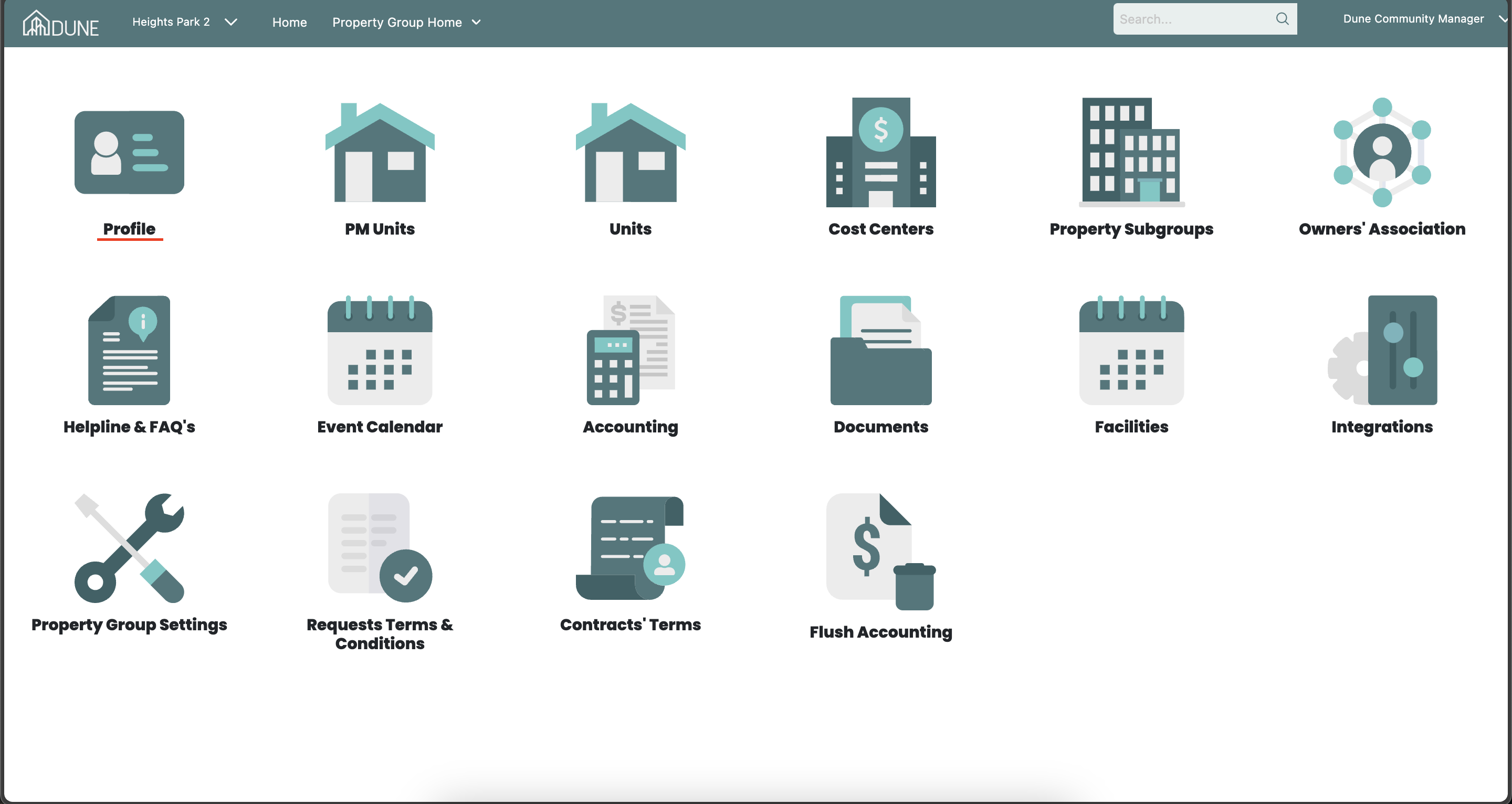
By selecting "Activate Property Group," you make your property group visible to residents and ensure that the data is accurately reflected on the dashboard.
Was this article helpful?
That’s Great!
Thank you for your feedback
Sorry! We couldn't be helpful
Thank you for your feedback
Feedback sent
We appreciate your effort and will try to fix the article