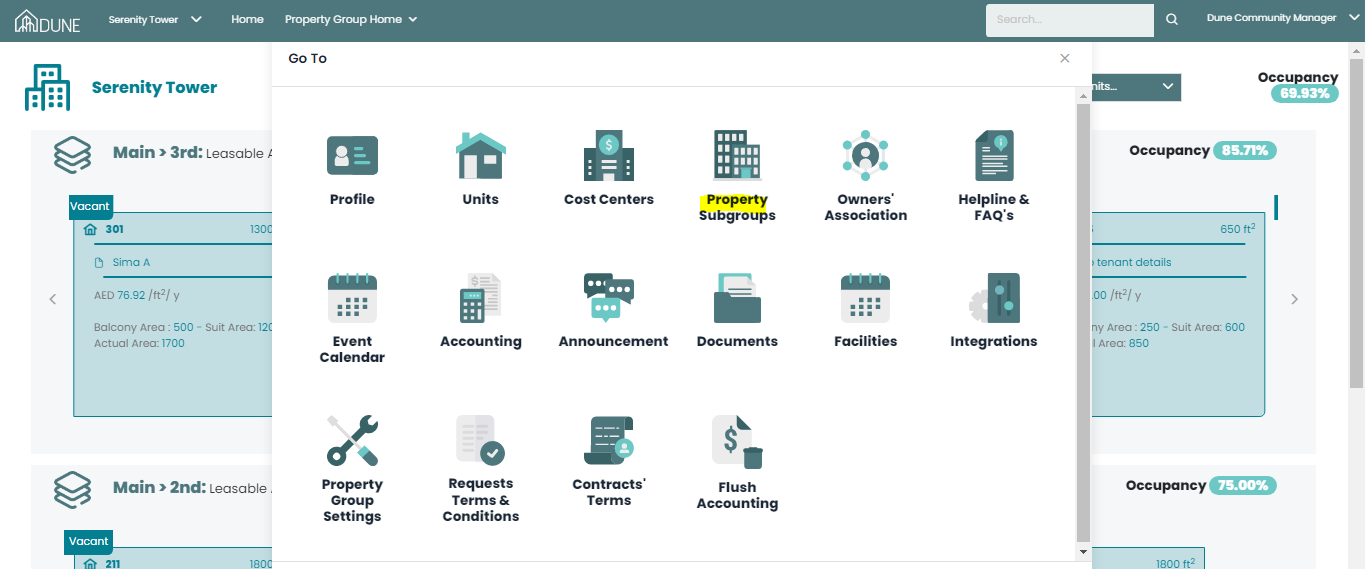
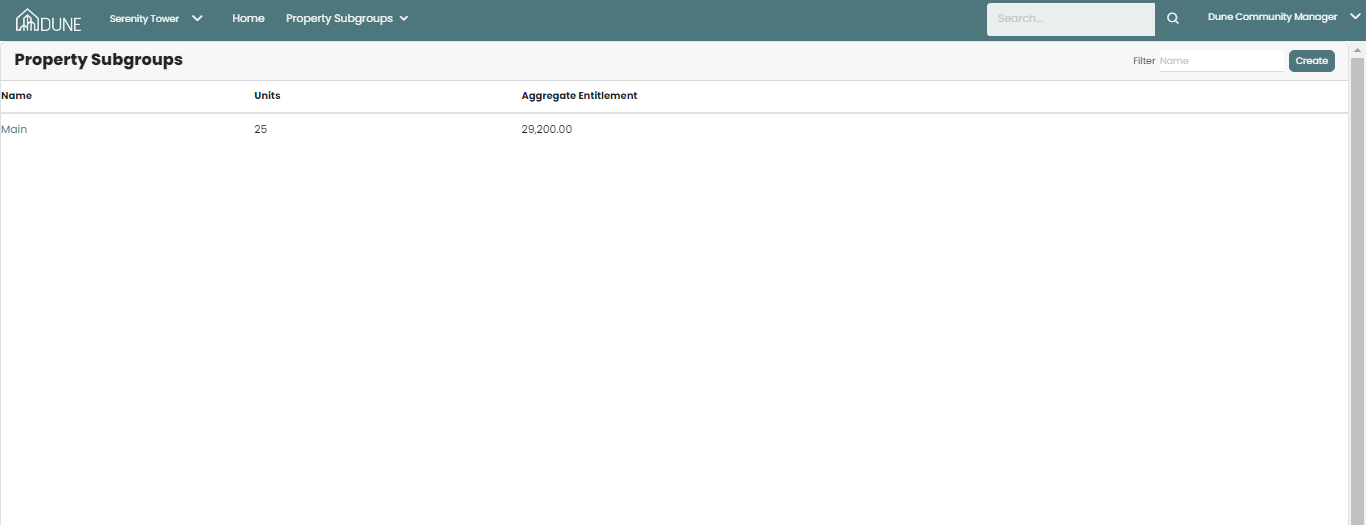
By clicking on your property group name, the Go To page will open up and you will be able to choose Property Subgroups. In the property subgroups you will be able to create and add your property subgroups (buildings - blocks - clusters):
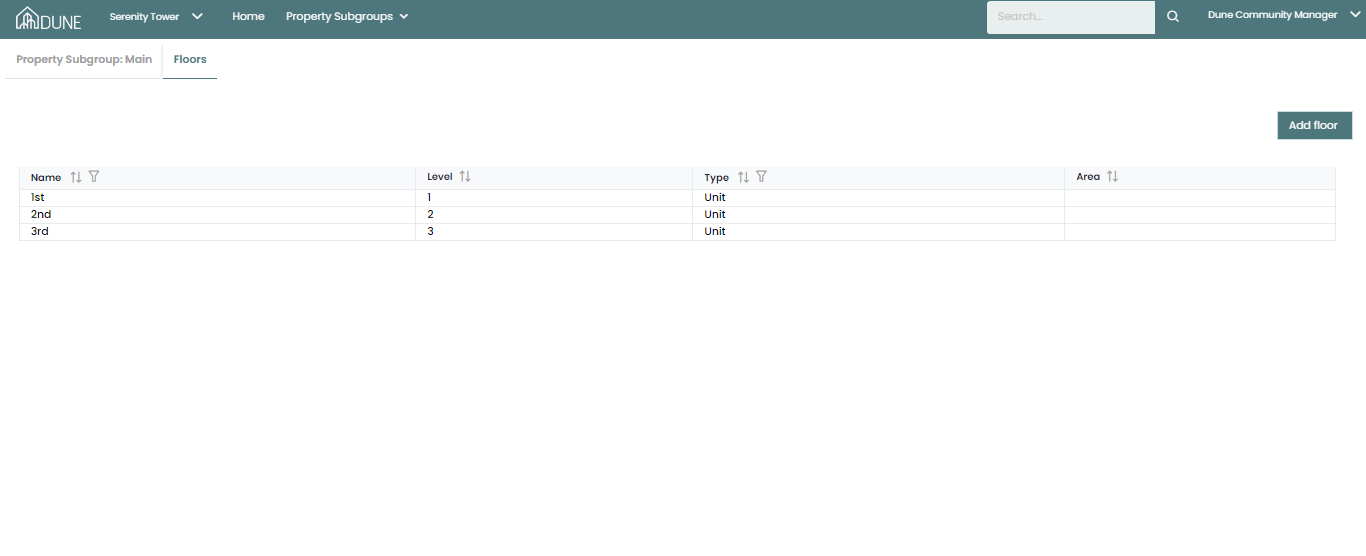
After creating you property subgroup, you will also be able to add floors and assign units to each floor:
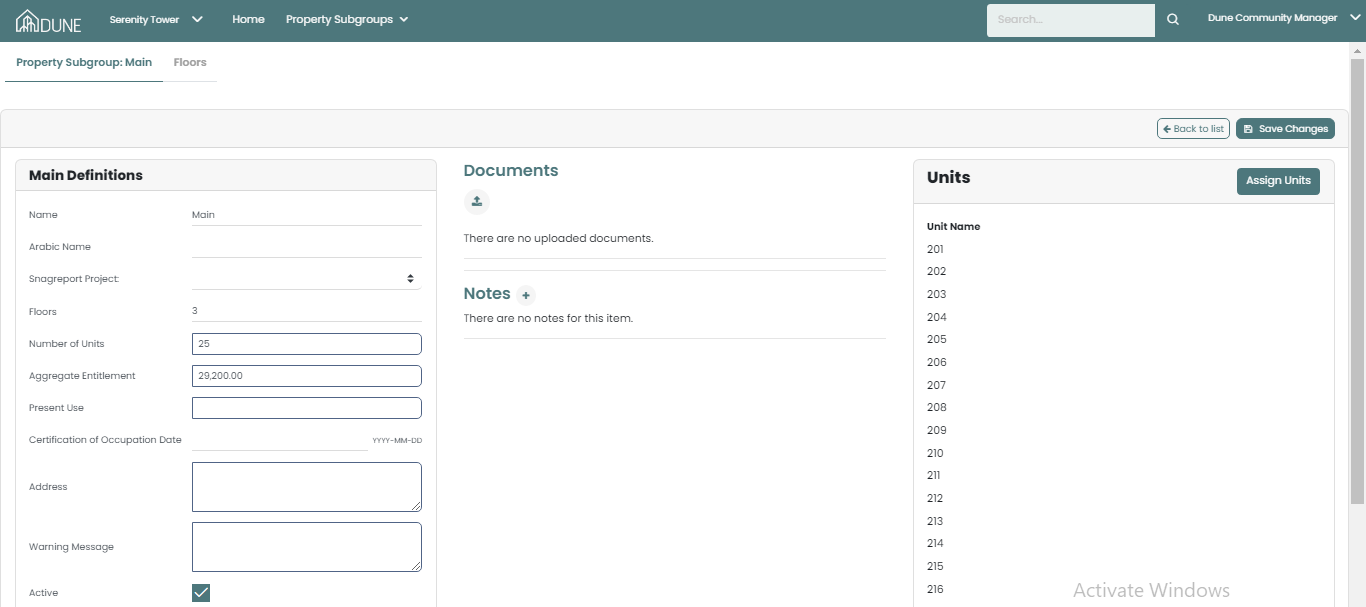
By clicking on SnagReport Project, choose your property group and link it to SnagReport. Doing so, you will define where your maintenance requests needs to be sent to SnagReport.
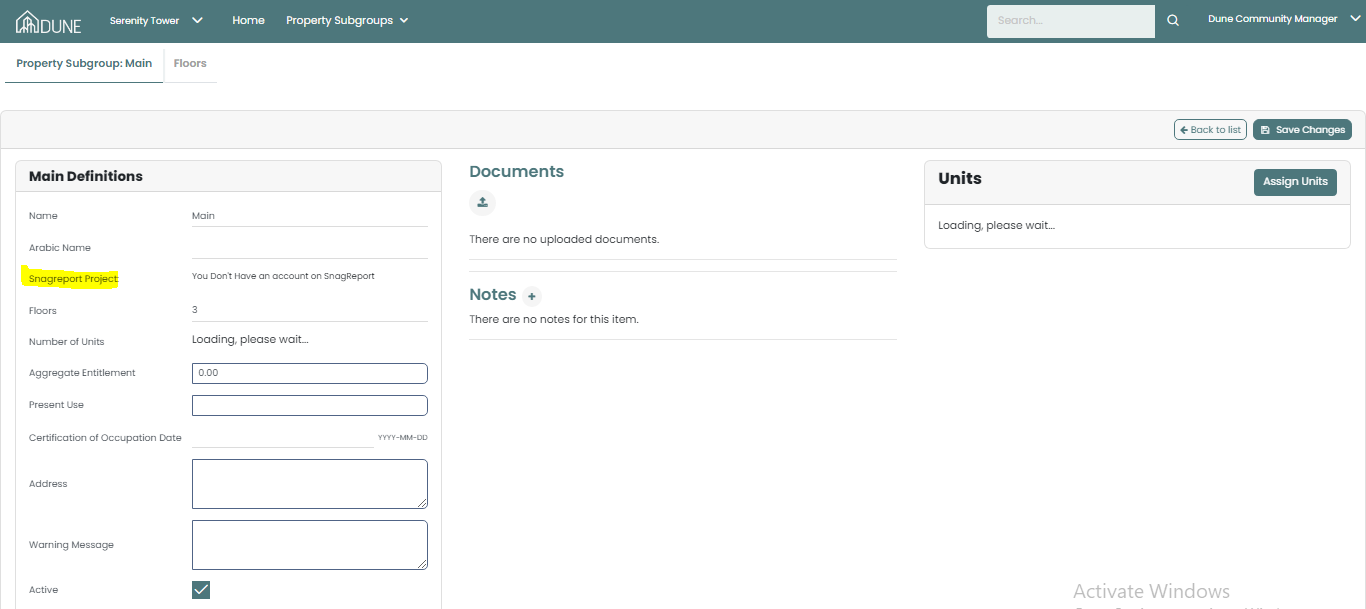
And don't forget to activate your property subgroup by checking the Activate checkbox. 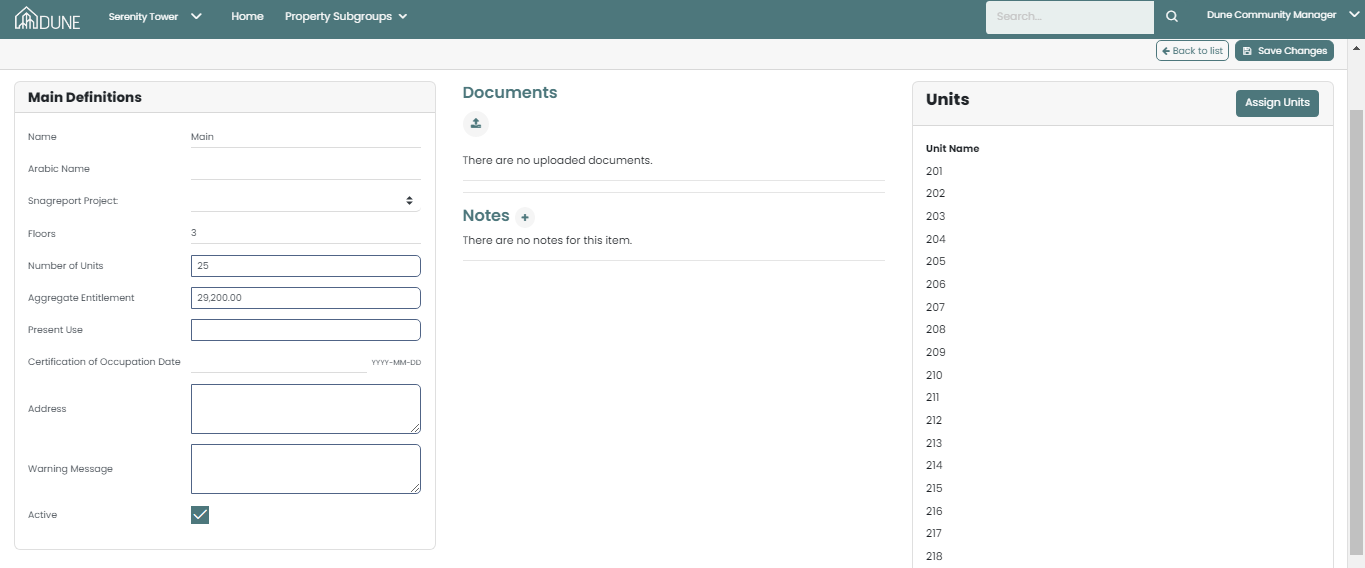
Was this article helpful?
That’s Great!
Thank you for your feedback
Sorry! We couldn't be helpful
Thank you for your feedback
Feedback sent
We appreciate your effort and will try to fix the article