In order to reconcile the payment you need to collect the payment as a cheque by following the steps:
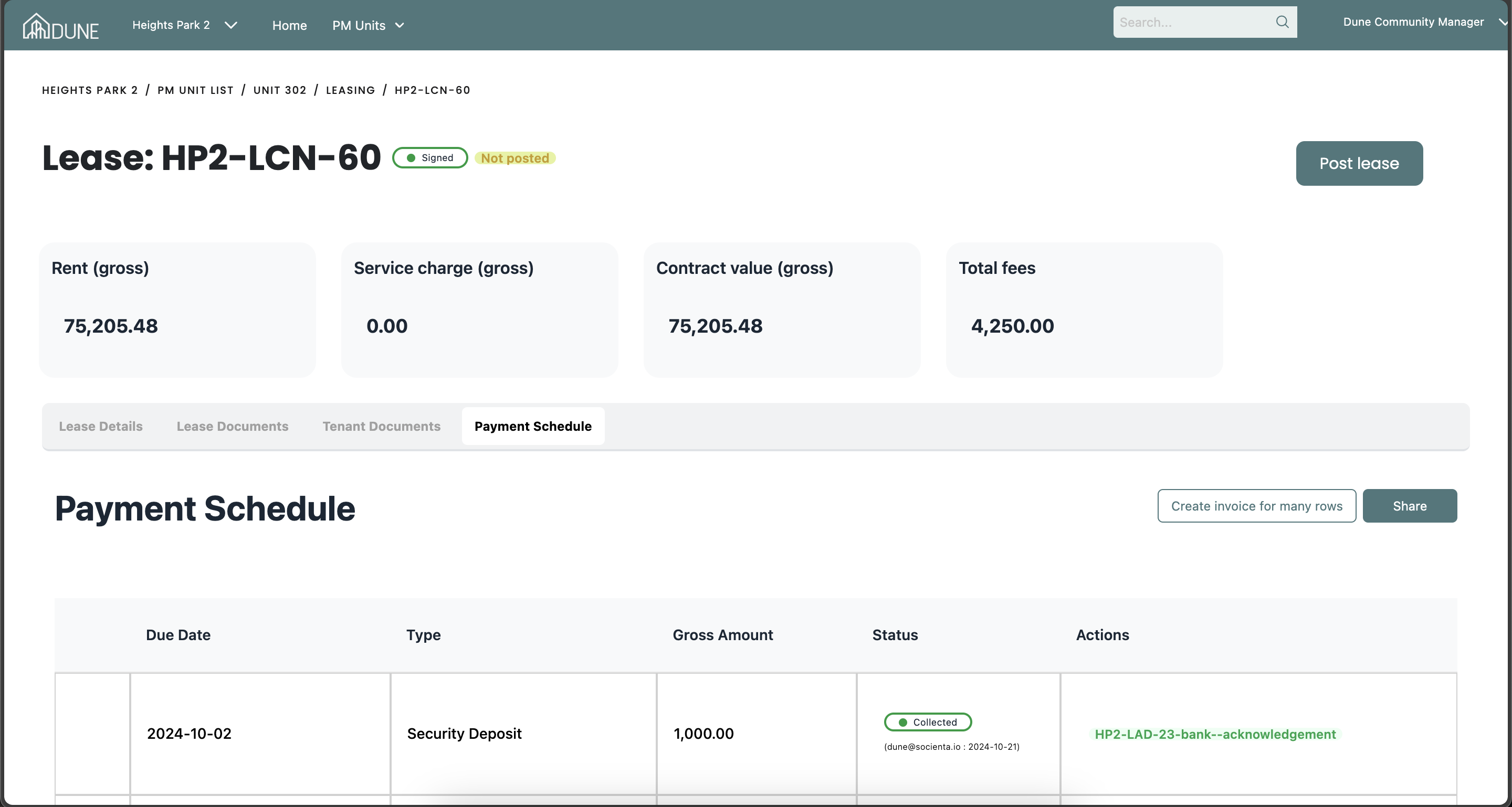
Access the Unit:
Go to the property group, select the PM units list, and choose a unit by clicking on its name
Collect the Payment:
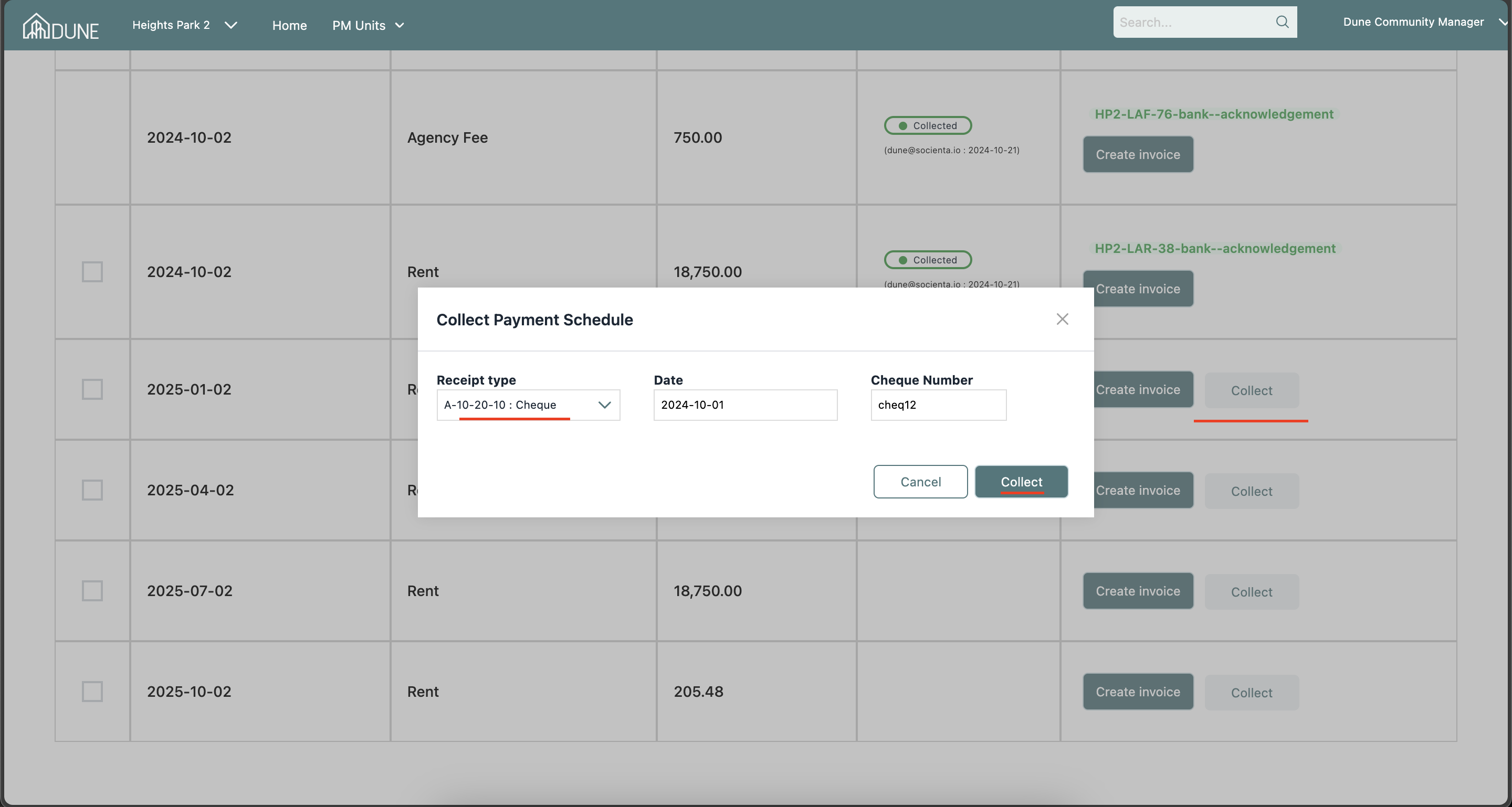
Choose the payment you want to collect, click on "Collect," and a pop-up screen will appear. Select "Cheque" as the receipt type, enter the date and cheque number, then click "Collect."
Reconcile the Payment:
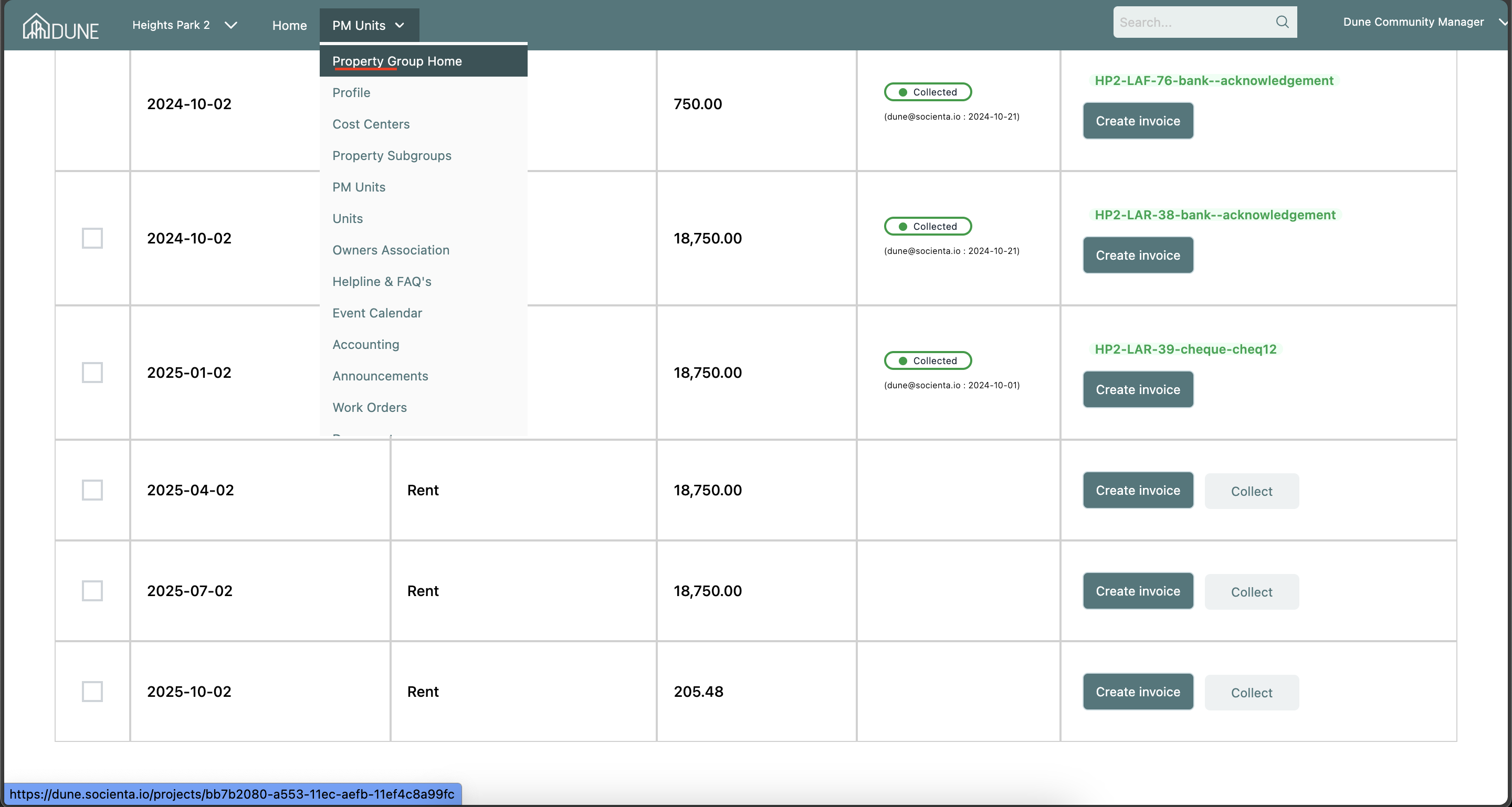
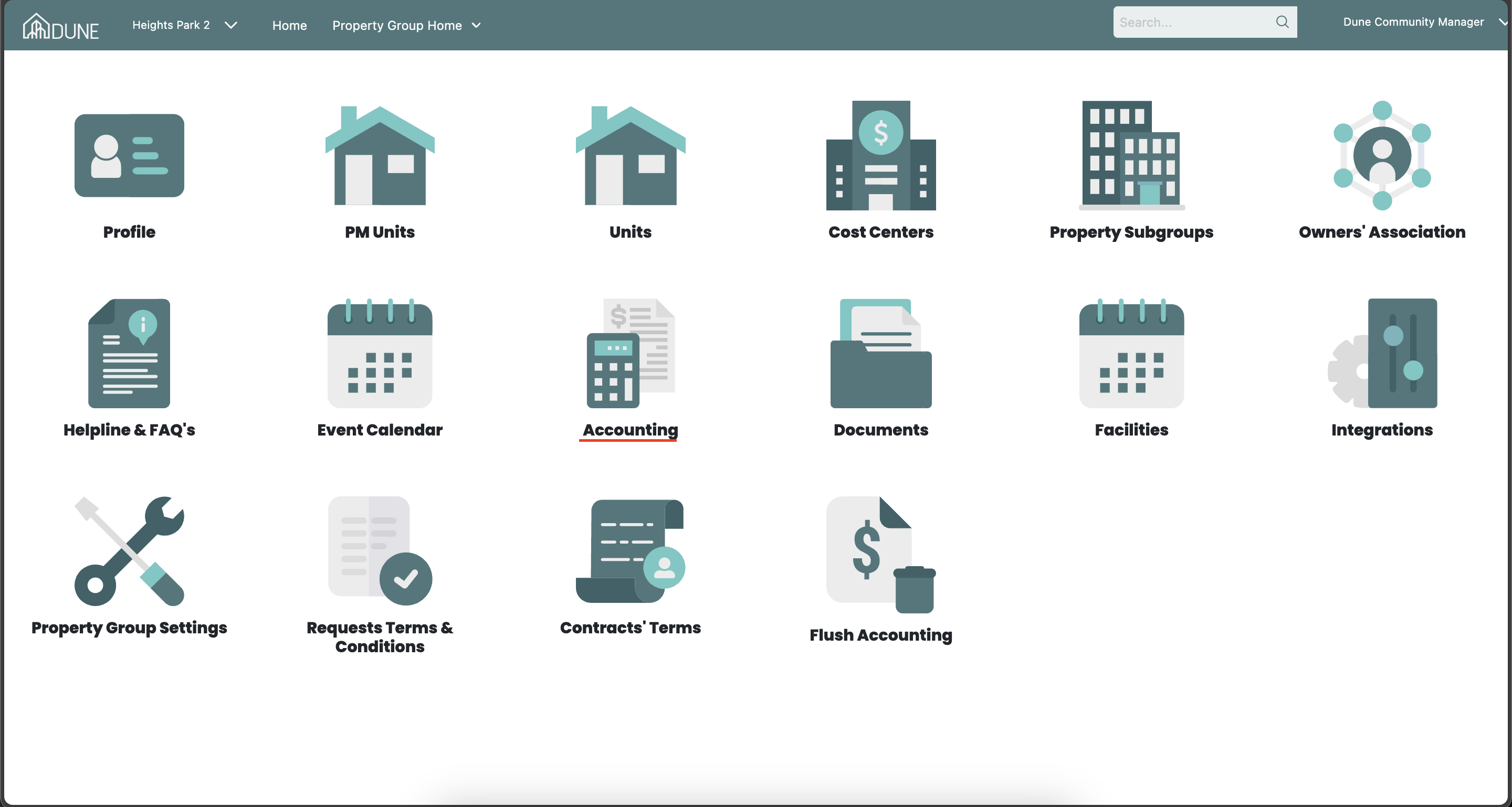
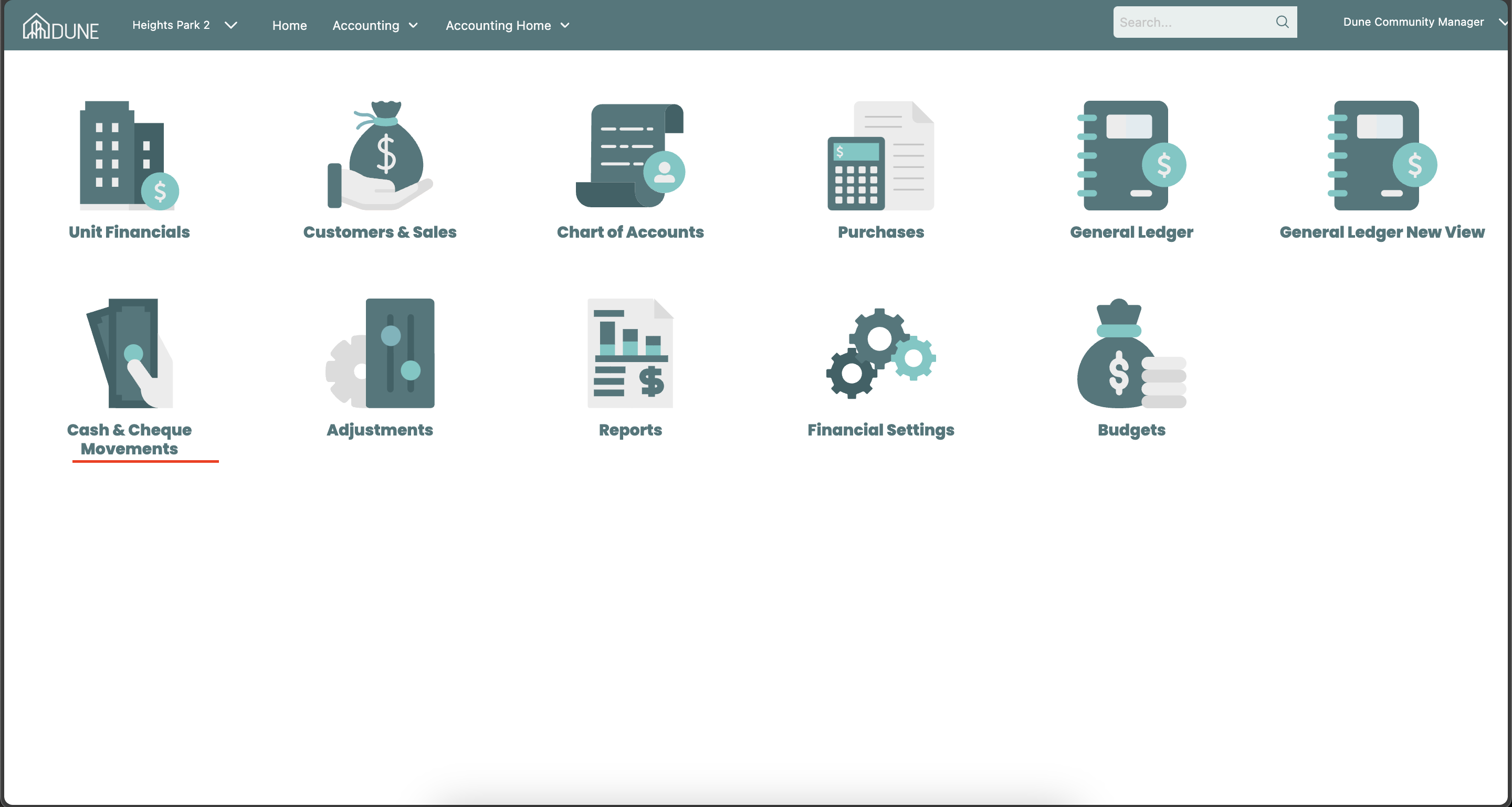
- After collecting the payment, go to the property group home, select "Accounting," then "Cash and Cheque Movements" under the Reconciliation section. Here, you can view payments that need reconciliation.
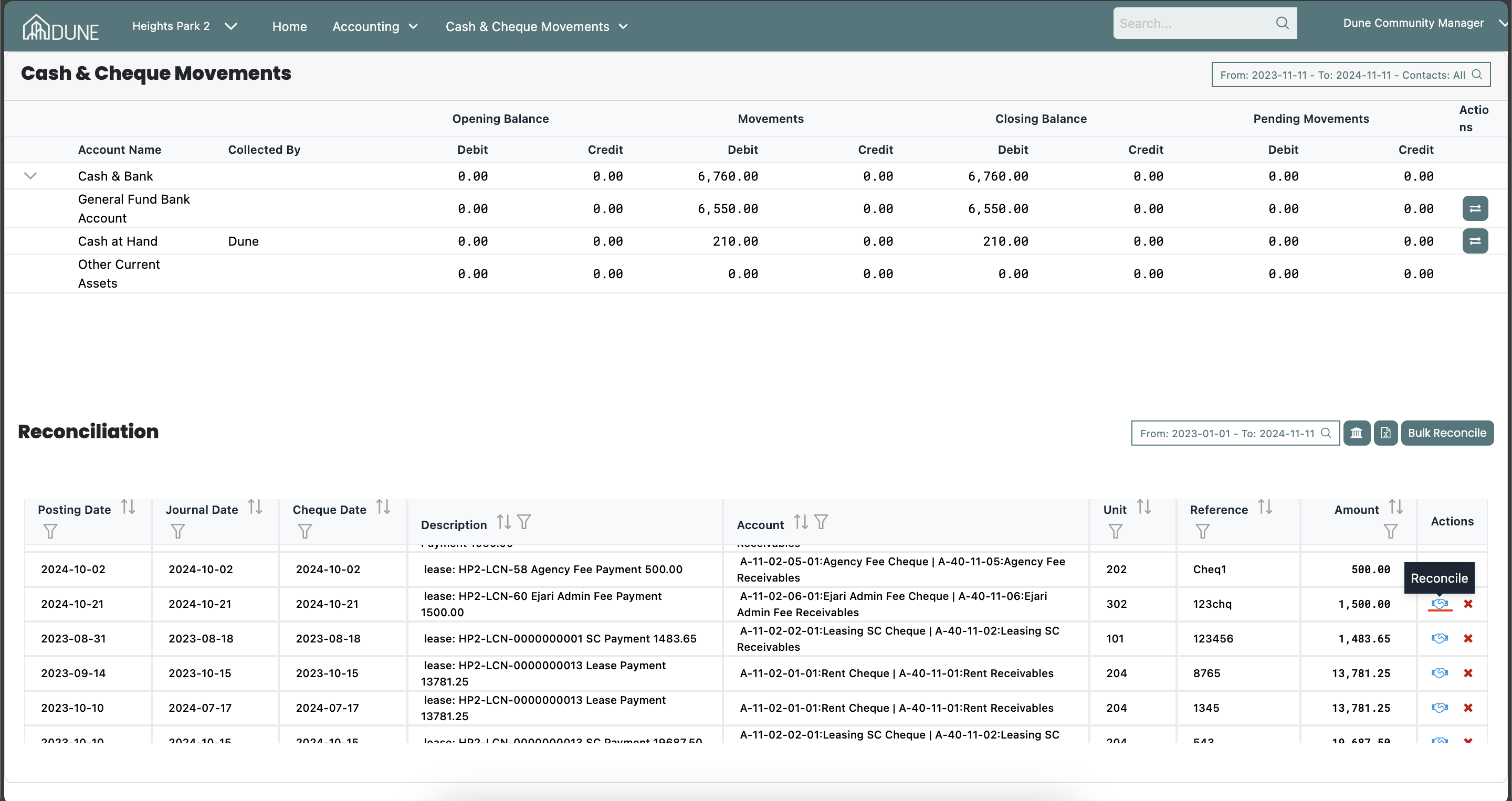
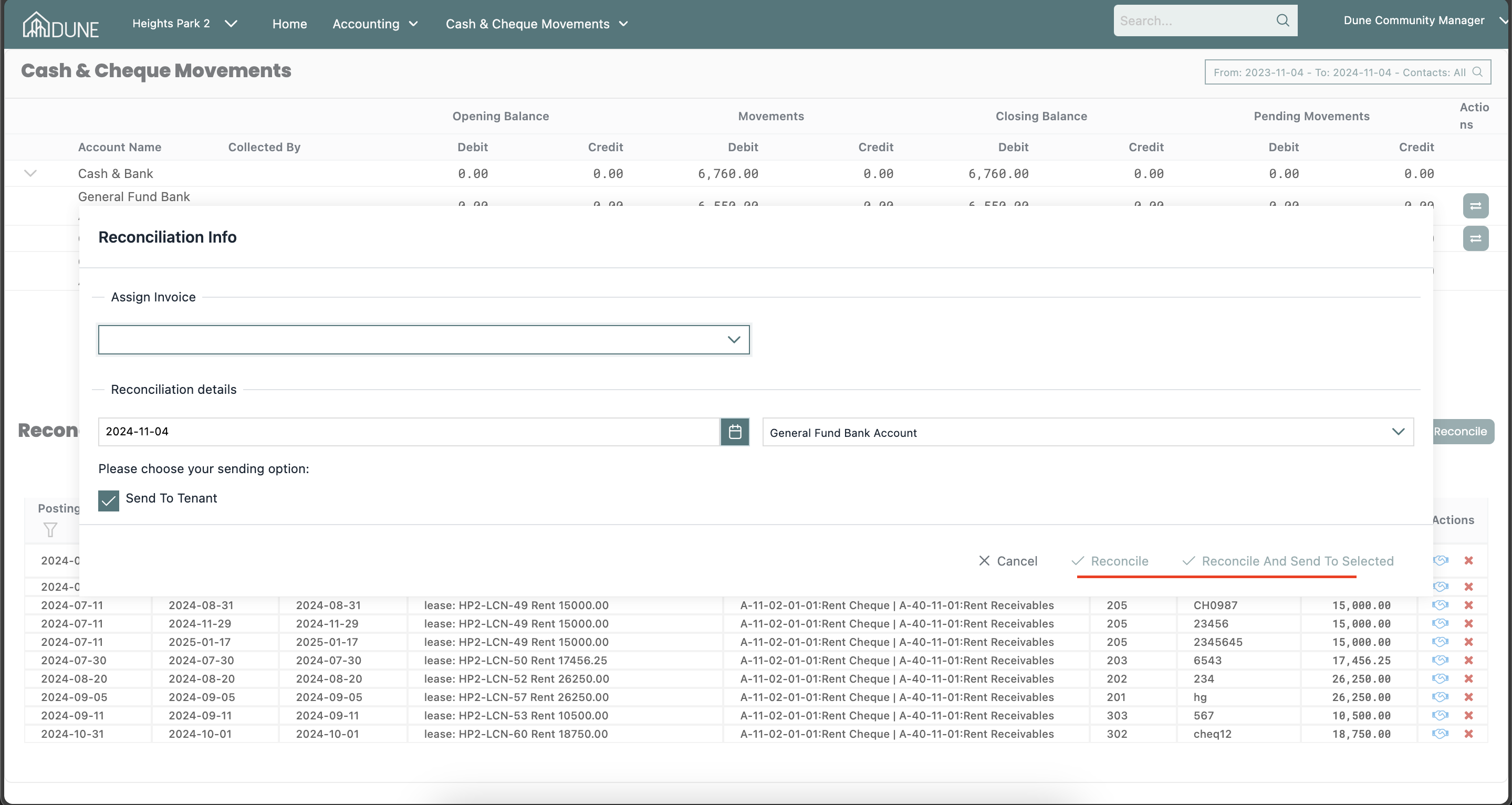
- Click on the "Reconcile" option, and once the pop-up screen appears, complete the required information to move the payment from pending to actual movements.
Bounce the Cheque (if necessary):
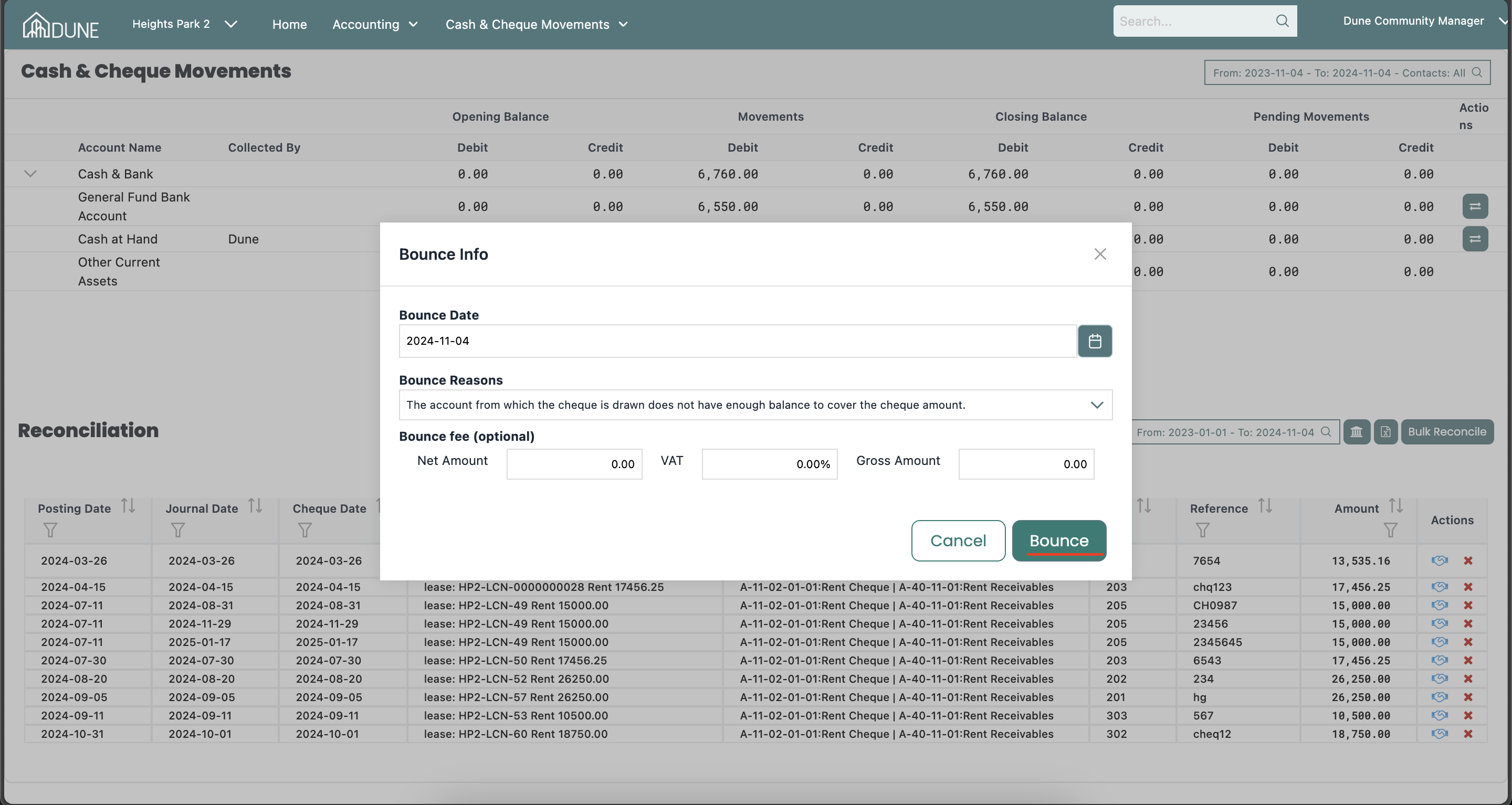
- To bounce a cheque, click on the bouncing icon. In the pop-up screen, enter details such as the Net Amount, VAT, or Gross Amount for the bounce fee.
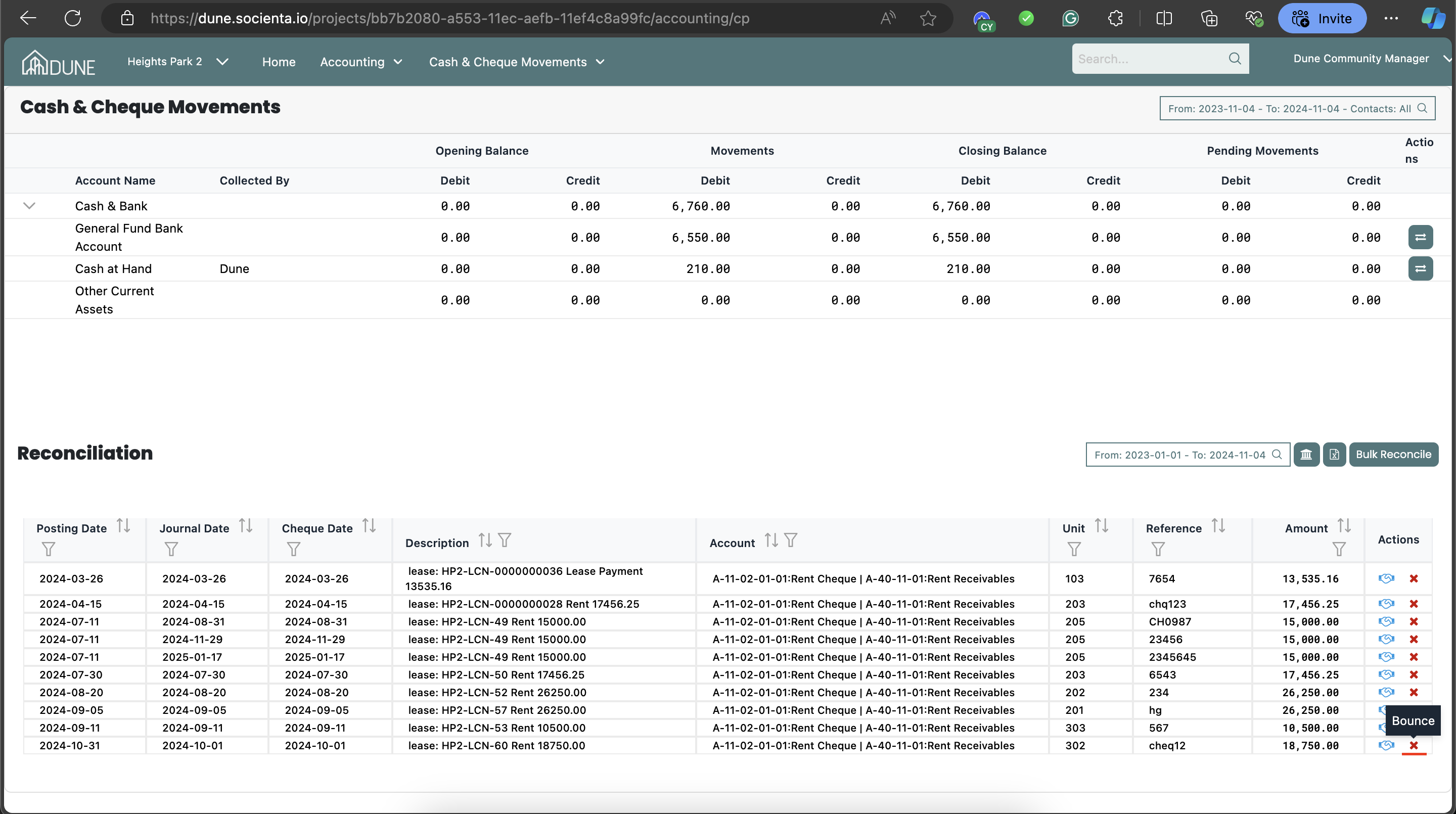
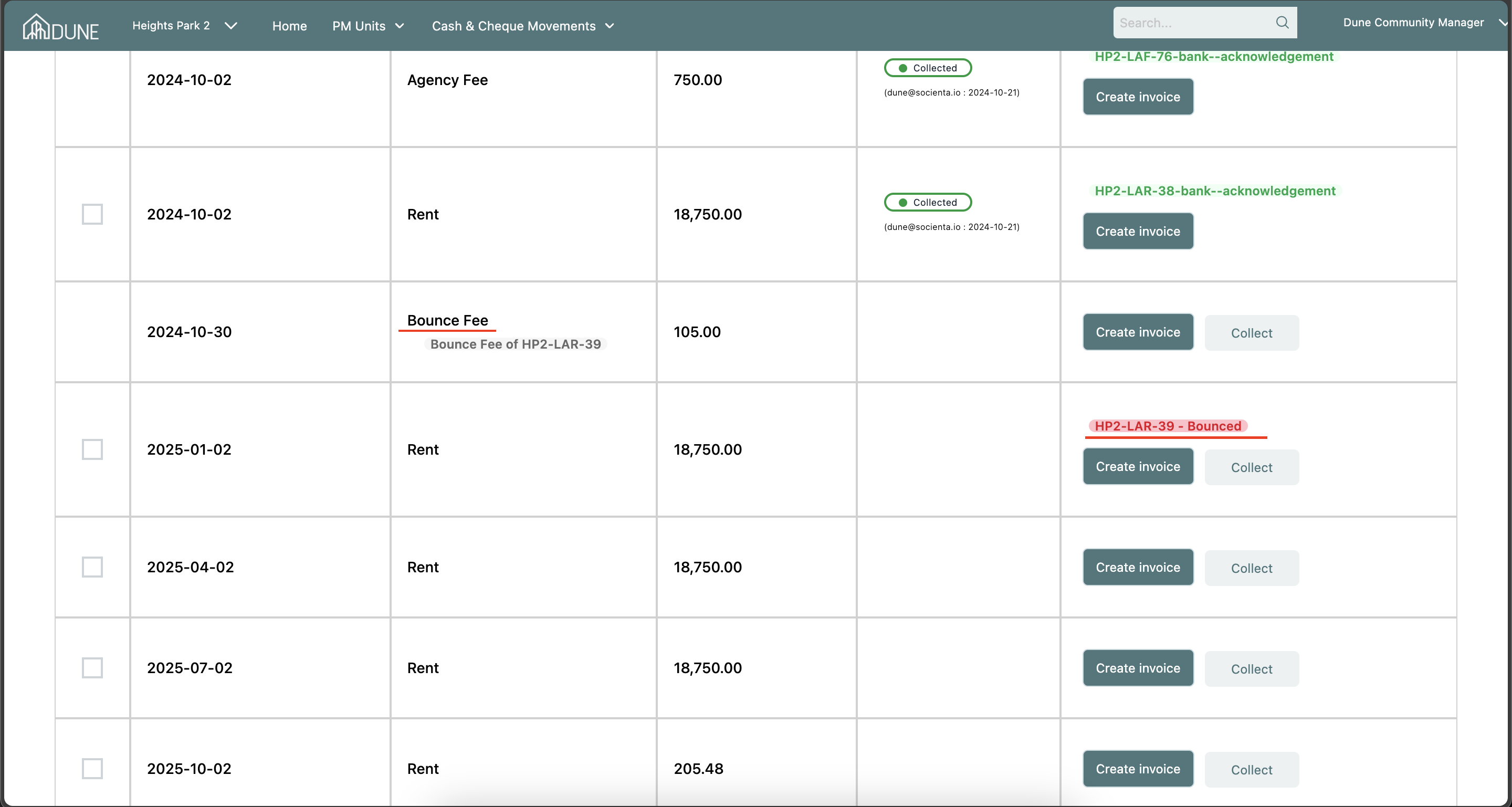
- After bouncing, you can track the bounced cheques and the bounce fee amounts within the lease.
Was this article helpful?
That’s Great!
Thank you for your feedback
Sorry! We couldn't be helpful
Thank you for your feedback
Feedback sent
We appreciate your effort and will try to fix the article