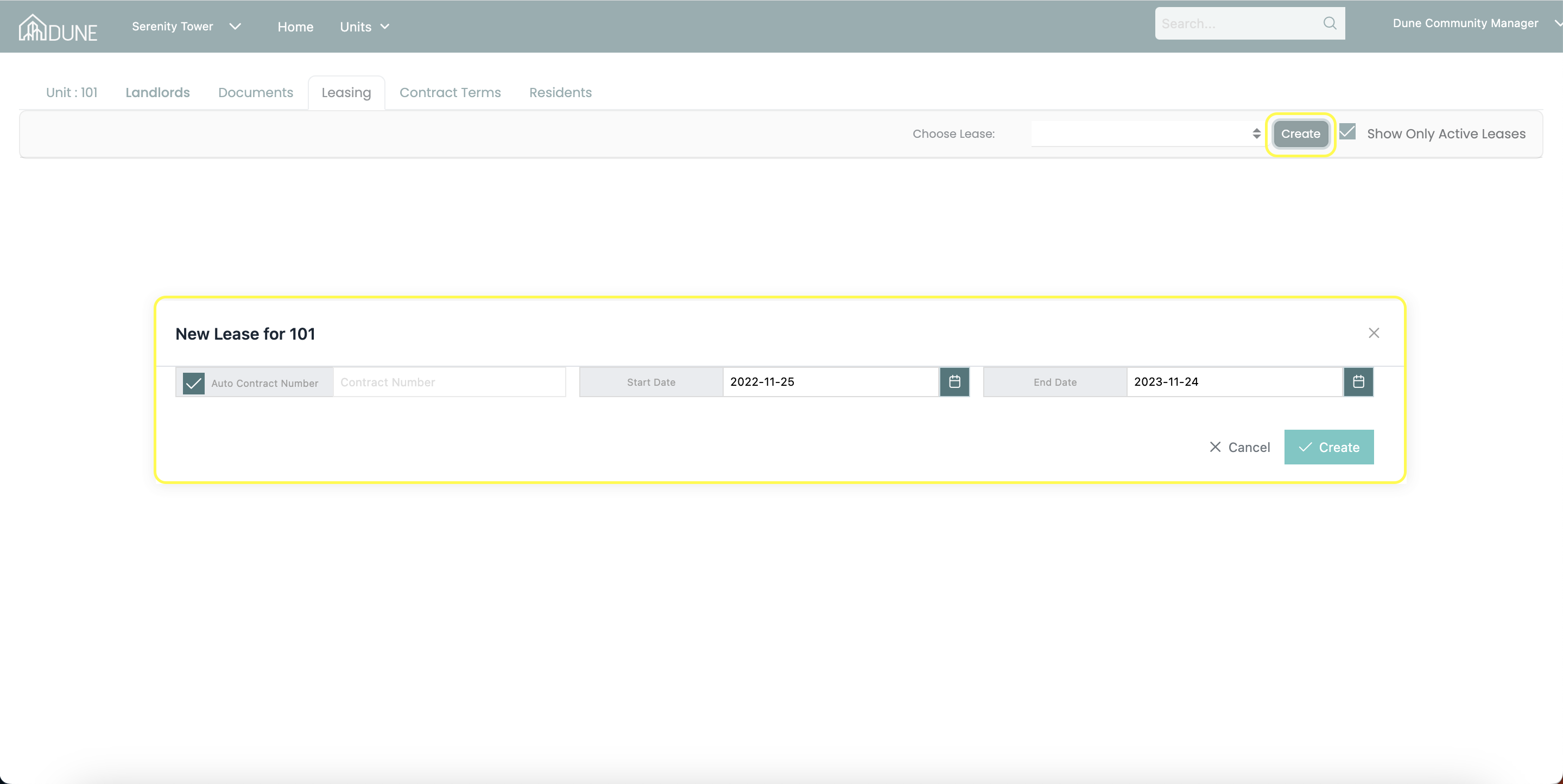
By choosing any unit in the property group homepage, you will open all units details including the leasing. In the unit leasing tab, by clicking on the create button, you can start and create a new lease for this unit.
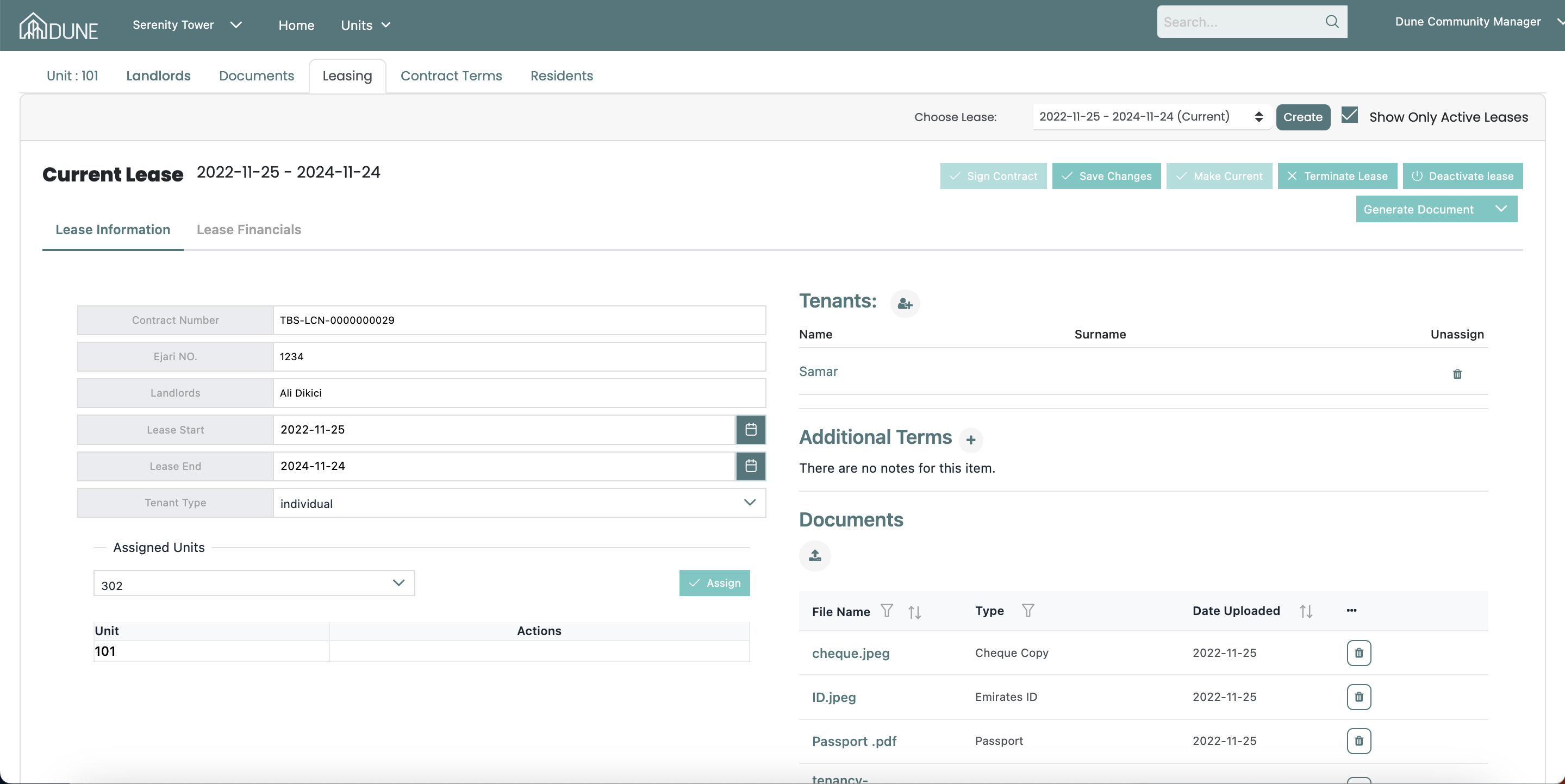
After you have created the lease, now it is the time to fill in your lease information, tenant, and your tenants documents. Do not forget to save the changes once you're done!
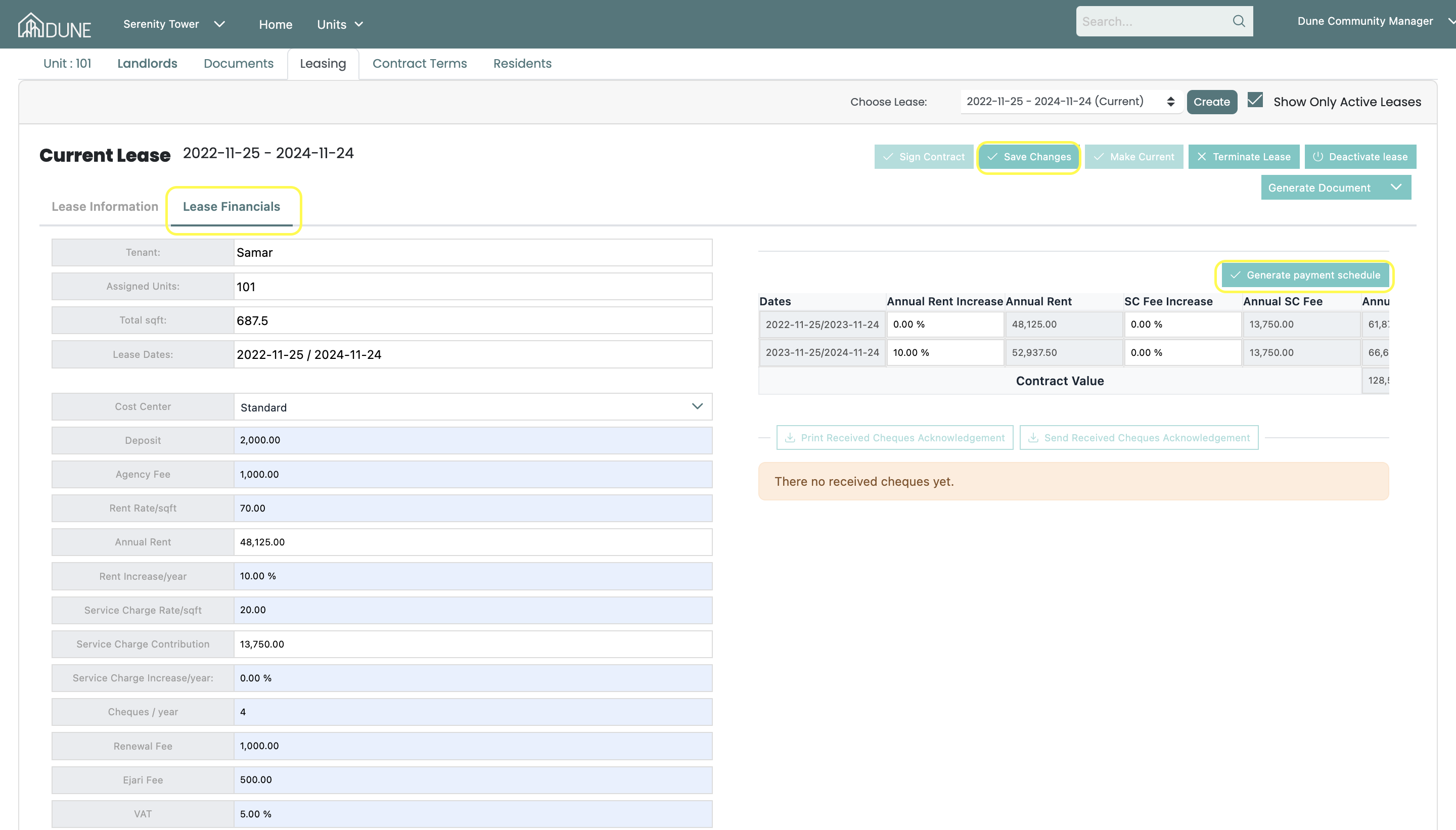
After you have saved your lease information, you may go to the lease financials tab! By clicking on the lease financials tab, start adding all of the financial information for this lease, once you have done so please save the changes, in order for your payment schedule to generate.
Once your payment schedule is generated, if no changes are required you may go ahead and click on Generate Payment Schedule button.
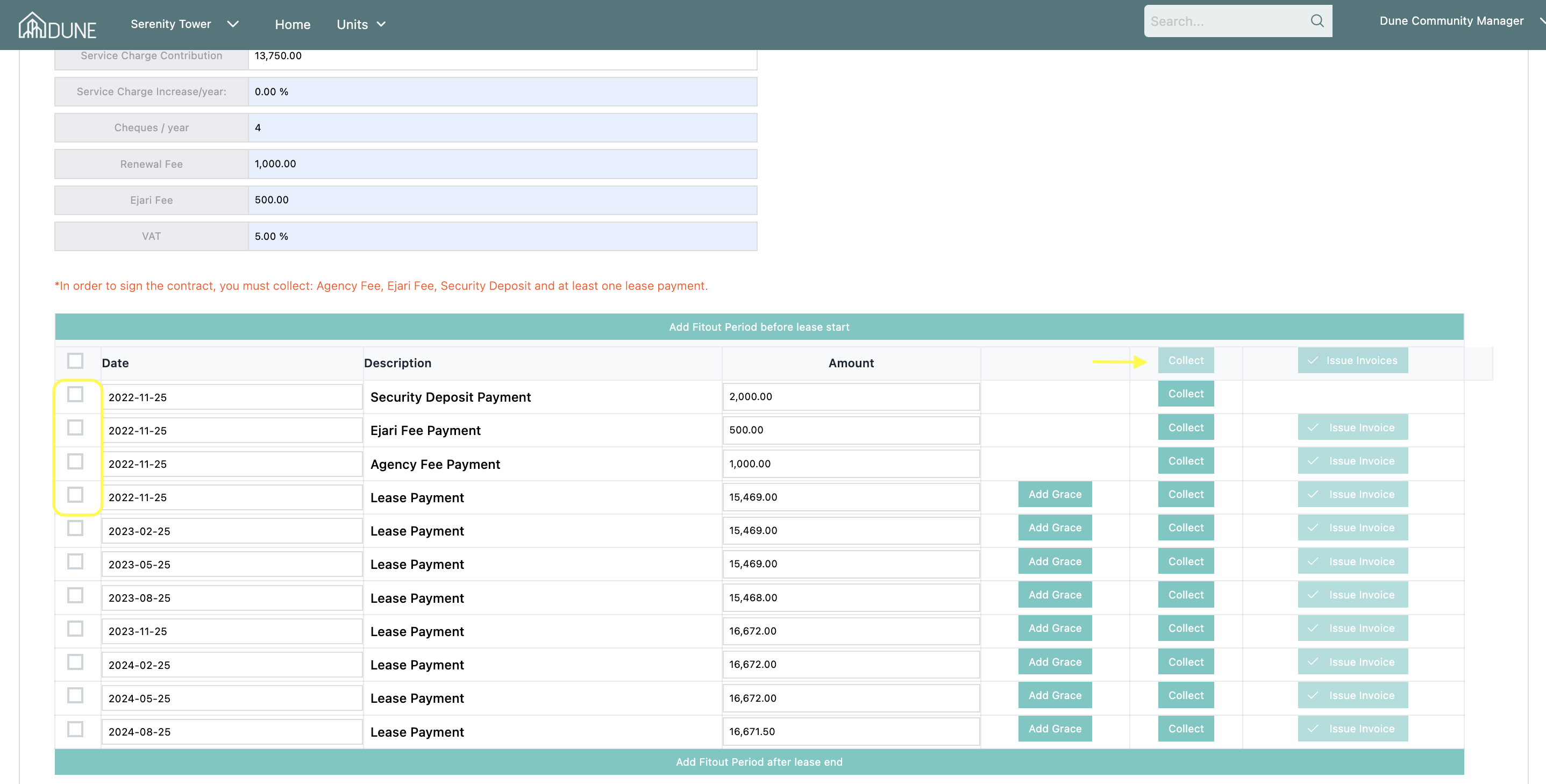
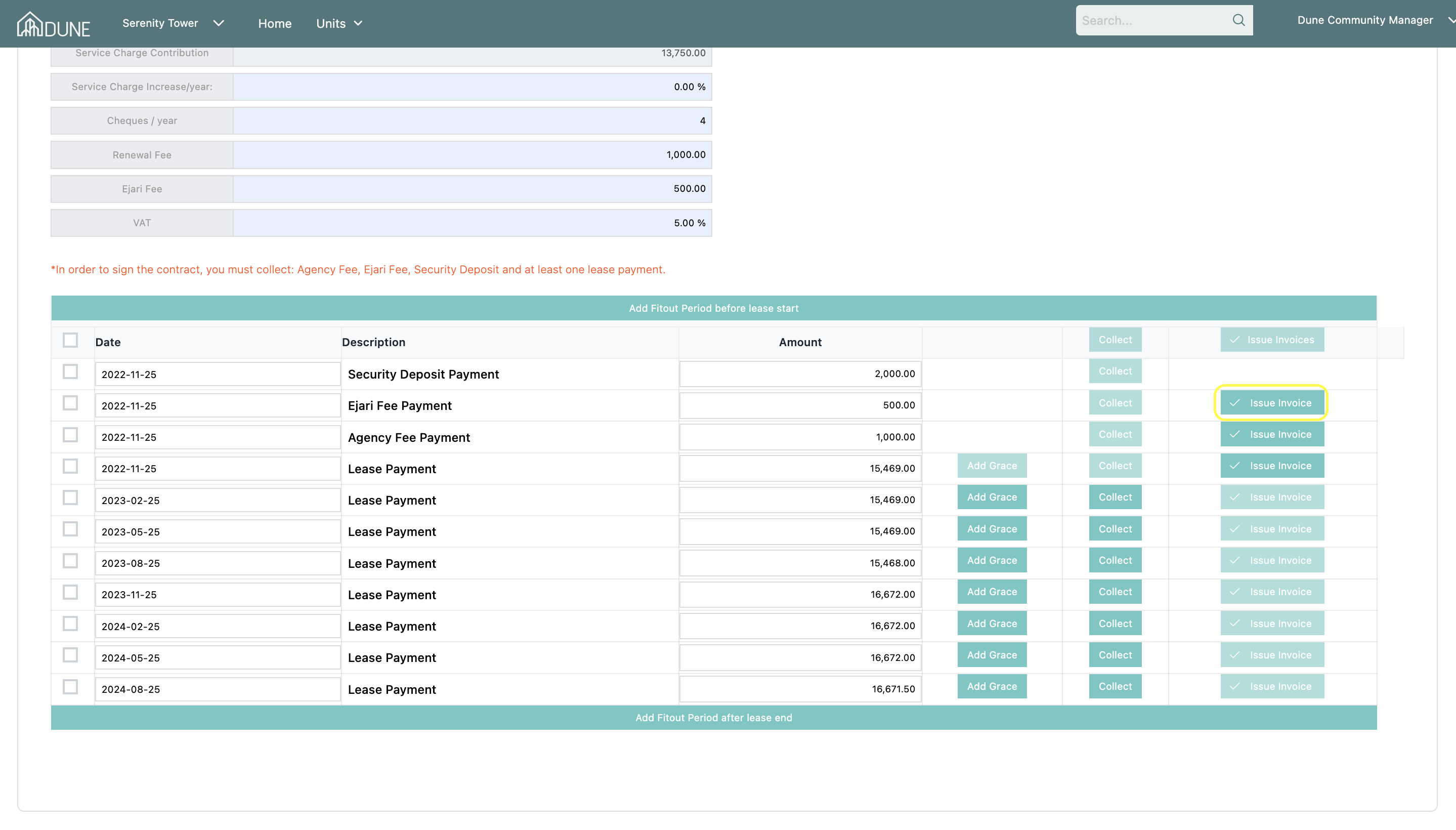
After generating your payment schedule, scroll down to see all the invoices. From this table you will be able to add a fit-out period, grace and collect your payments!
If you wish to collect more than one payment at a time, please select the payment you would like to collect from boxes on the left and then click on collect. After selecting your collections, you will be asked to choose the receipt type whether it is a cheque, bank transfer, or cash at hand, and enter the cheque or bank reference number before collecting.
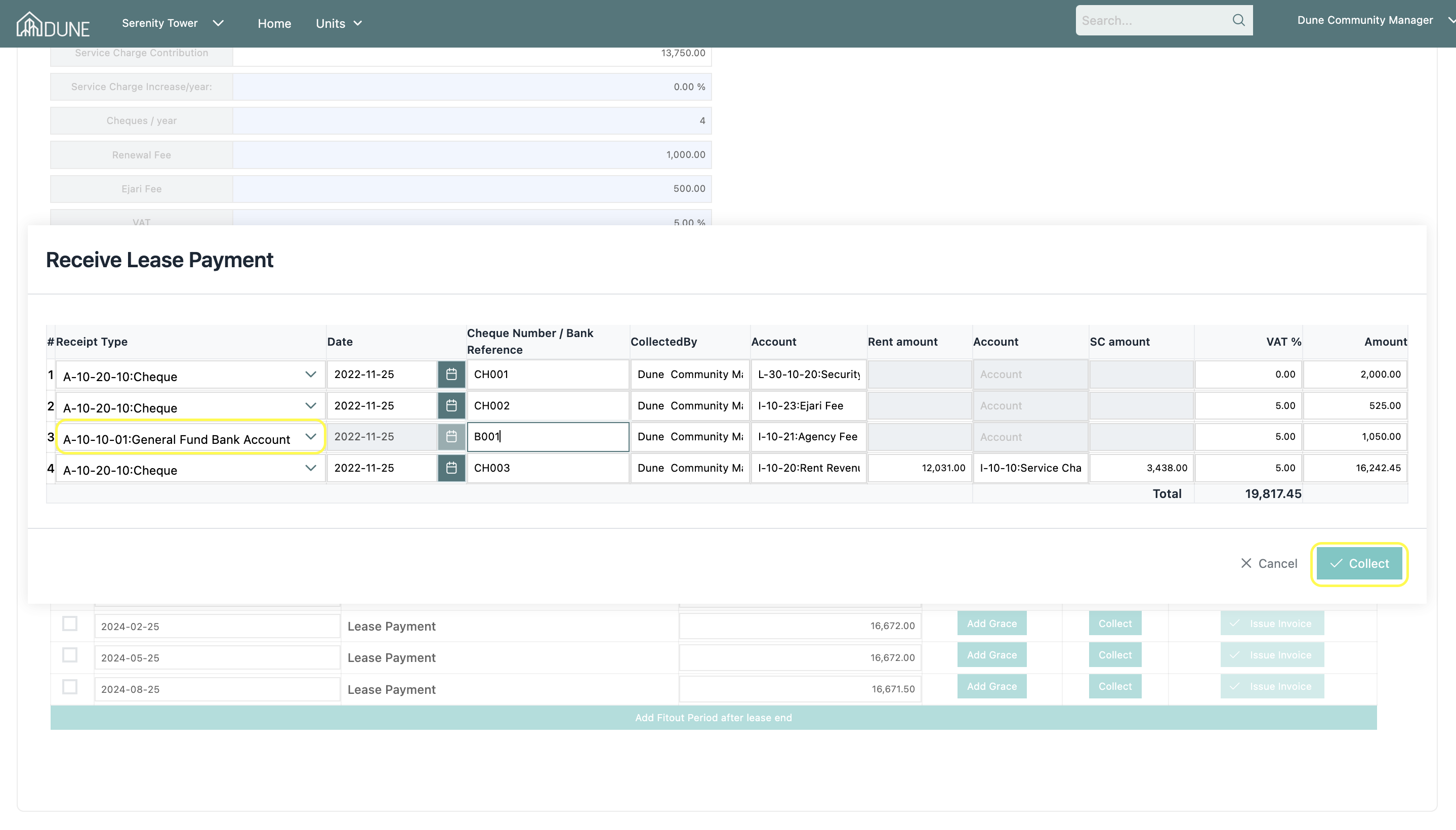
After you have collected your payments, an acknowledgment table will be generated for you to see from which you will be able to print all of the acknowledgment or send them to the tenant or landlord.
Issuing an invoice can be done from the same page as well!
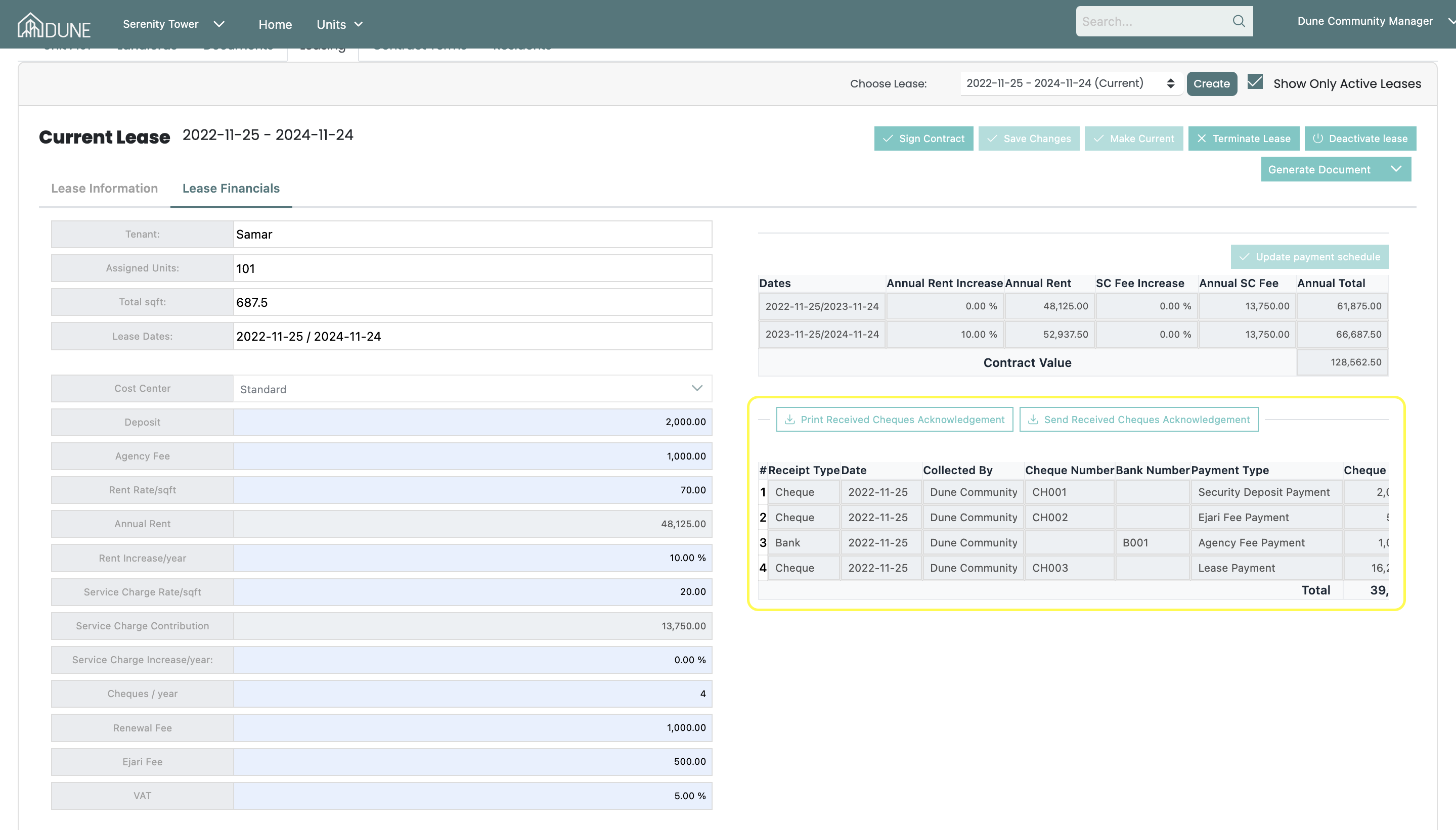
After you have collected the mandatory payments, you may now sign the contact!
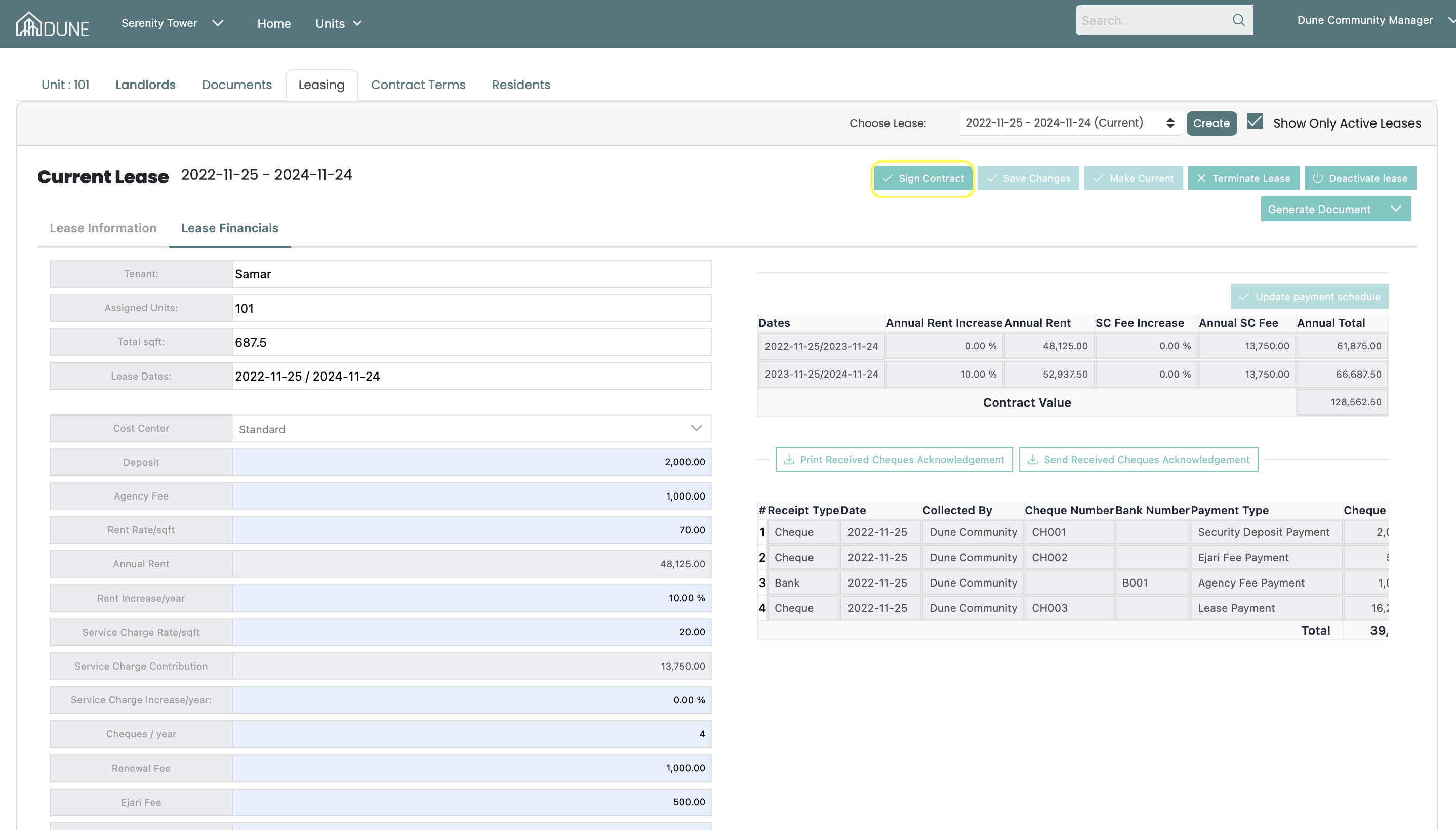
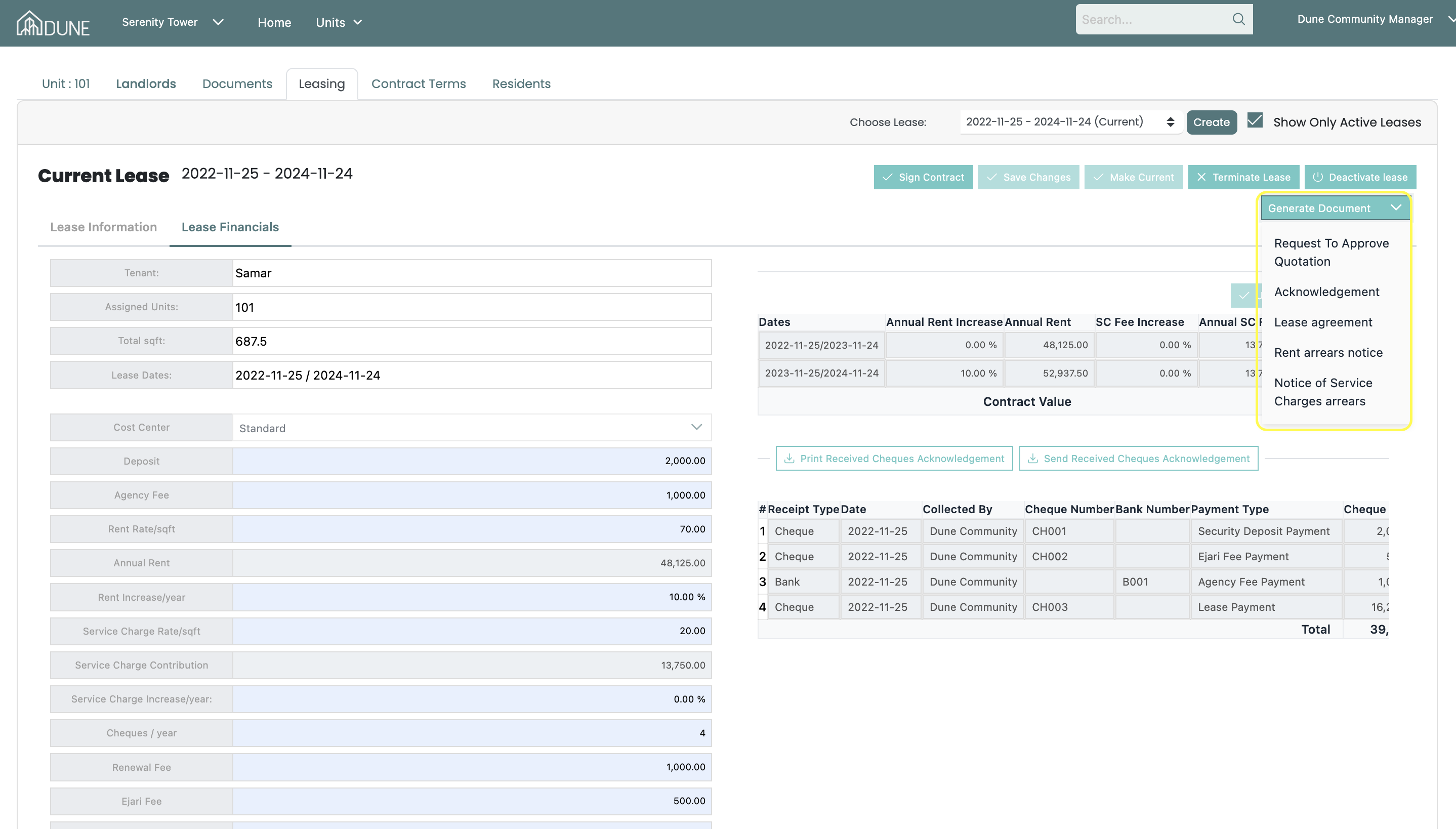
And lastly, generating a lease document and sending it to your tenant is available from the same page by clicking on generate document.
Was this article helpful?
That’s Great!
Thank you for your feedback
Sorry! We couldn't be helpful
Thank you for your feedback
Feedback sent
We appreciate your effort and will try to fix the article