Through this option, you can add the terms and conditions for every request that appears to your residents:
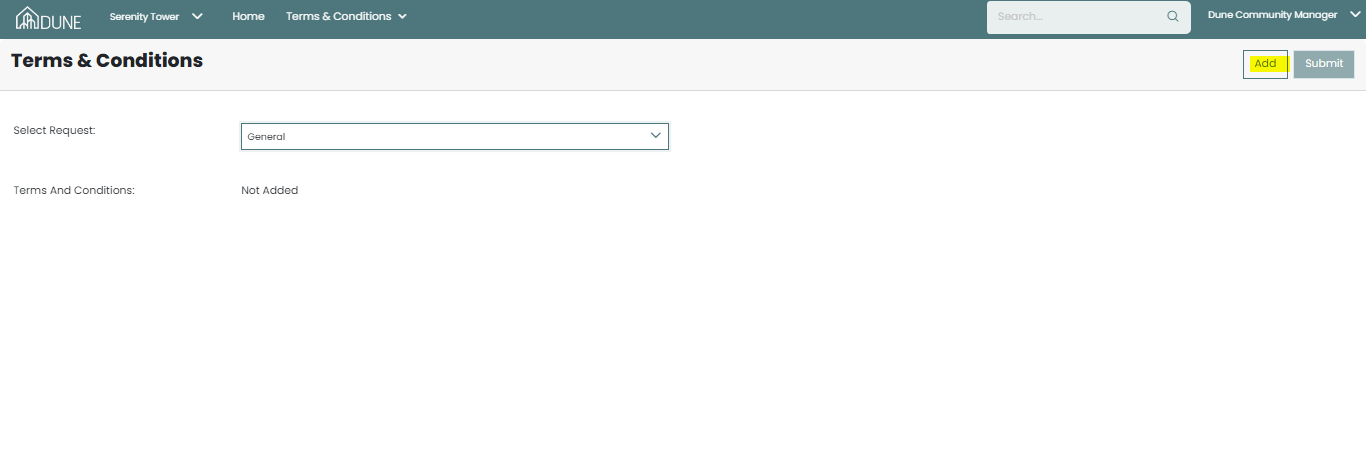
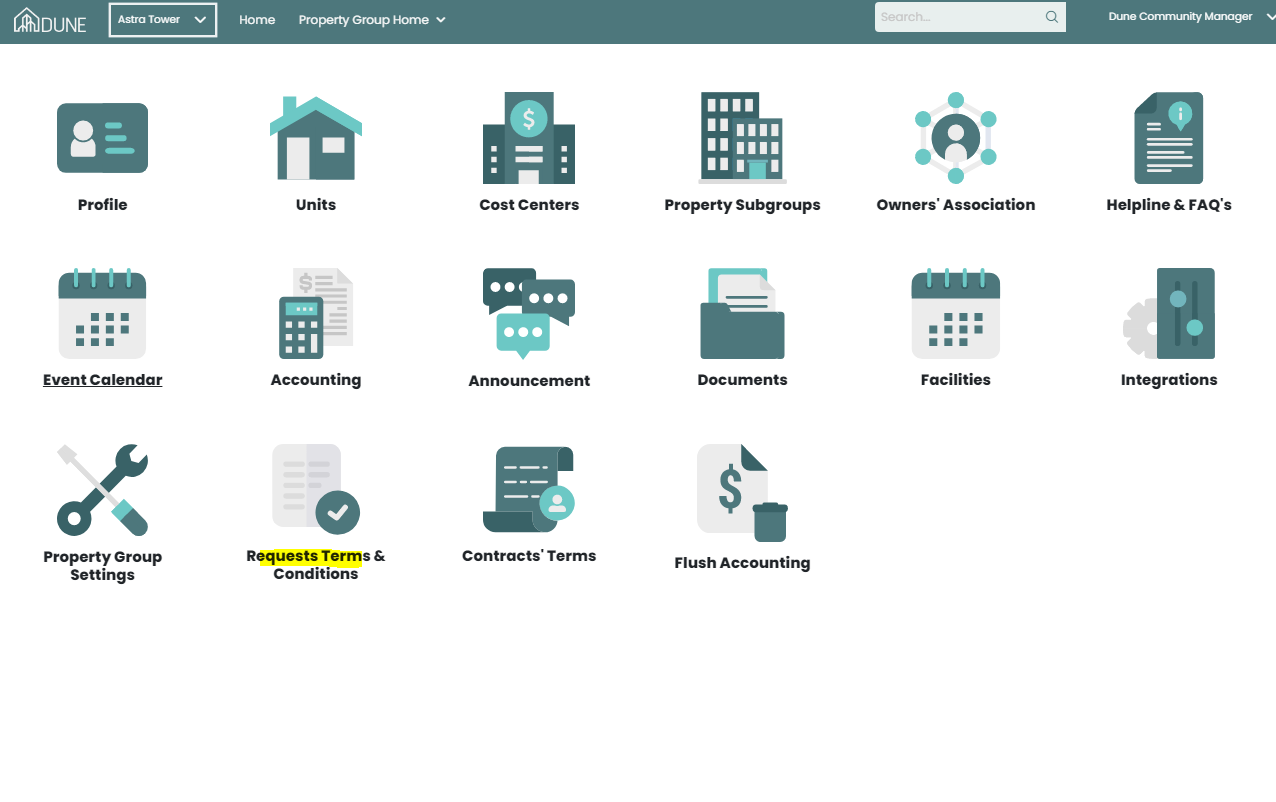 Choose the type of request then click Add once you add them, click Submit:
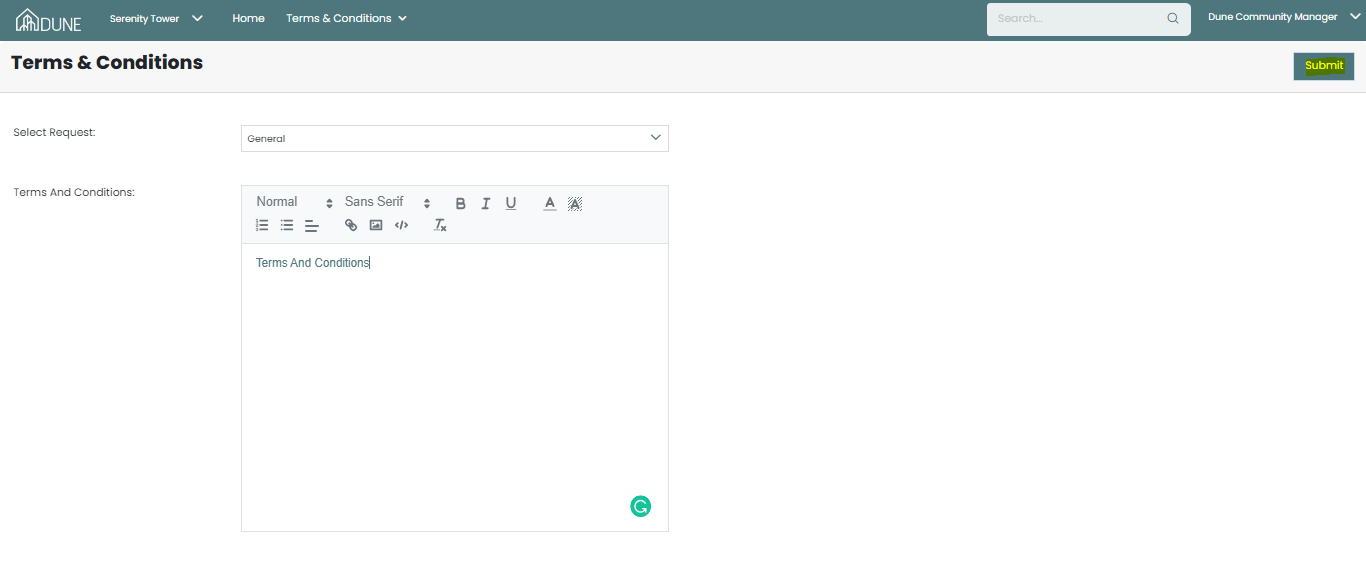
And now terms and conditions are saved and appear to your Residents:
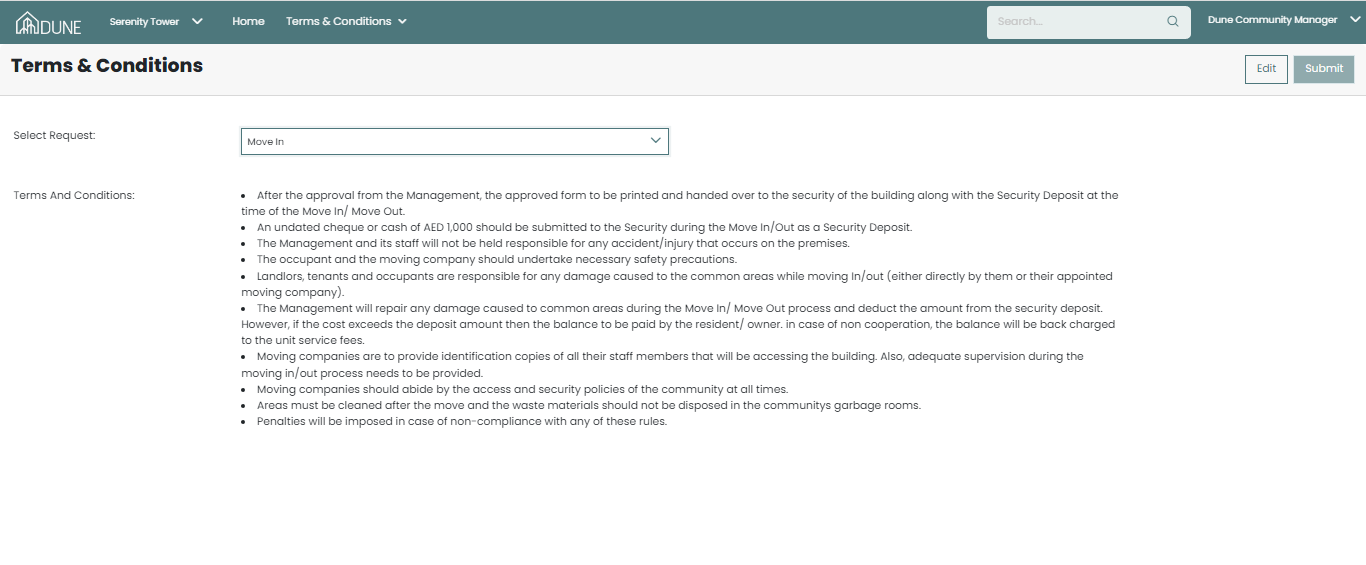
If you wish to change some terms or conditions later just click edit and make your change then Submit to save it: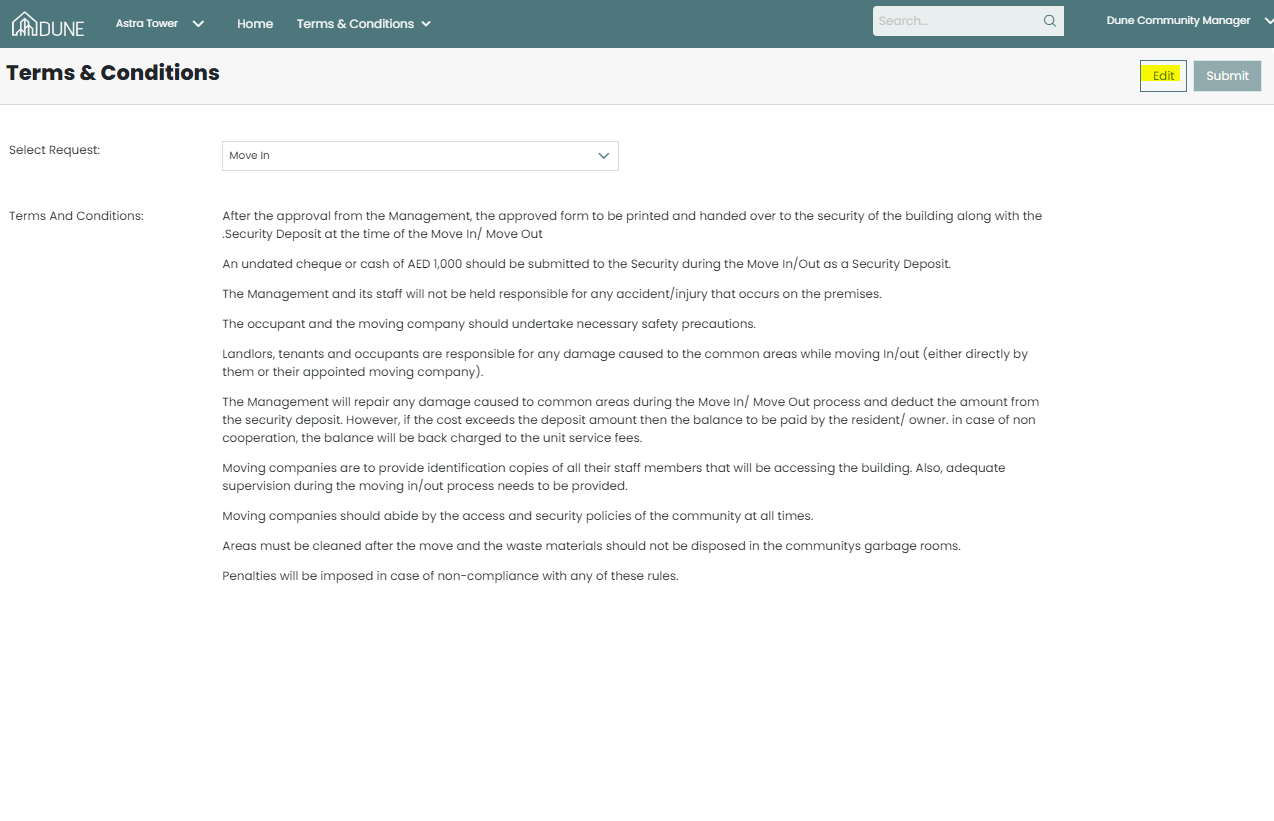
Was this article helpful?
That’s Great!
Thank you for your feedback
Sorry! We couldn't be helpful
Thank you for your feedback
Feedback sent
We appreciate your effort and will try to fix the article