Go to the global view and click on Requests to see all requests.
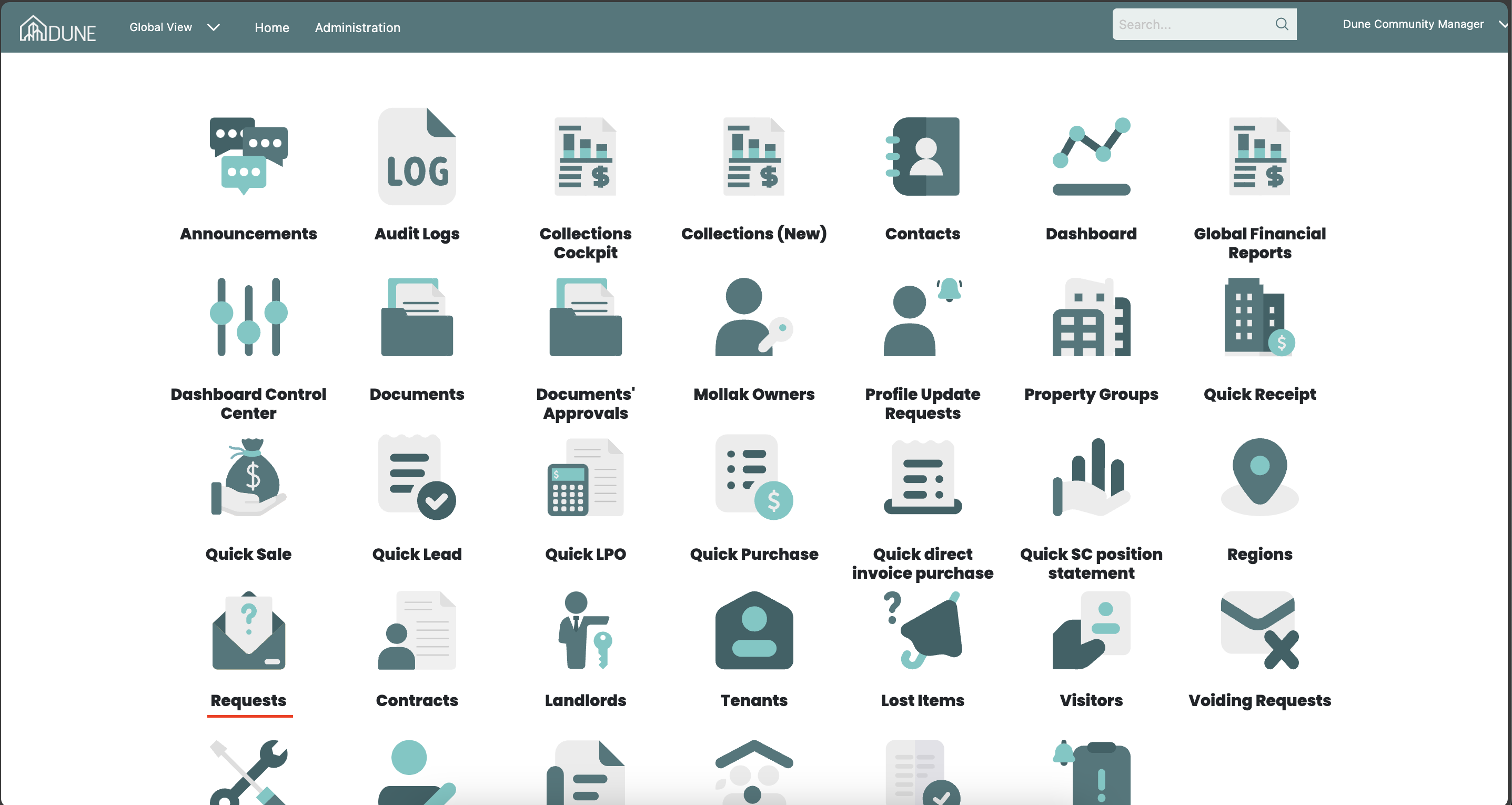
Select and Review the Request:
Click on Details after selecting the request you wish to approve and forward.
The request will open, allowing you to review the details of the request and the requester.
Review and approve the maintenance request documents.
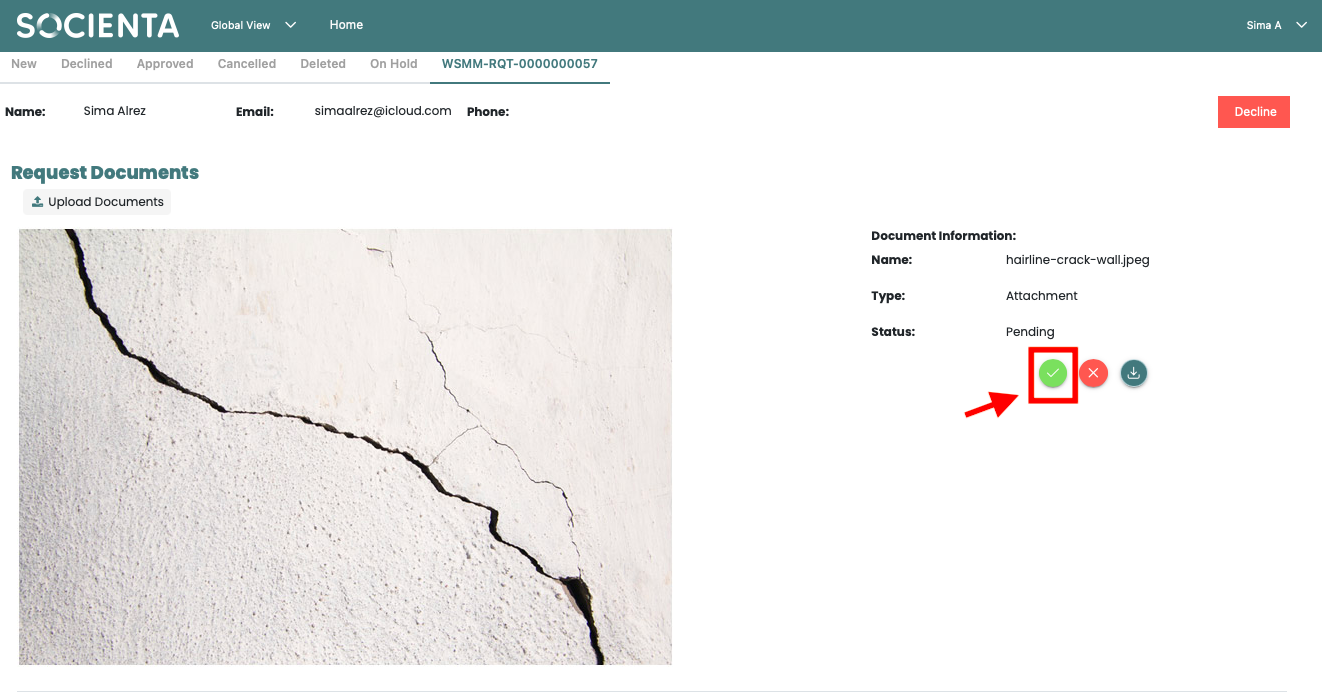
Approve the Request:
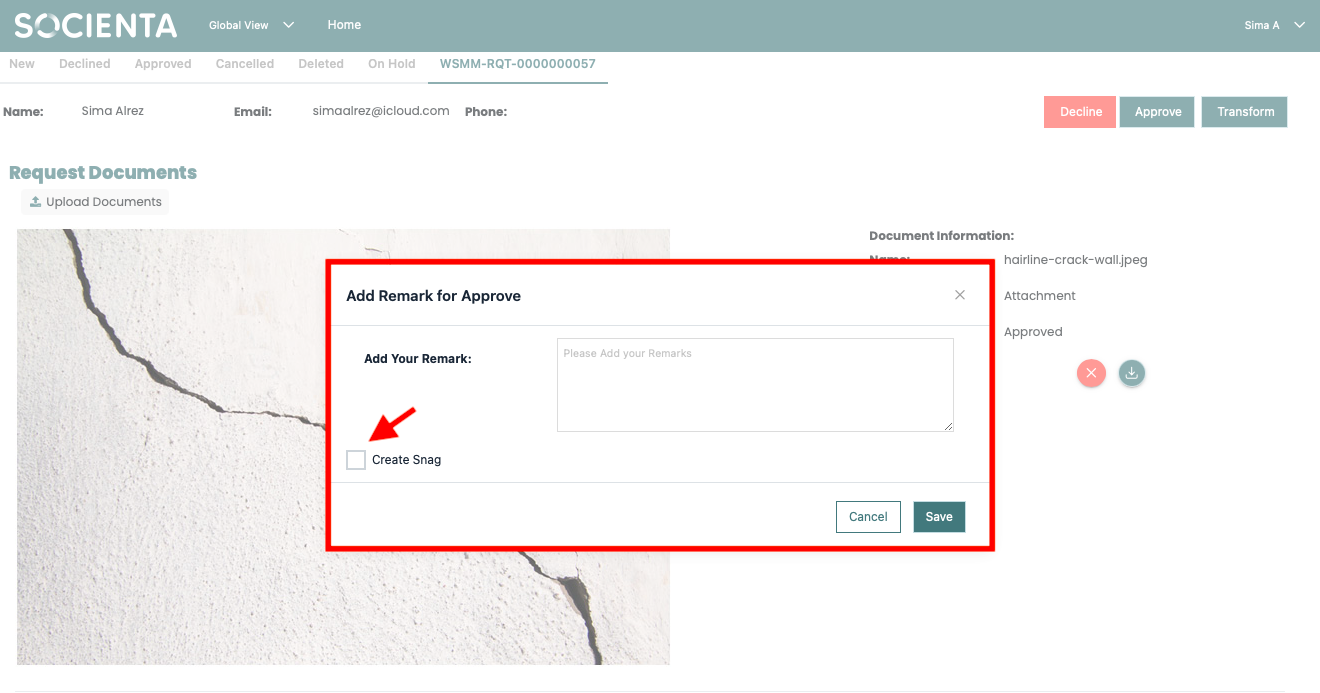
After approving the document, click the Approve button.
A new tab will open, allowing you to add comments and create a snag.
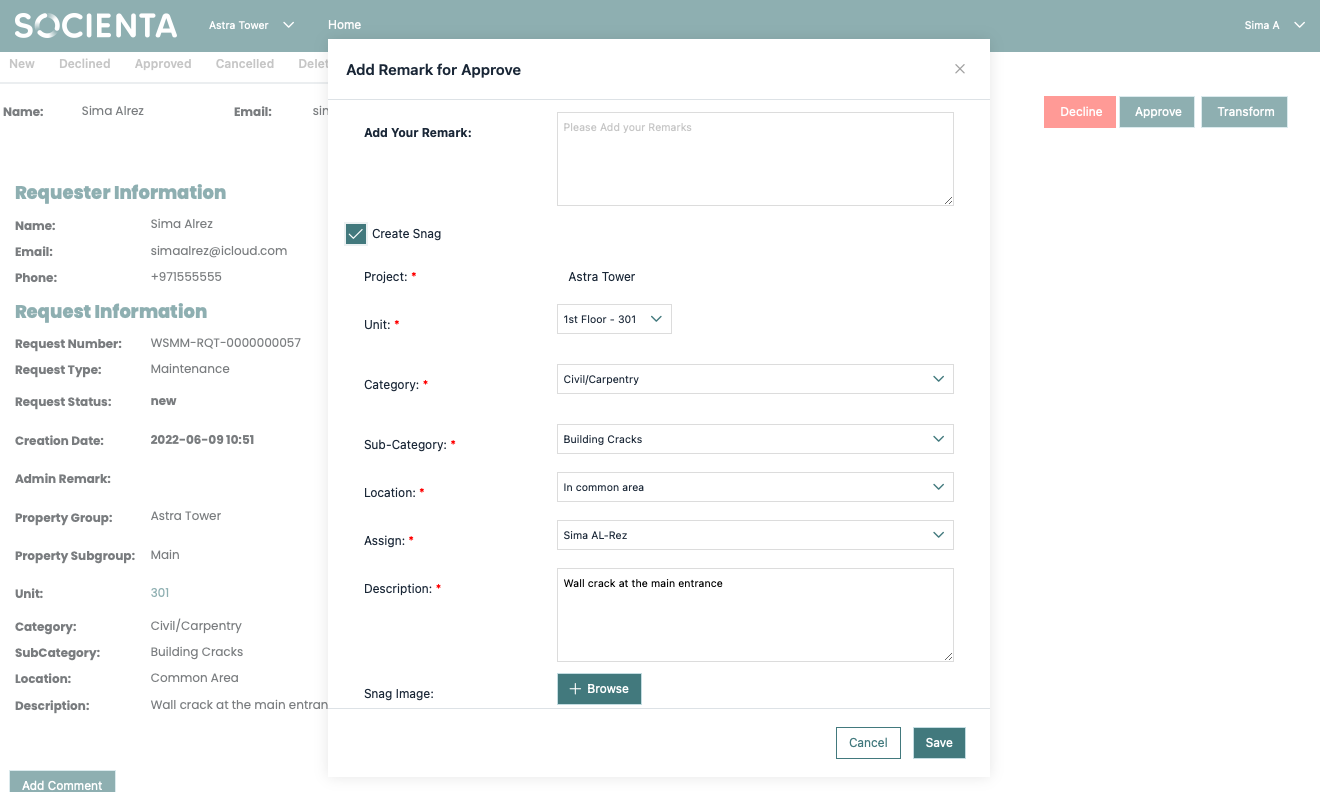
Create a Snag:
Click on Create Snag, which will open a new tab for assigning the snag.
Choose who you want to assign the snag to and click Save.
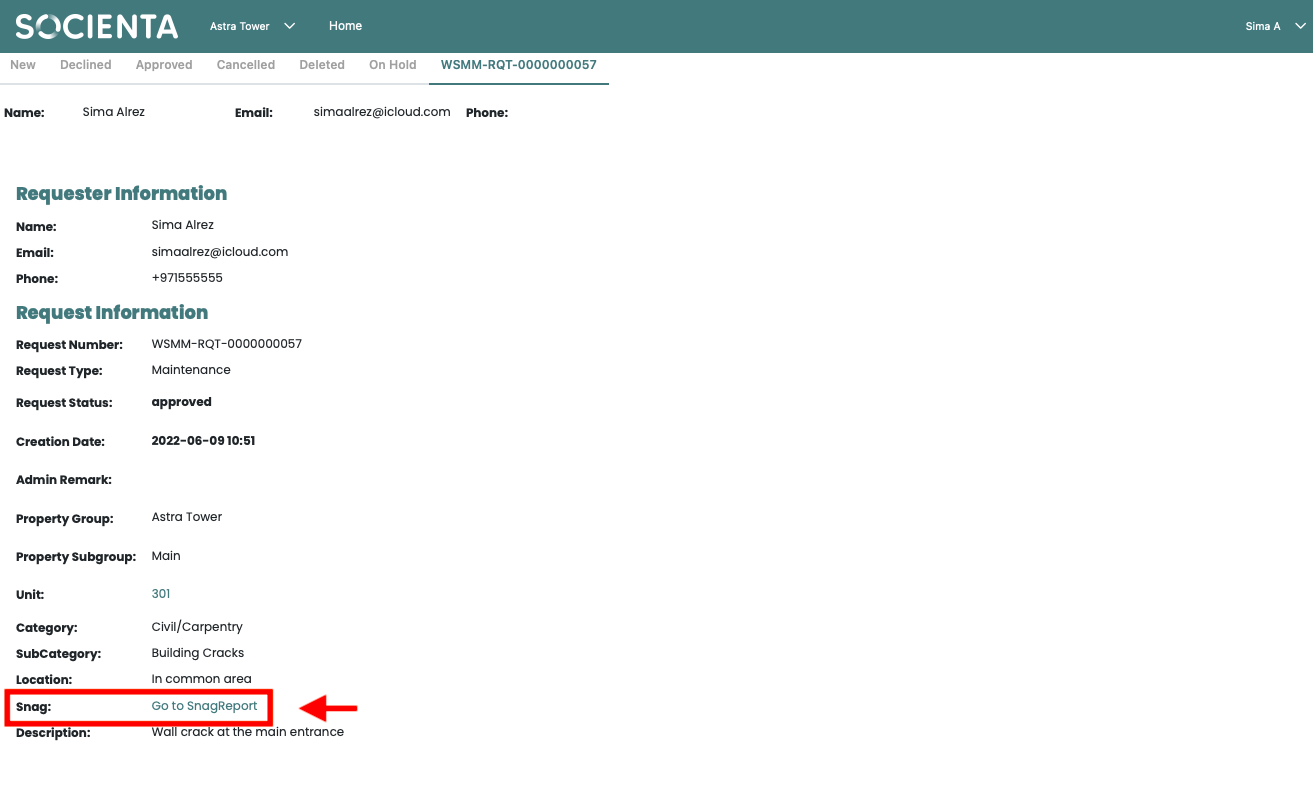
Once the snag is created and sent to Snag Report, you can check its status by clicking the link that appears in the request itself.
Was this article helpful?
That’s Great!
Thank you for your feedback
Sorry! We couldn't be helpful
Thank you for your feedback
Feedback sent
We appreciate your effort and will try to fix the article