Prerequisite:
1-Make sure you have access rights to Proof of Payment (Contact your client admin user to provide you with this access)
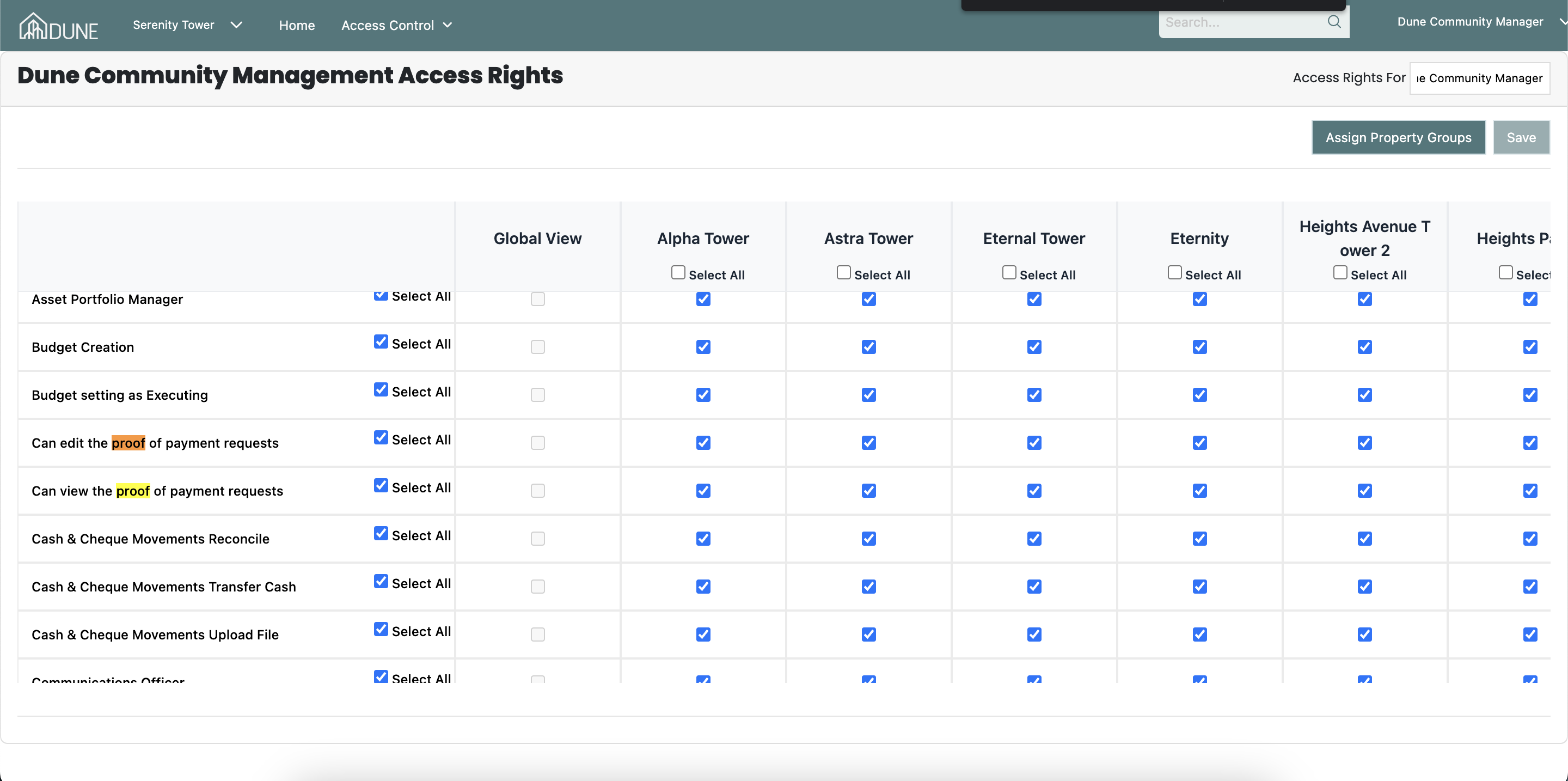
Answer:
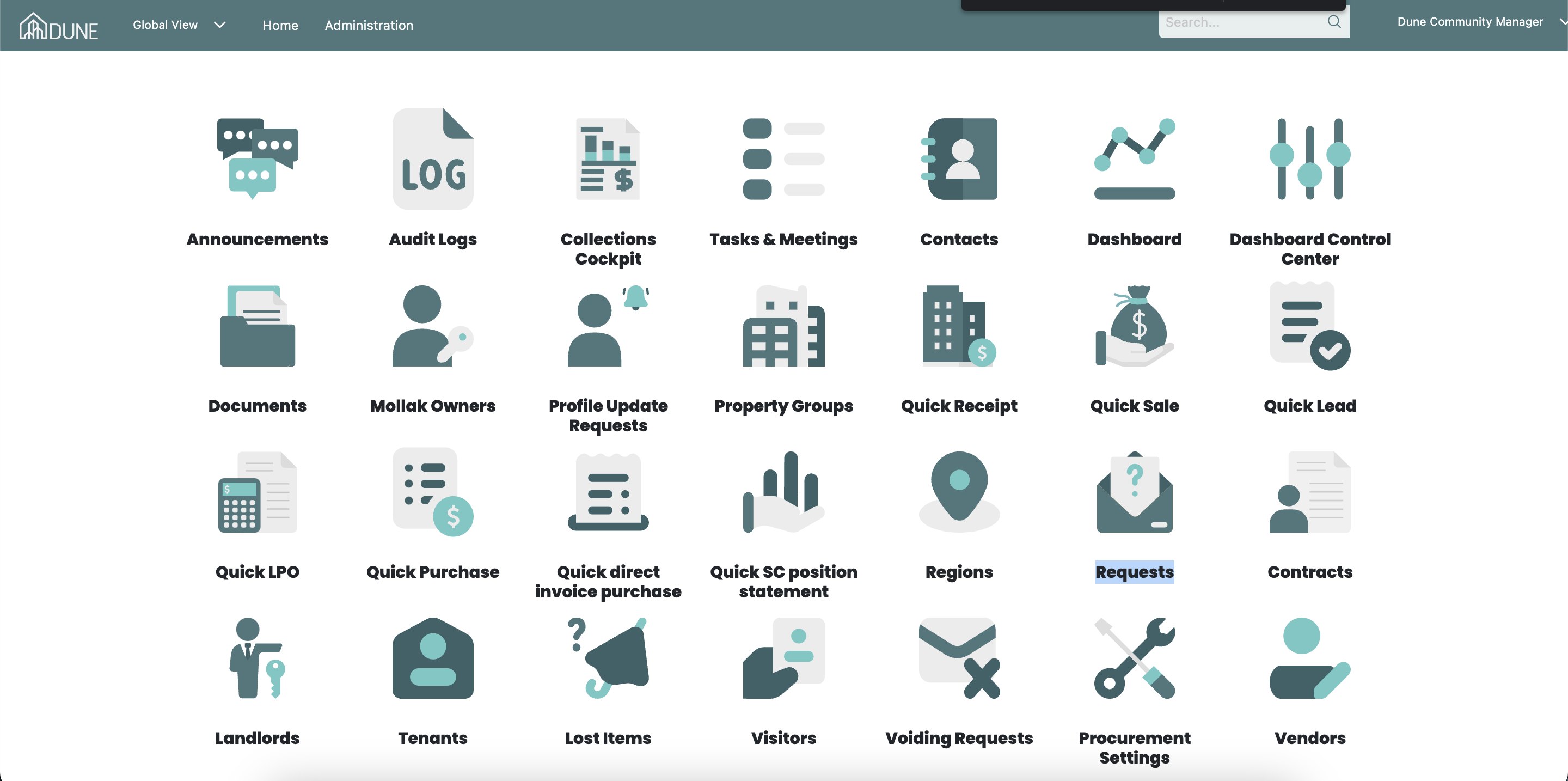
Go to the global view and click on Requests to approve the Proof of Payment request submitted by the resident:
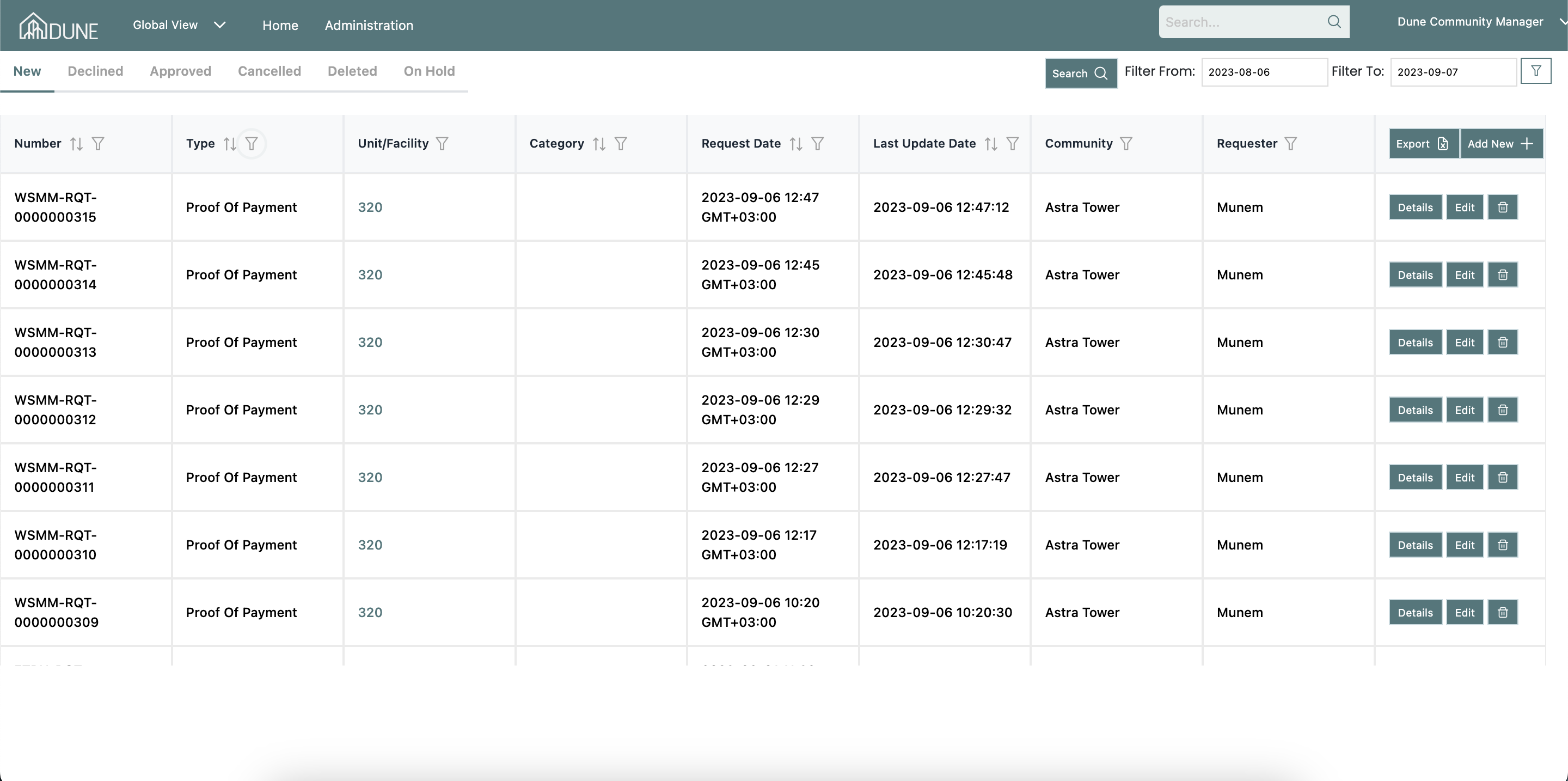
 You'll be able to choose the Proof of Payment requests you'd like to see on your requests dashboard (new, declined, approved, canceled, deleted, on hold.) You can search for and filter specific requests, as well as export the requests by type, property group, and status.
Click on details after selecting the request you want to approve, and the request will open for you.
You'll be able to see the details of the request and the requester. To approve the request, you must add the expiration date and approve each document the requester has submitted.
If you've already authorized the personal documents, Socienta will remember that and you won't have to do it again.
Then you need to approve the Proof of Payment document or reject it.
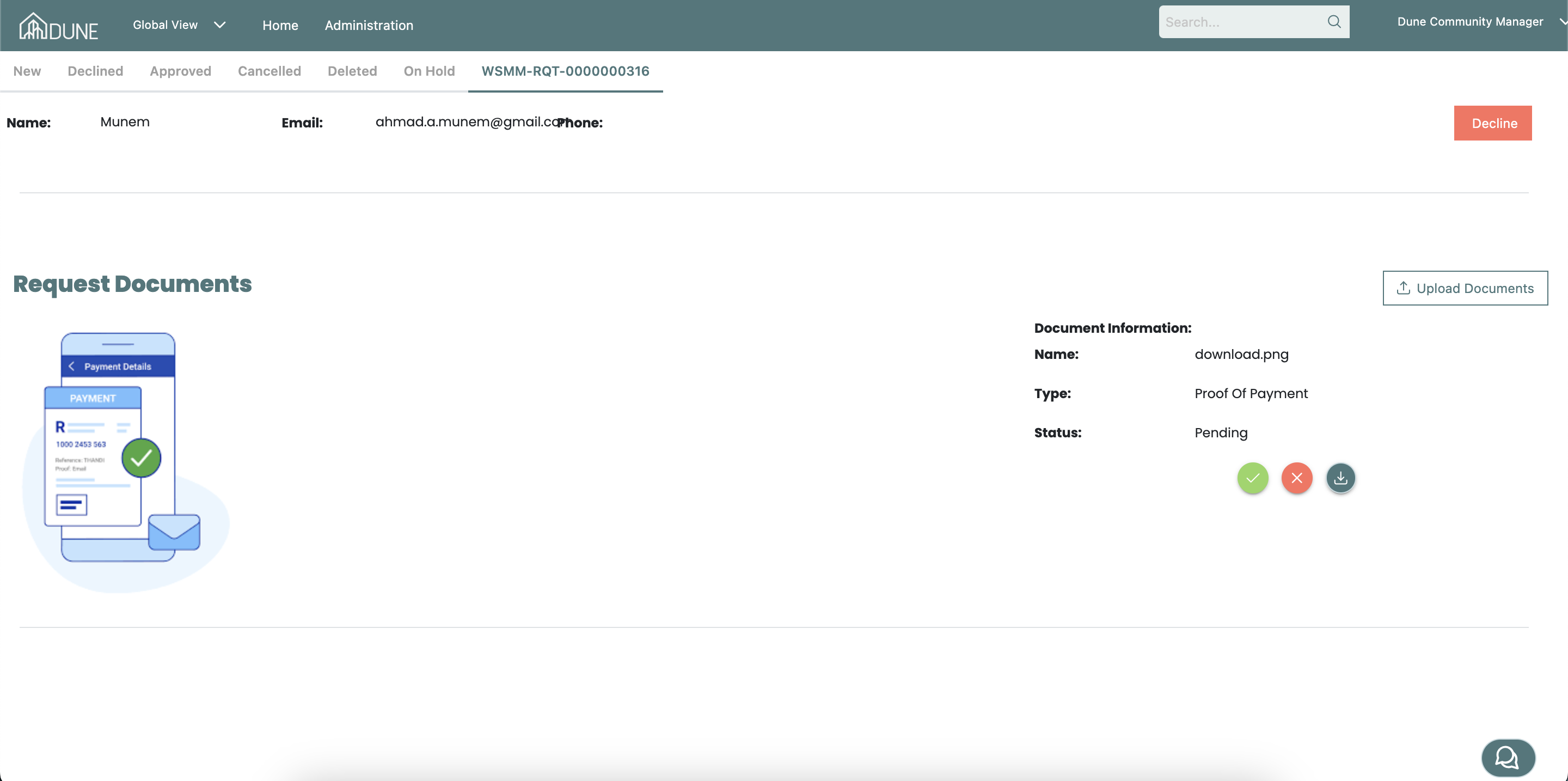
After you've approved all of the documents, you'll be prompted to approve the request with an approve button.
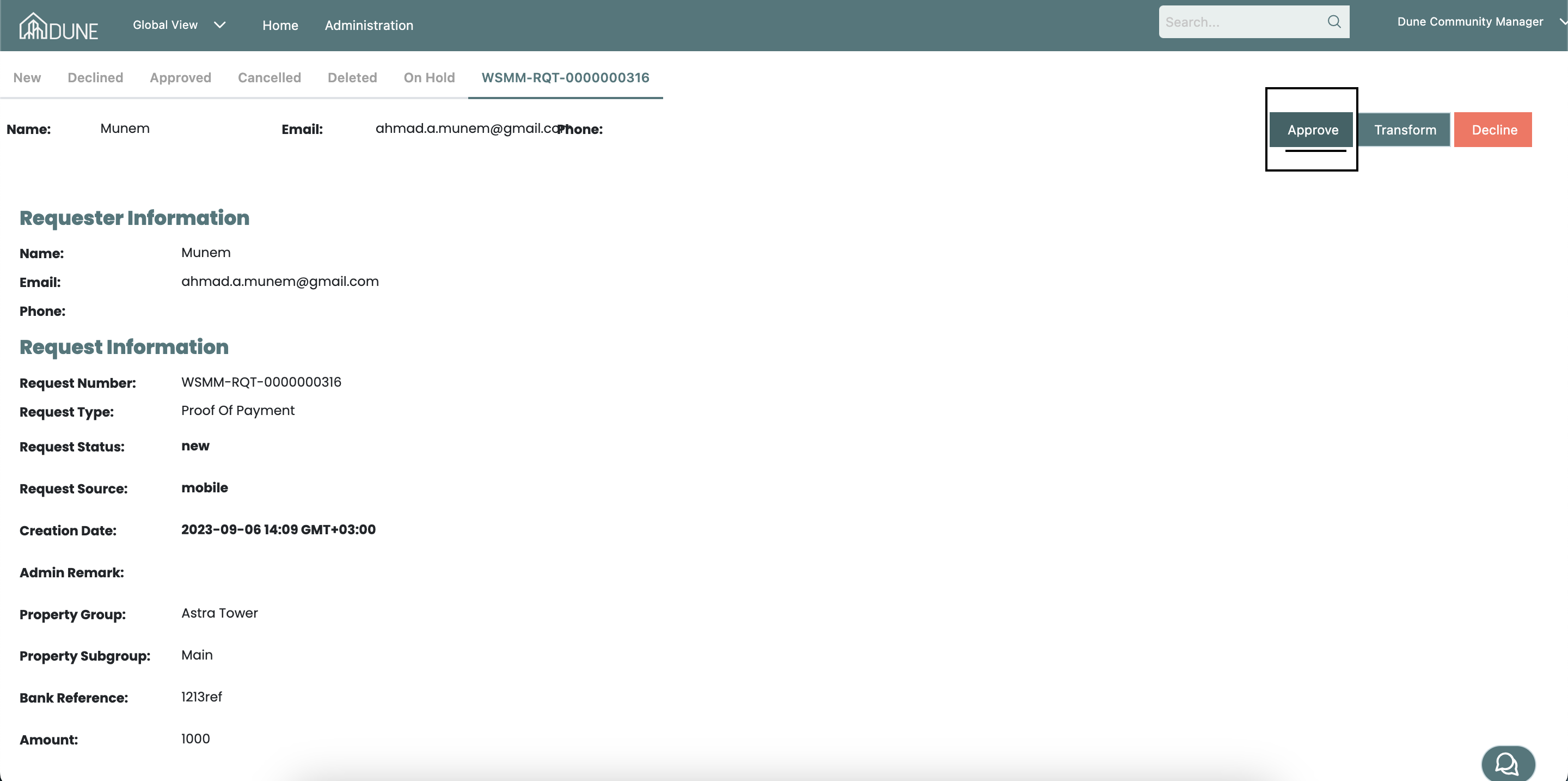
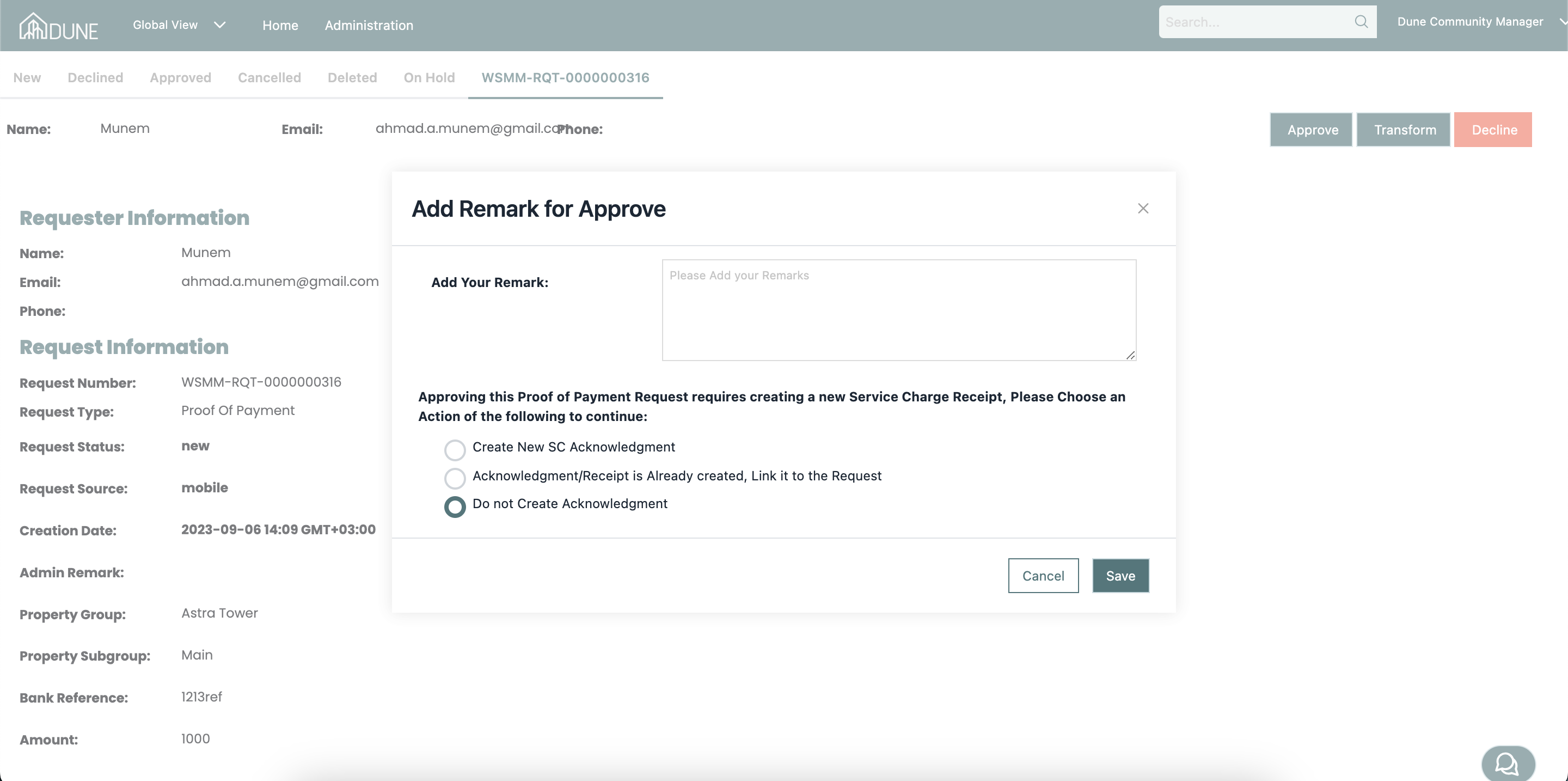
Once you click. the approve button pop-up screen will open and you have 3 options to choose from: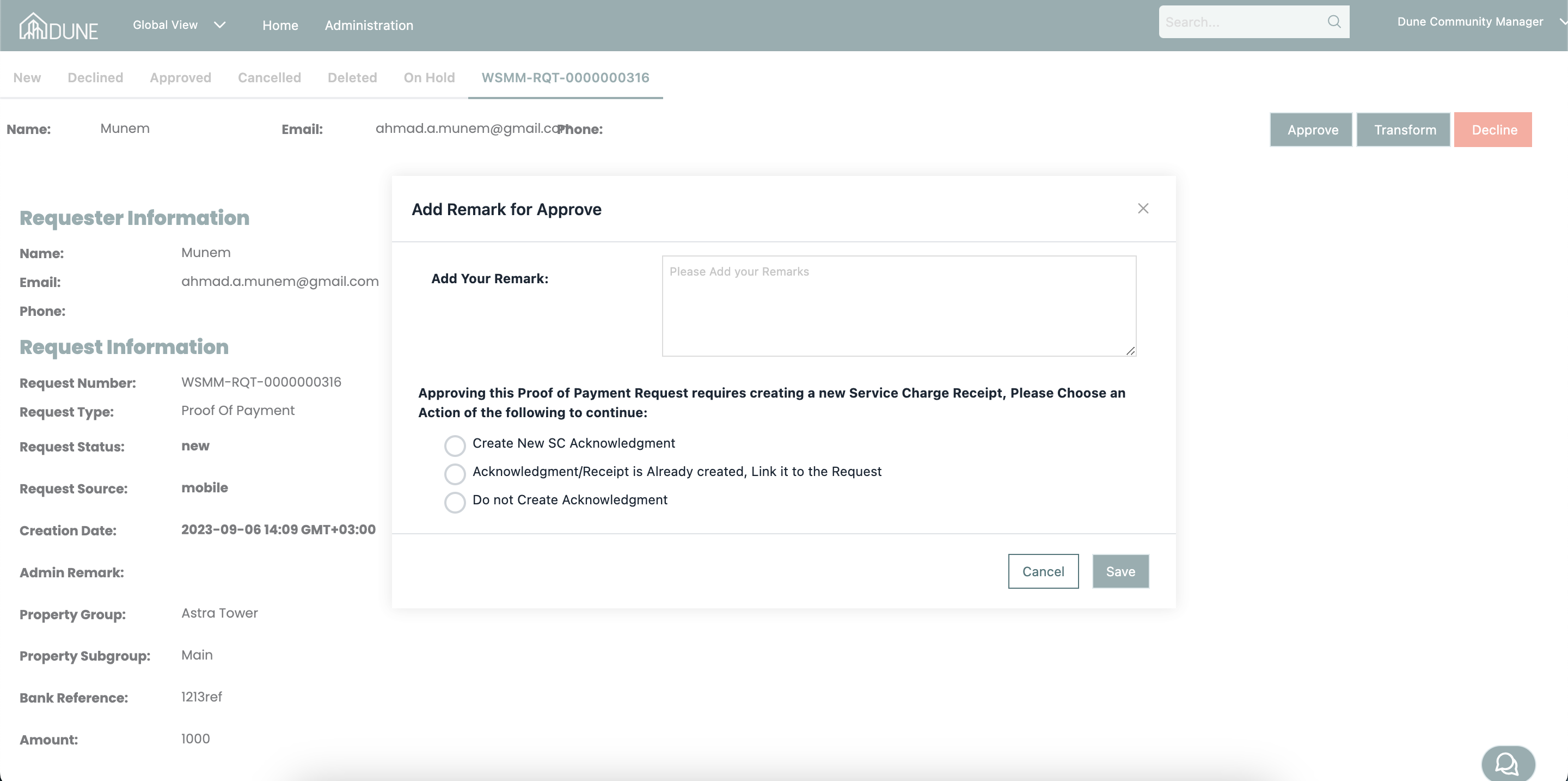
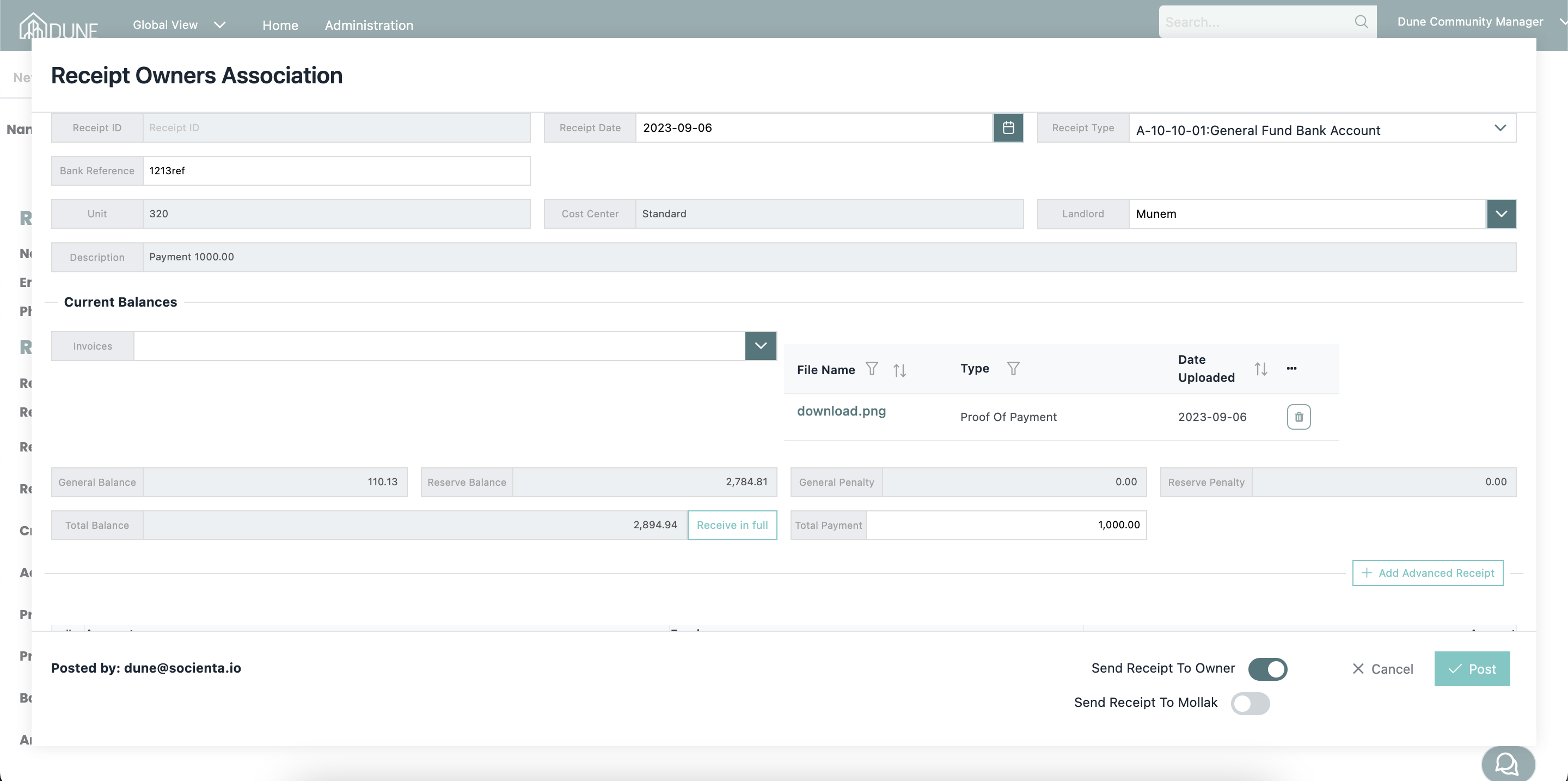
1-Create New SC Acknowledgment:
You are able to create a new acknowledgment directly from the opened dialog and post it
 2-Acknowledgment/Receipt is Already created, Link it to the Request
You can link the request to the created Acknowledgment/Receipt if you already created and save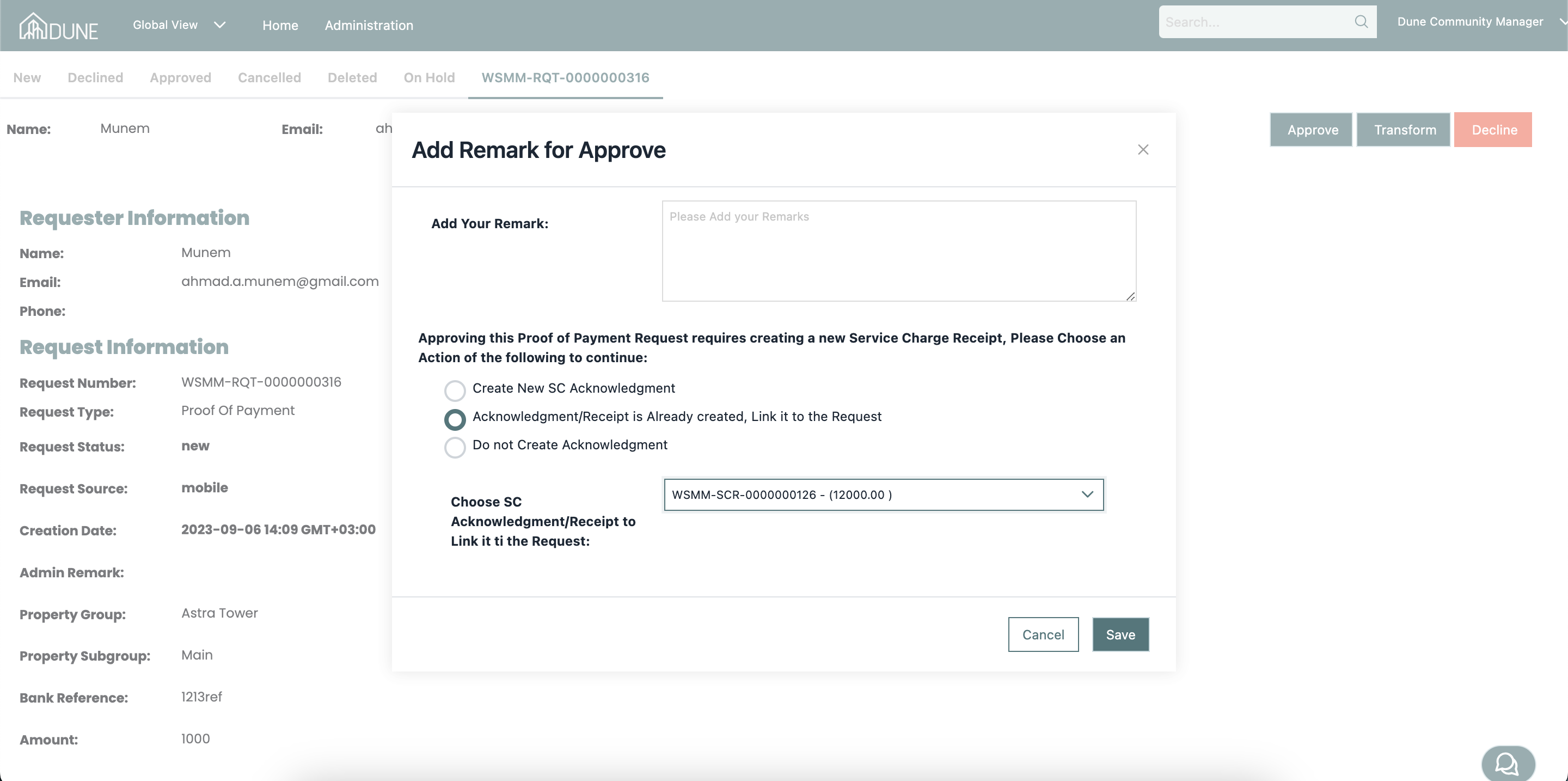
3-Do not Create Acknowledgment
You are able to approve the request without creating or linking any Acknowledgment/Receipt if you wish to only approve the request
You can check the status of the request when you approver declined in the approved to declined request tab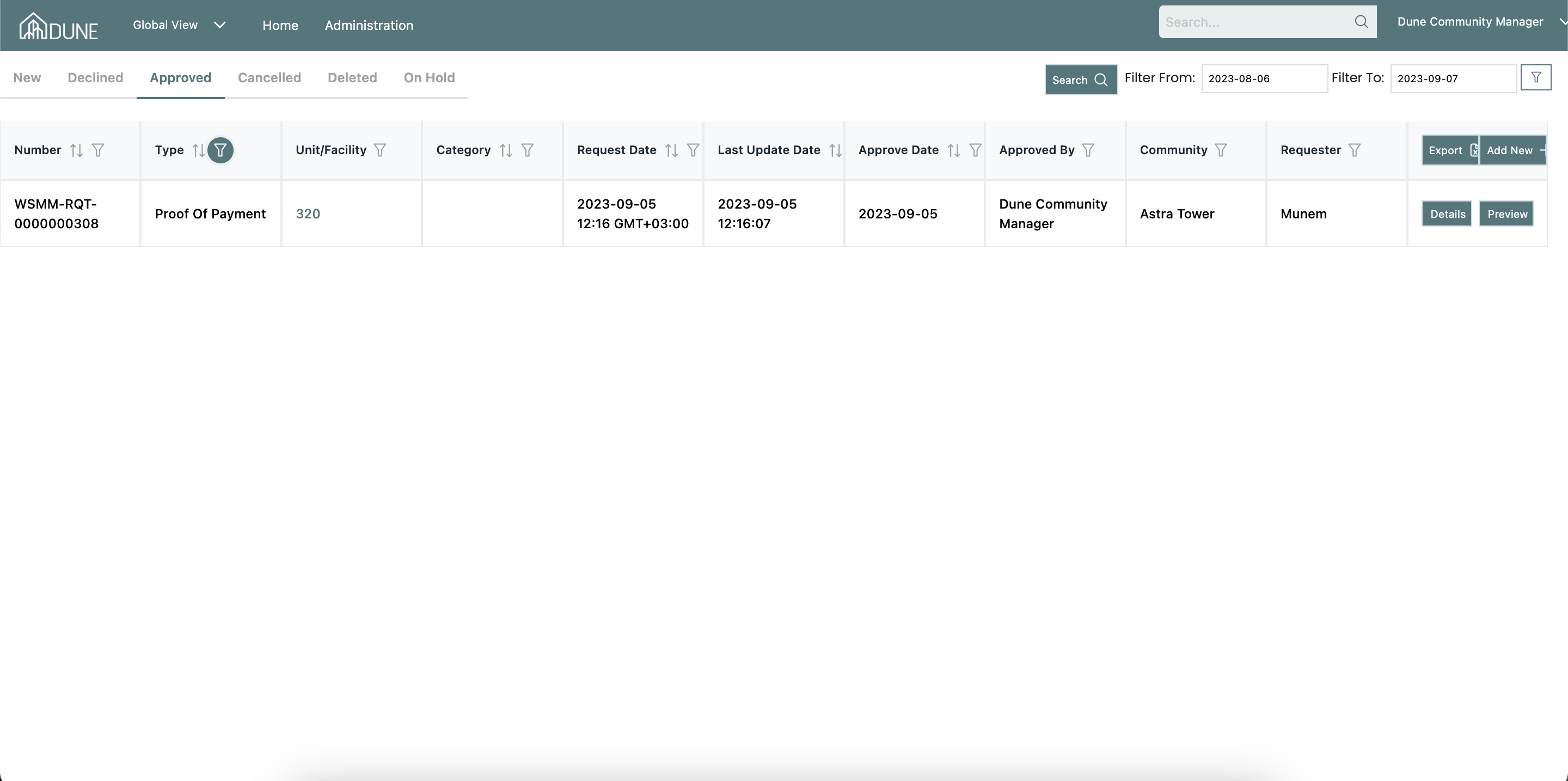
Was this article helpful?
That’s Great!
Thank you for your feedback
Sorry! We couldn't be helpful
Thank you for your feedback
Feedback sent
We appreciate your effort and will try to fix the article