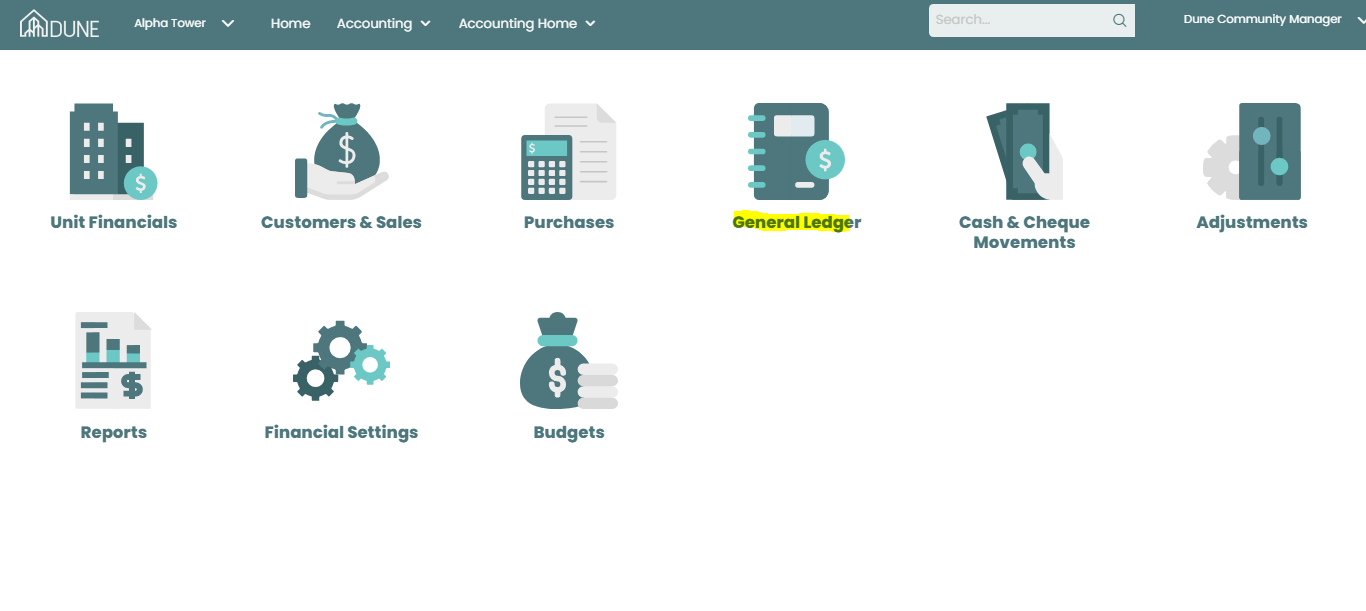
You can access the General Ledger through Property Group accounting screen and view all of your accounts movements.
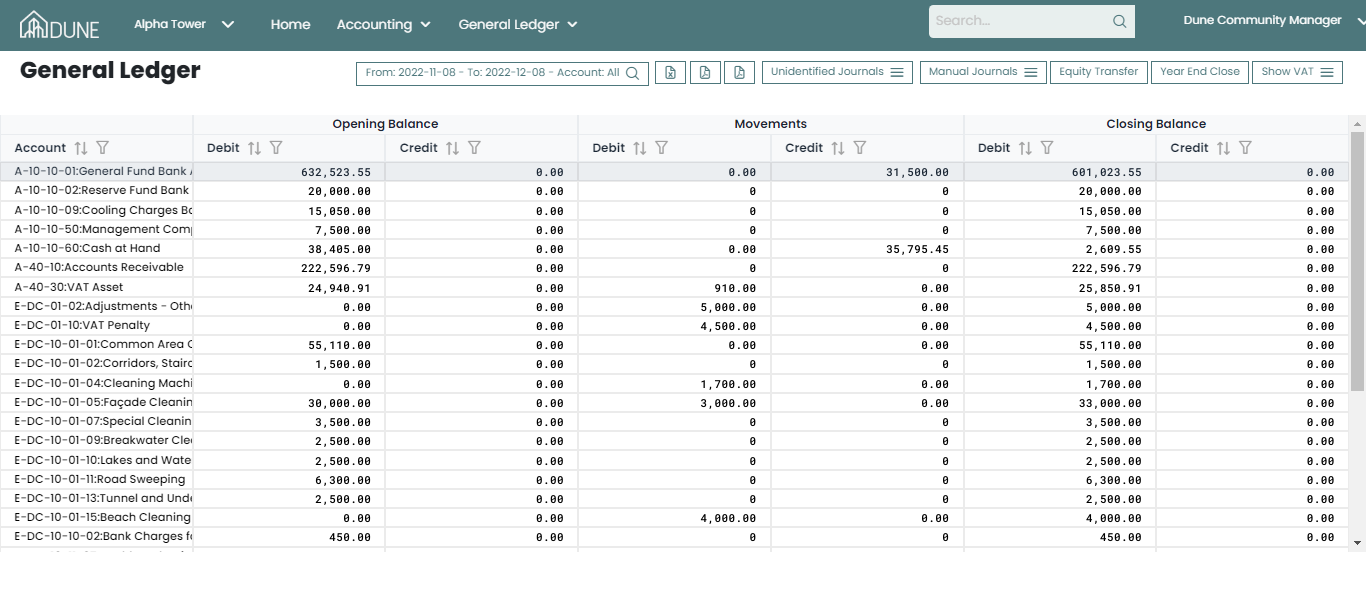
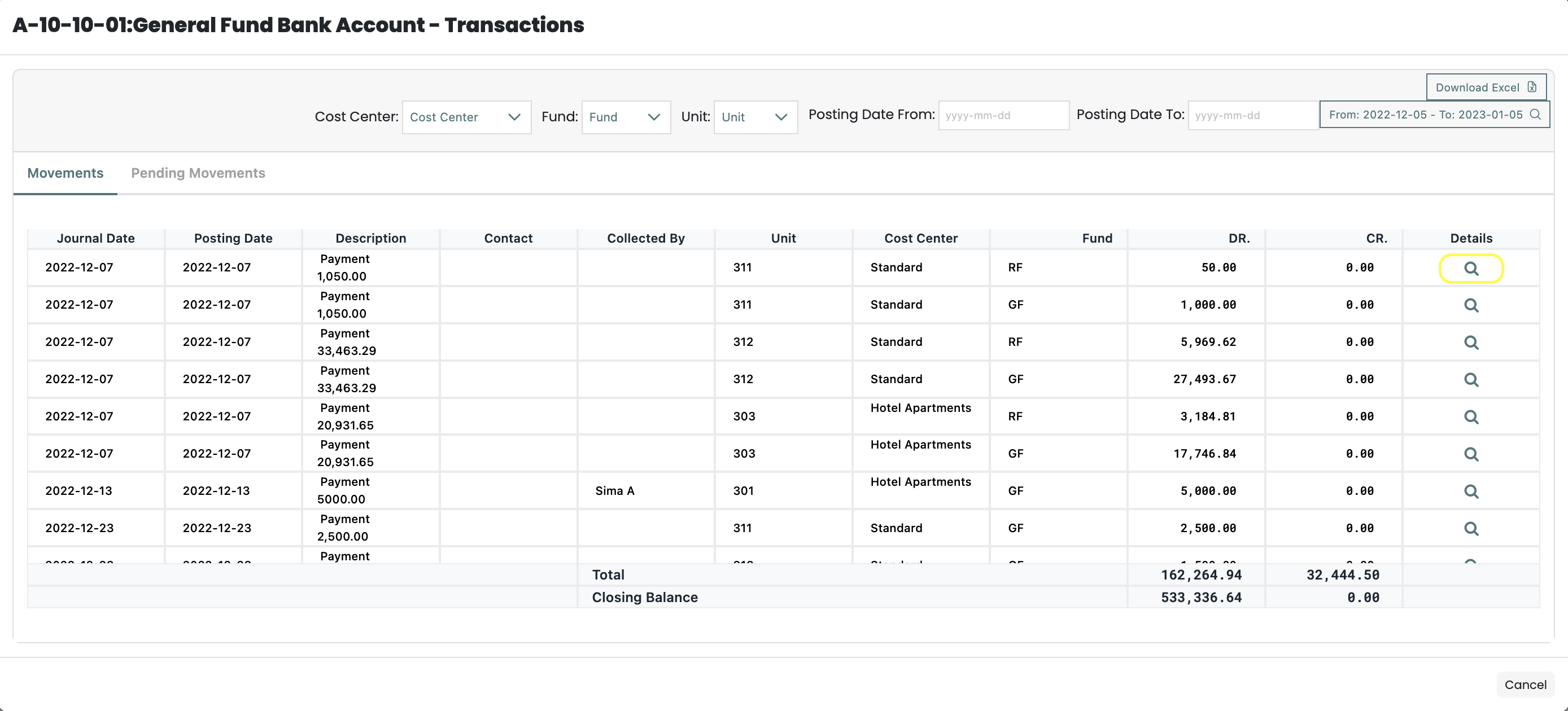
By choosing any account, you may view all of the details and even more by clicking on the magnifier icon.
More than that you can take different actions like:
- Add manual Journal
- Close Vat of year
- Equity transfer
- Create Unidentified Journals
- Year close Accounting
- Export Excel, CSV or PDF files for GL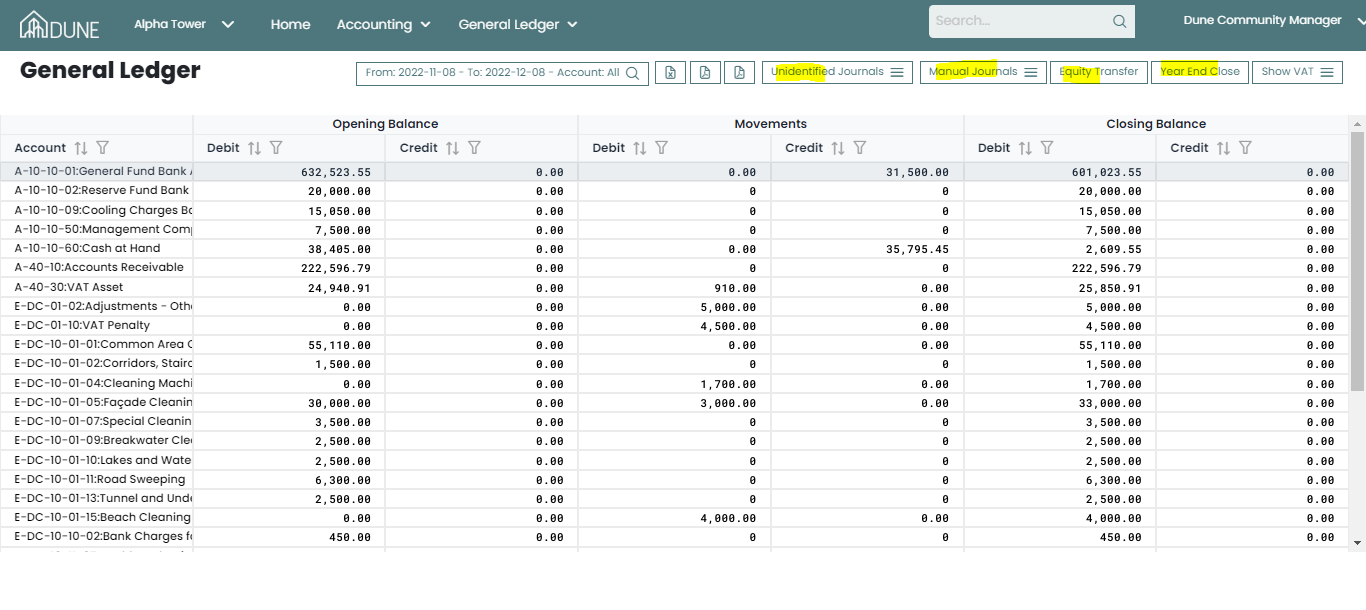
Was this article helpful?
That’s Great!
Thank you for your feedback
Sorry! We couldn't be helpful
Thank you for your feedback
Feedback sent
We appreciate your effort and will try to fix the article