Overview:
This feature allows you to add a disputed amount to a unit ledger. Once added, the disputed amount will:
Appear in the unit ledger on the admin side.
Be reflected in the resident’s Statement of Account (SOA) in the mobile app
Be visible to residents when they attempt to make a payment through the application
This helps clearly separate disputed charges from the balances until the dispute is resolved.
Access the Unit Ledger
Access the Accounting Module
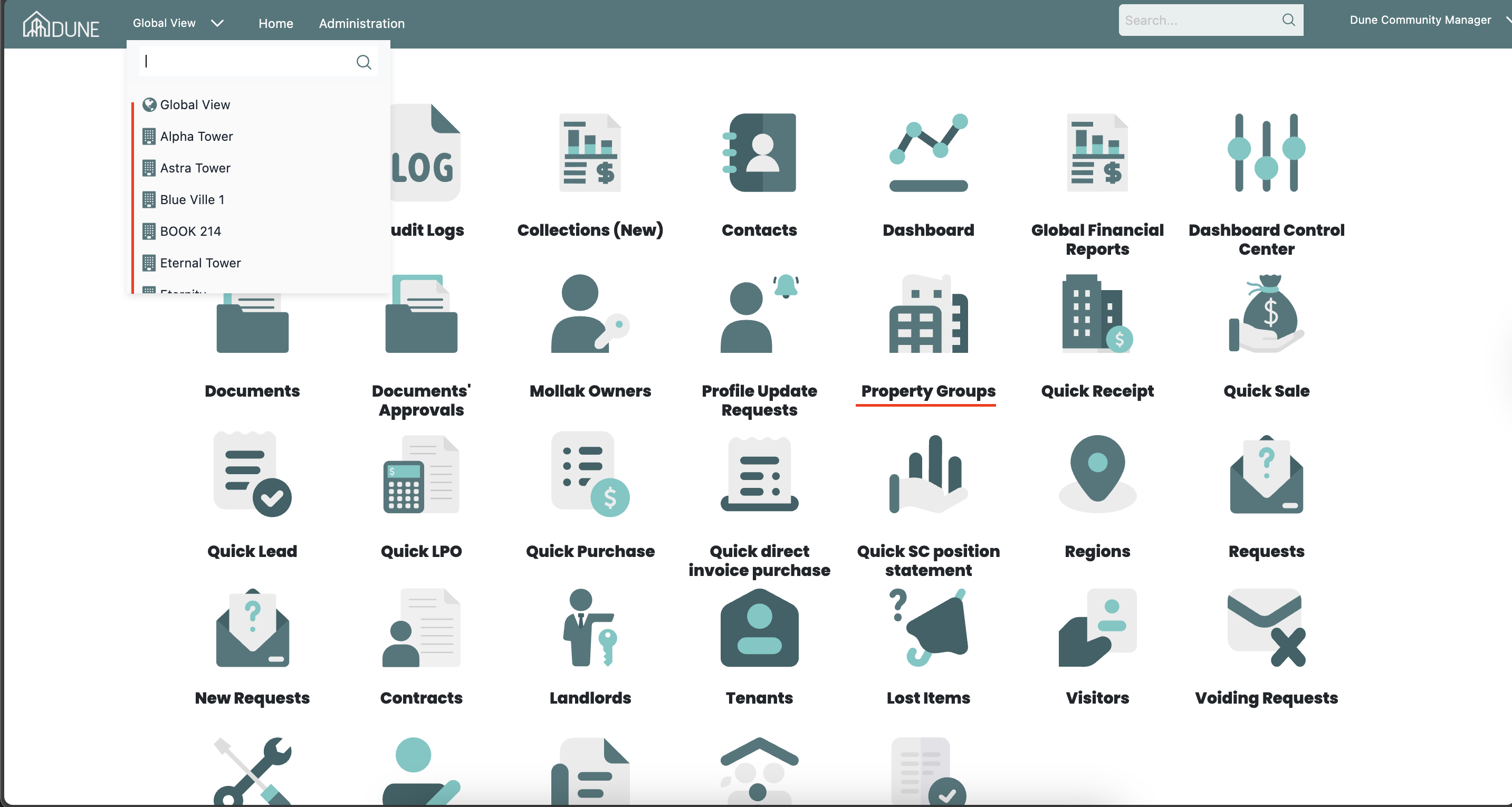
From the Global View, select the property group where you want to create the batch receipt.
Click Accounting to enter the accounting module for the selected property group.
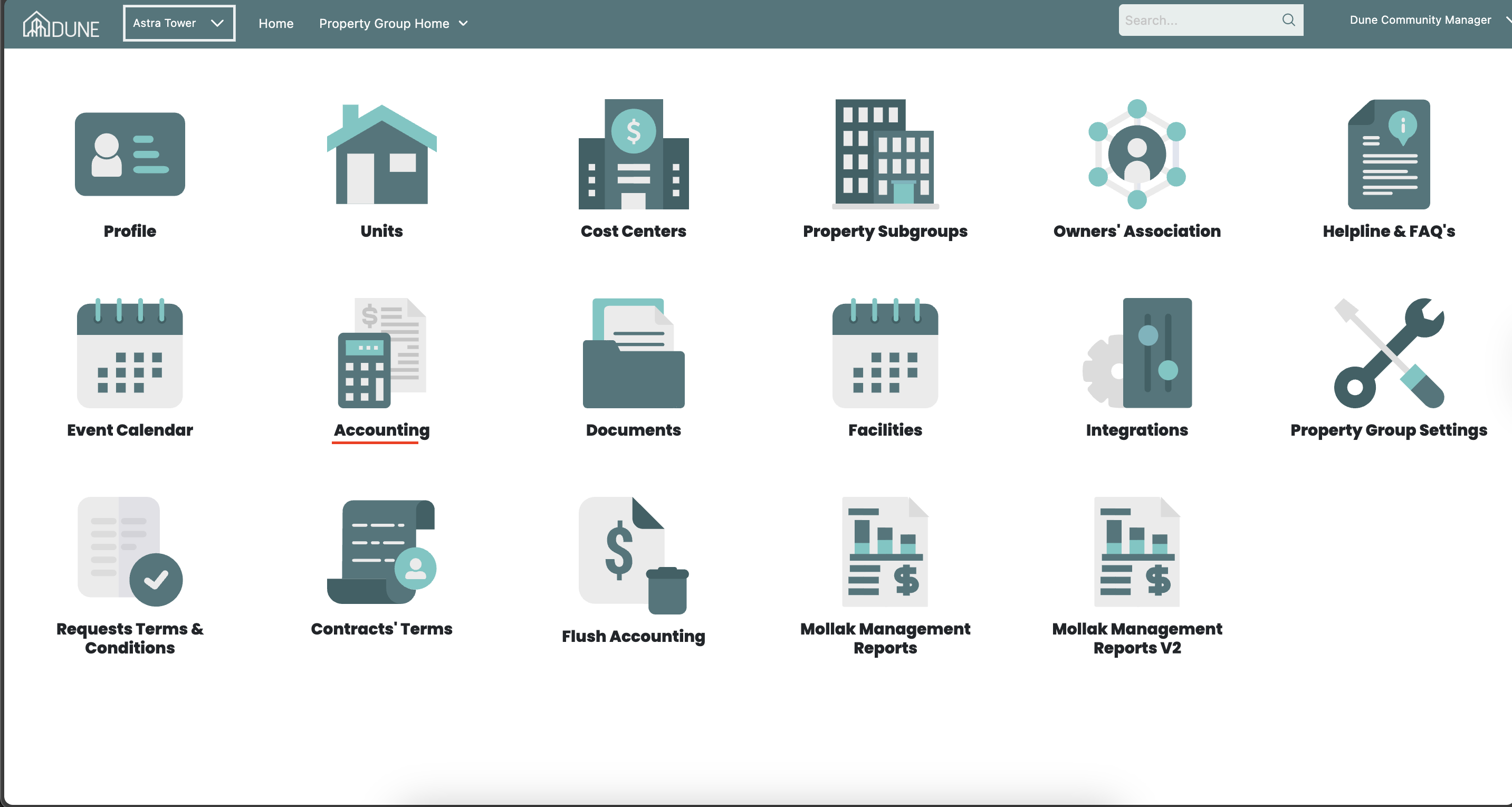
Navigate to Service Charges
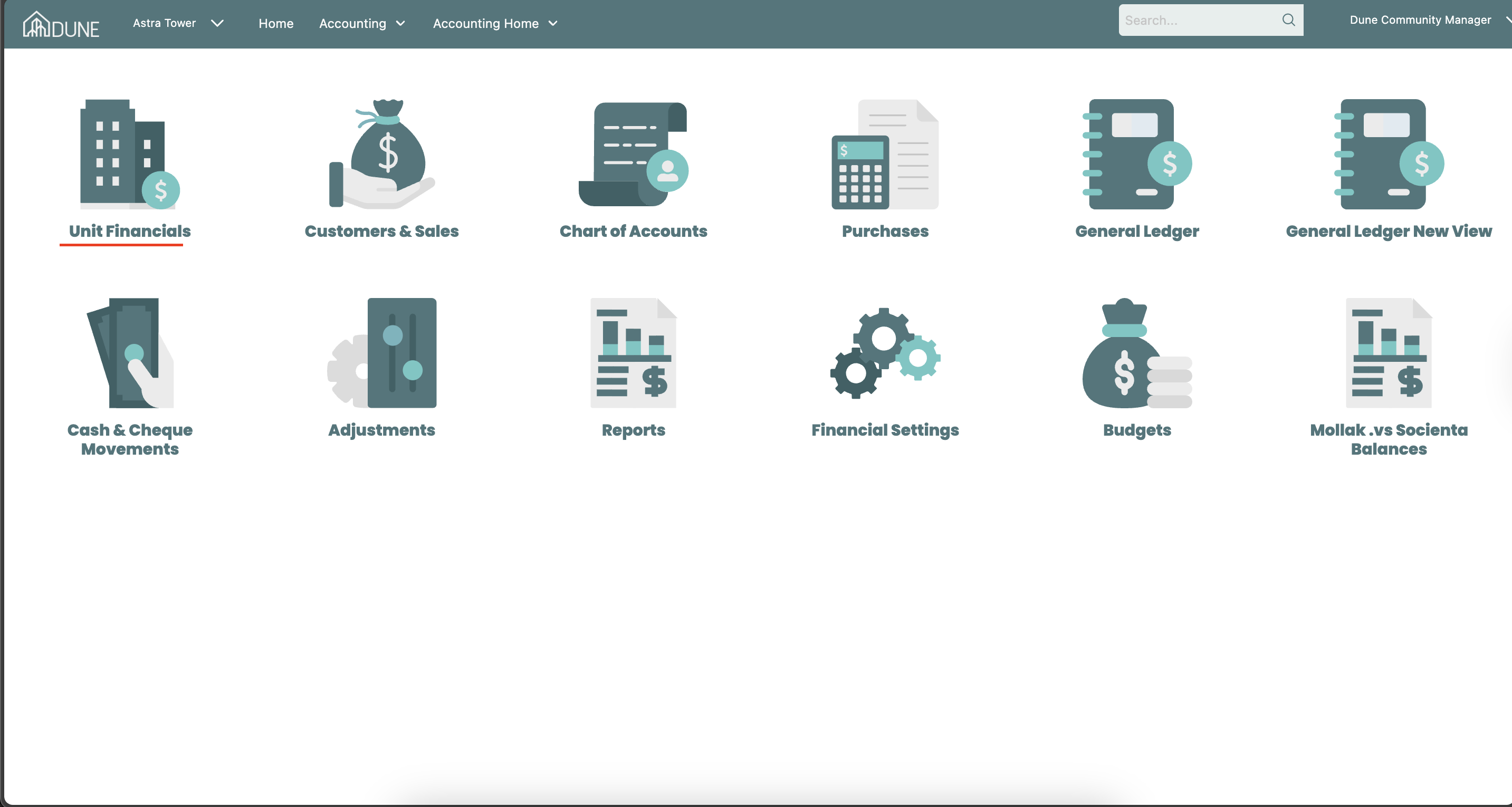
Within the accounting module, go to Units Financials > Service charge.
Select Service Charges to view all units and their associated service charge details.
Add a Disputed Amount
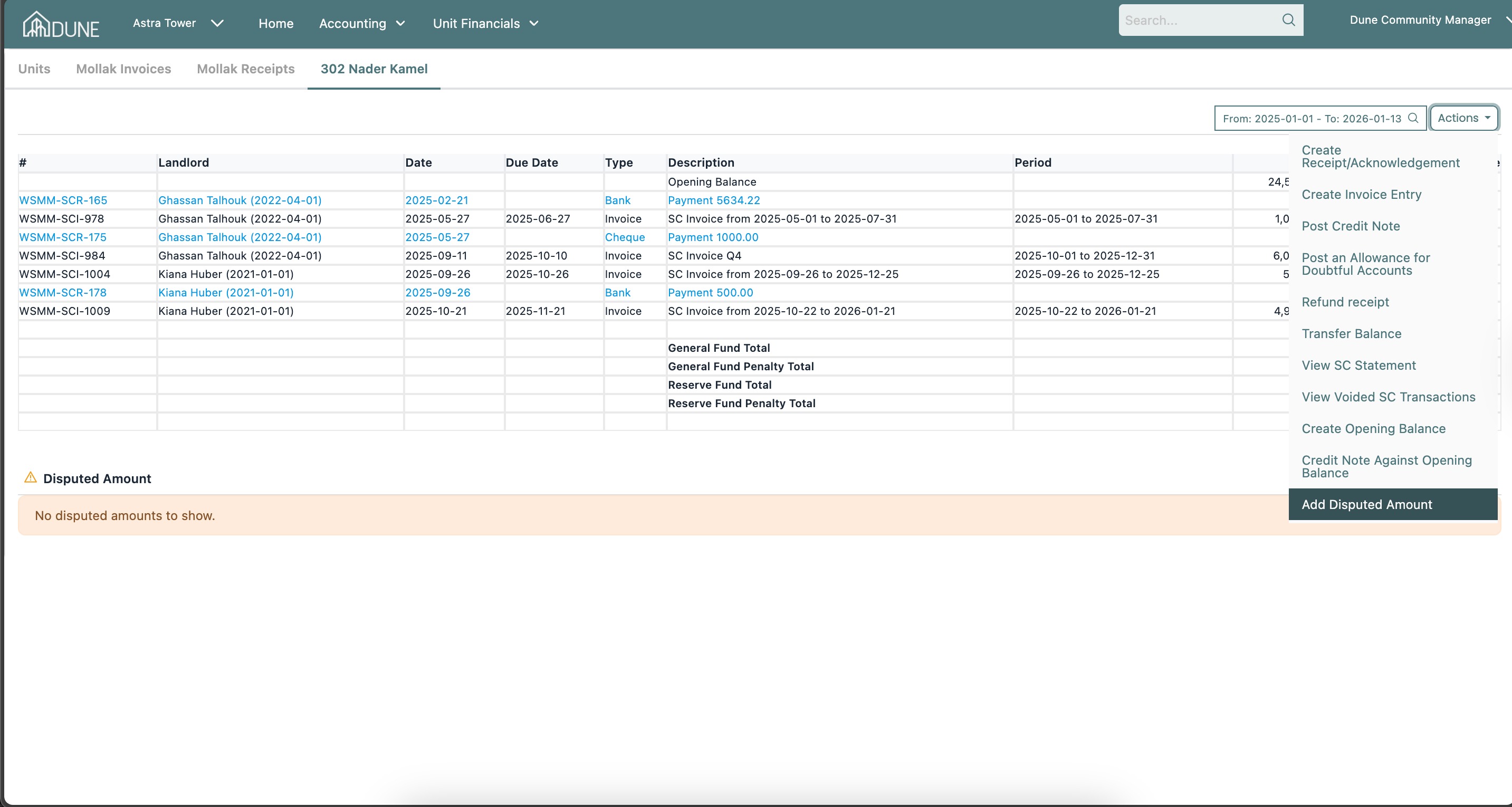
Navigate to Unit Financials > Service Charge
Locate the required unit and click the Actions button.
Select Add Disputed Amount.
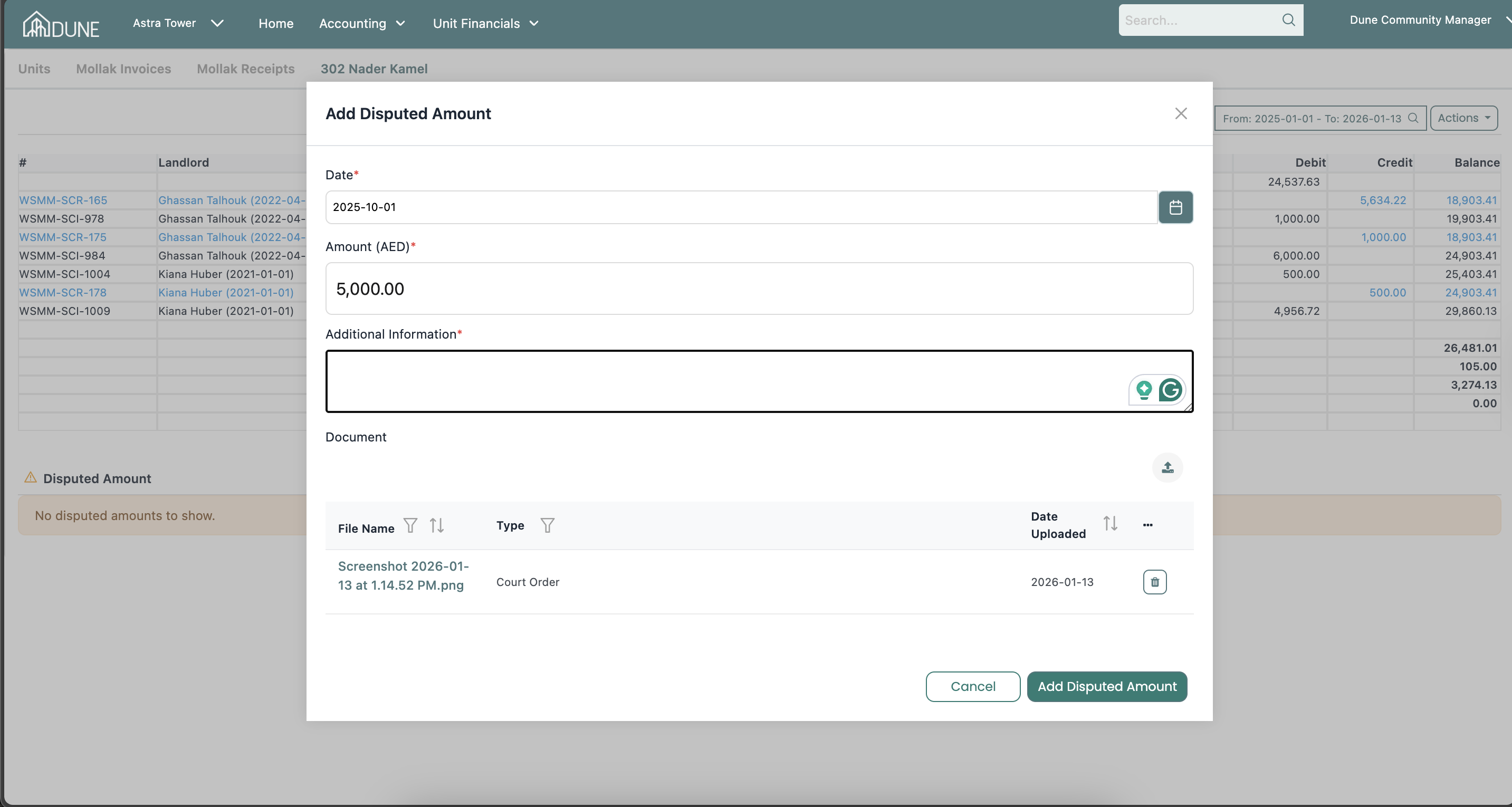
A pop-up window will appear.
Enter the following details:
Date
Disputed Amount
Additional Information.
Attach the supporting documents.
Click Add Disputed Amount to save.
View the Disputed Amount in the Ledger
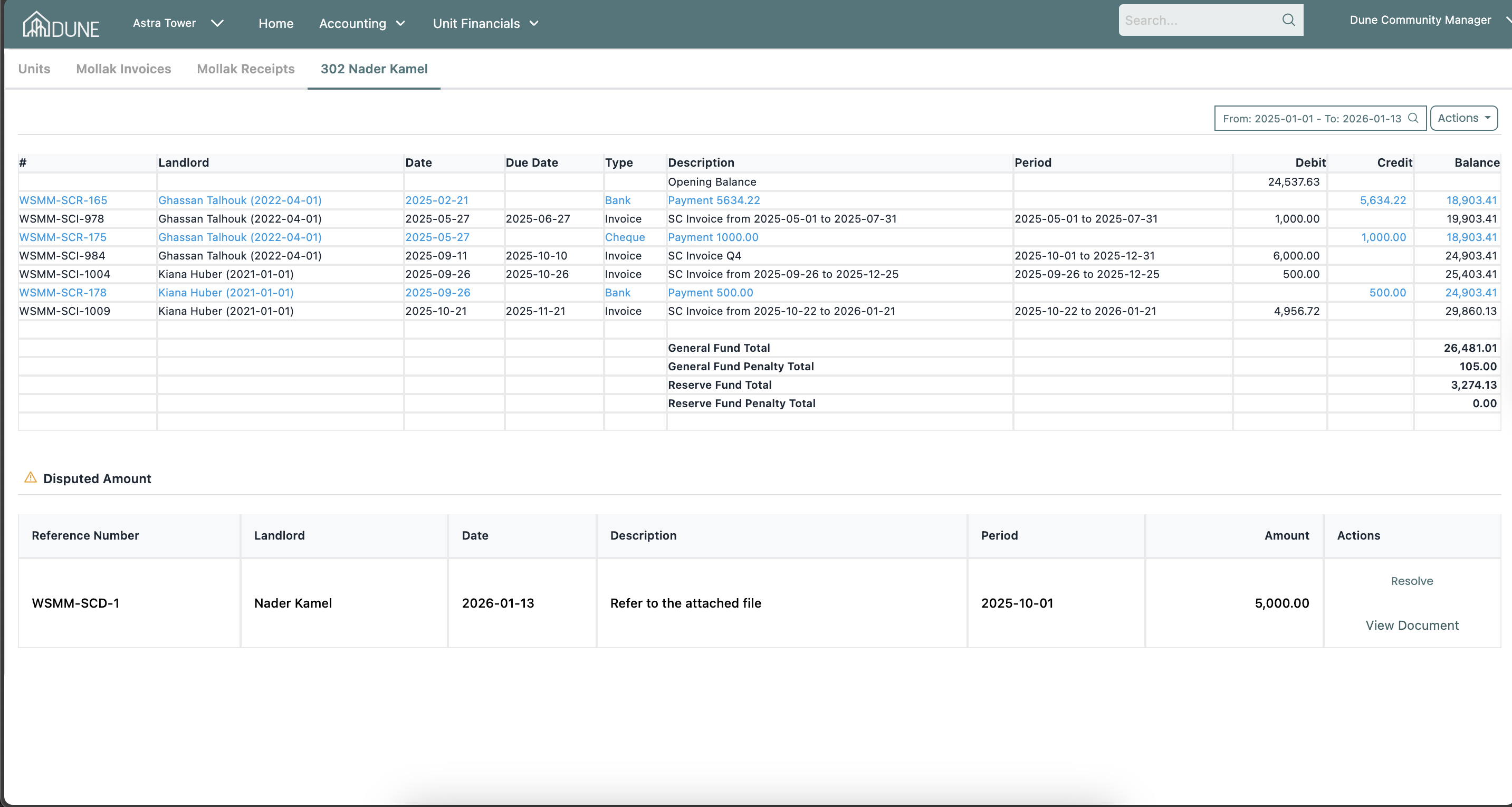
The disputed amount will appear at the footer of the unit ledger.
From here, you can:
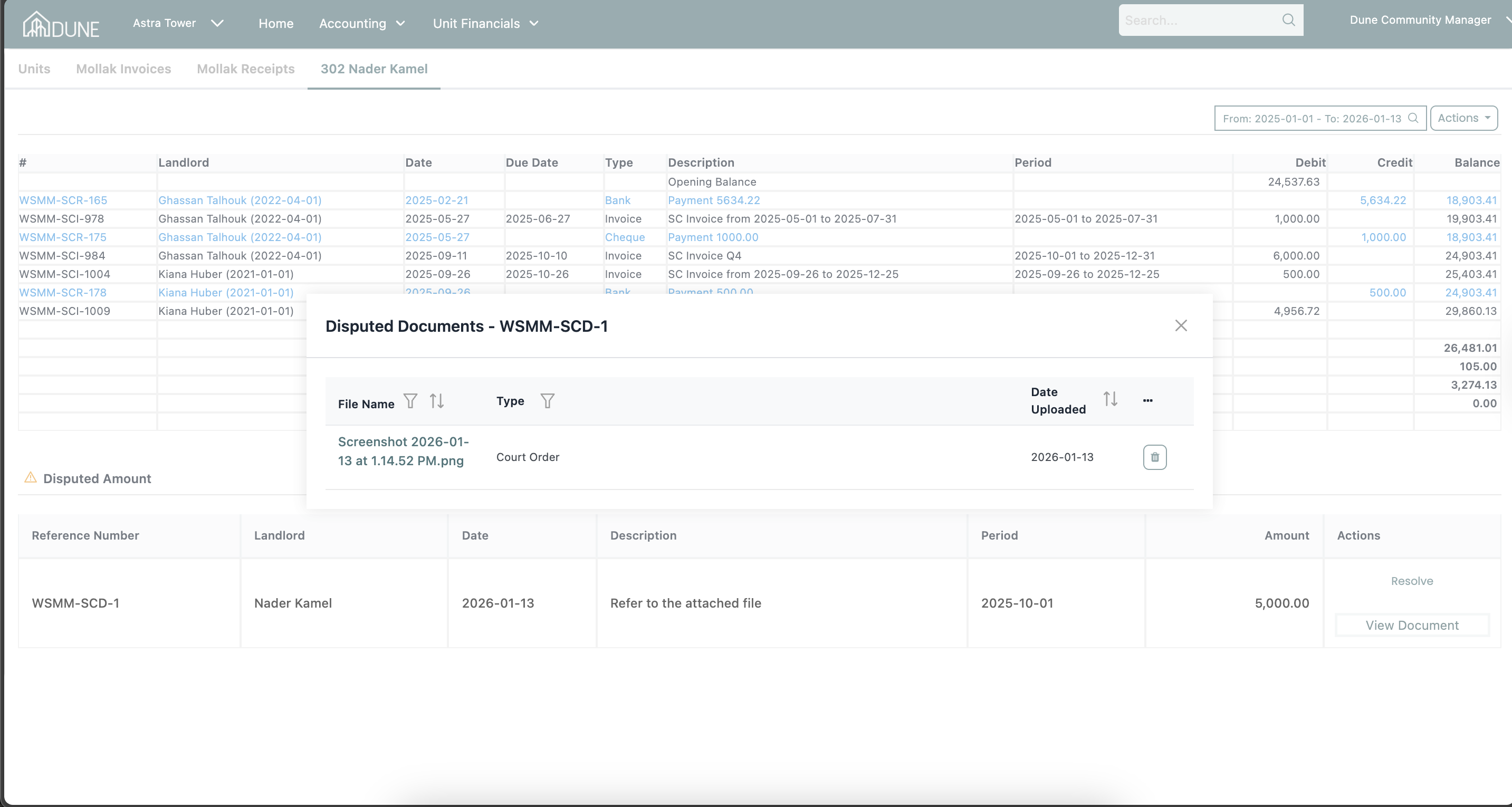
View dispute details
View attached documents
Click Resolve when the dispute is ready to be finalized
Resolve a Disputed Amount
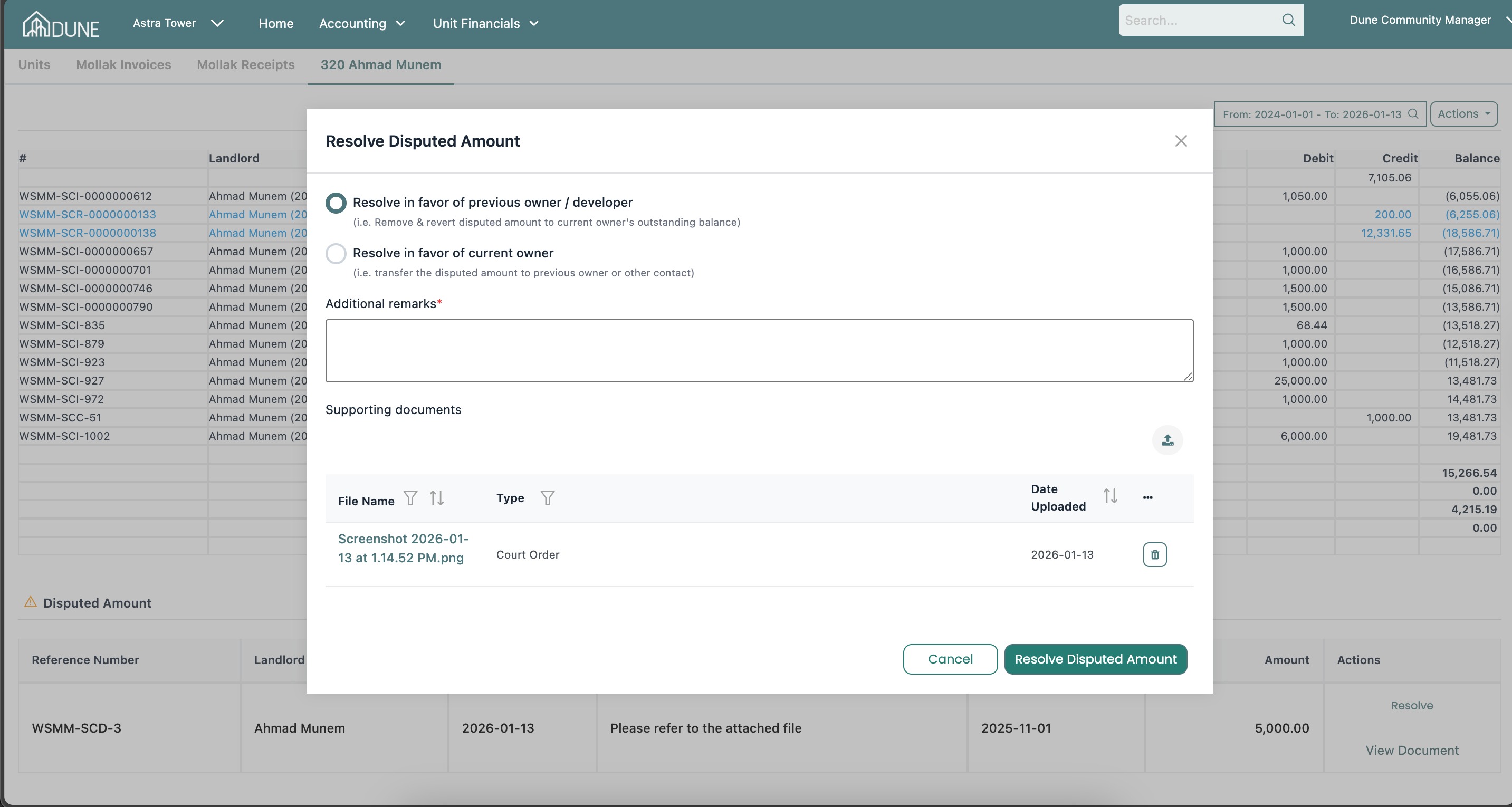
When you click Resolve, a pop-up window will appear with two resolution options:
Option 1: Resolve in Favor of Previous Owner / Developer
Use this option when the disputed amount should remain with the current owner.
Steps:
Select Resolve in favor of previous owner / developer.
Add your remarks.
Click Resolve Disputed Amount.
Result:
The system will display a success message.
The disputed amount will be removed from the current unit ledger.
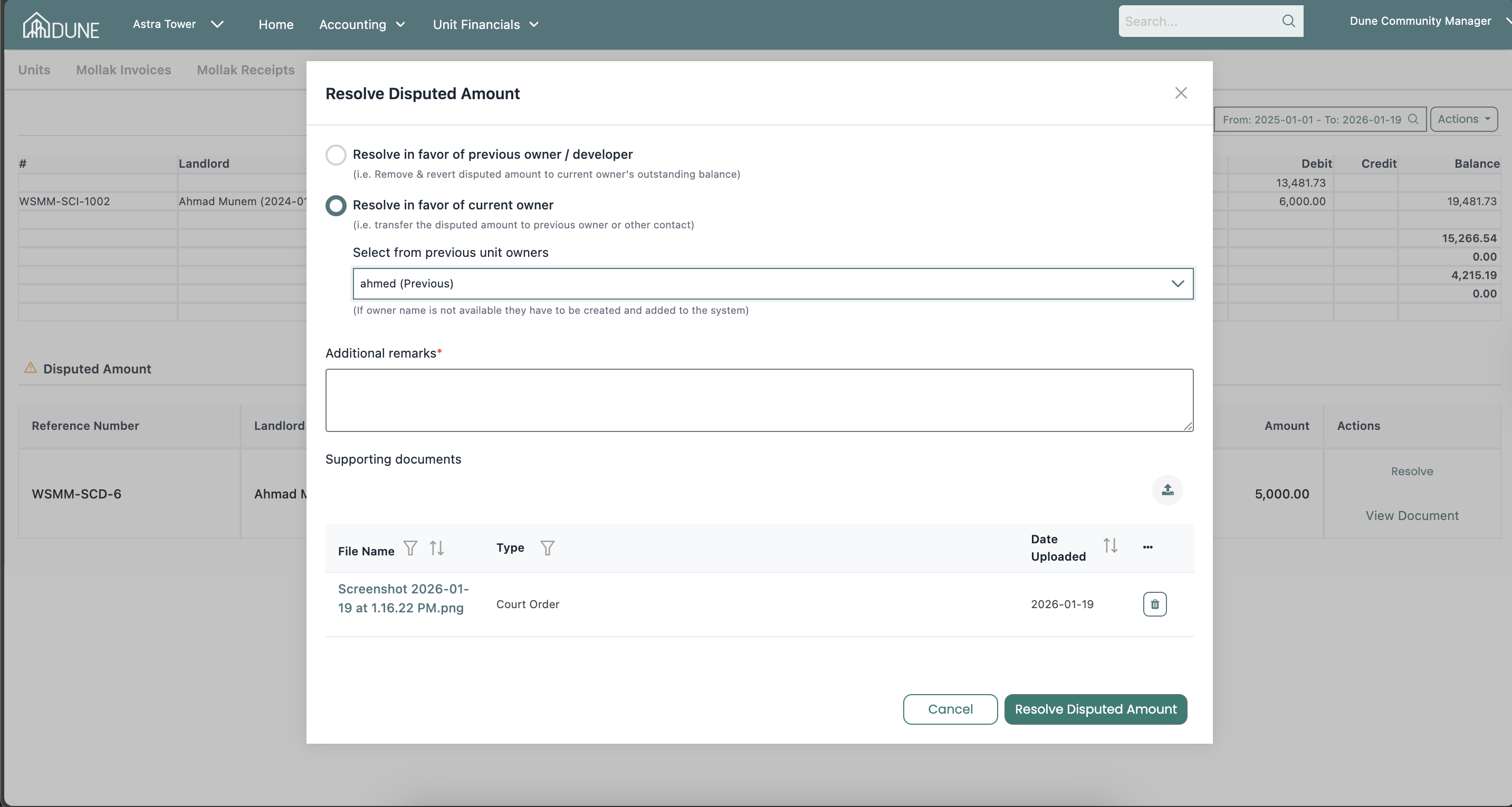
Option 2: Resolve in Favor of Current Owner
Use this option when the disputed amount should be transferred to a previous owner.
Steps:
Select Resolve in favor of current owner.
Choose the relevant previous unit owner from the list.
Add your remarks.
Click Resolve Disputed Amount.
Result:
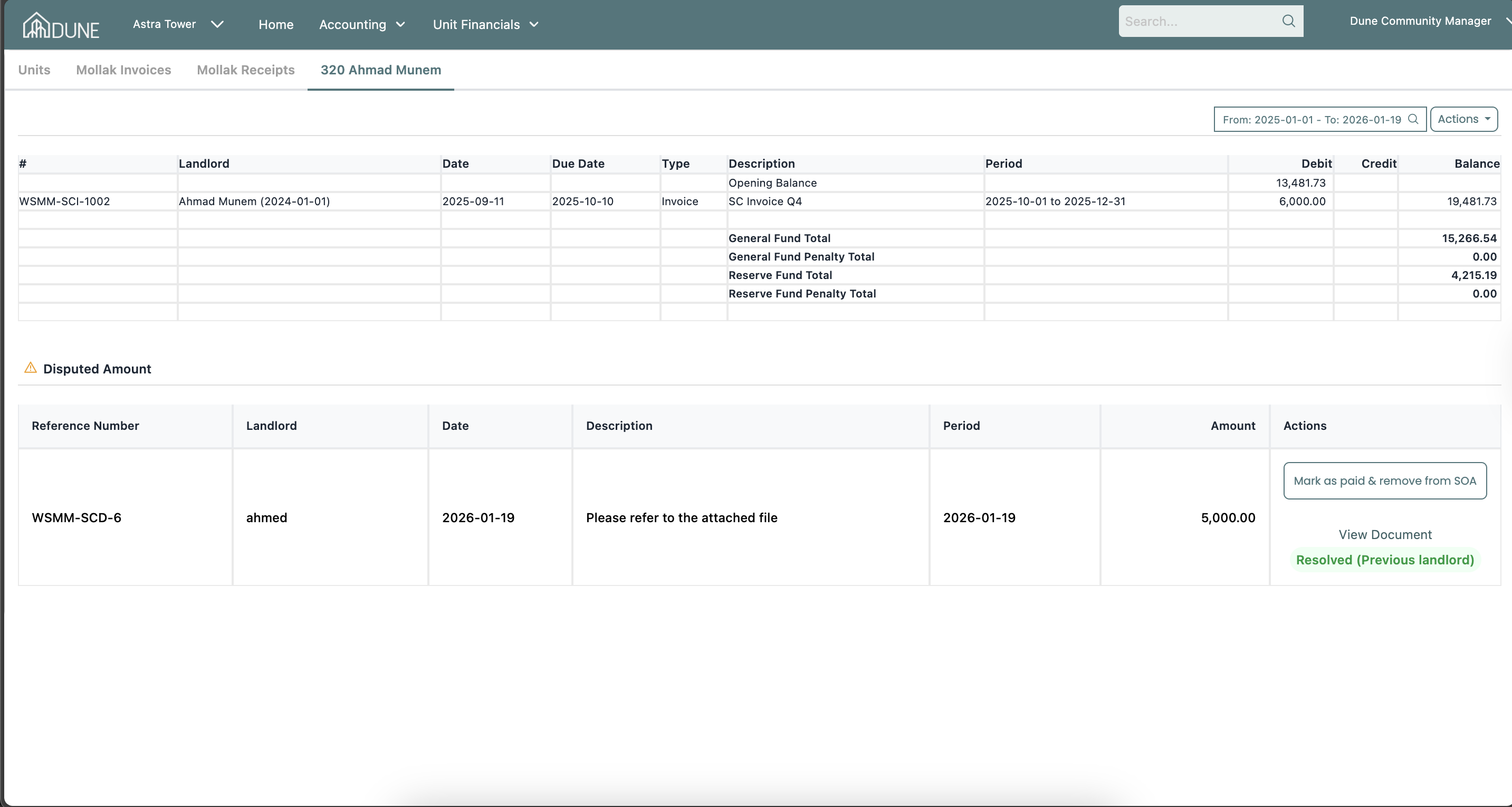
The disputed amount will be marked as Resolved (Previous Landlord).
You will have the option to Mark as Paid & Remove from SOA.
Mark as Paid & Remove from SOA
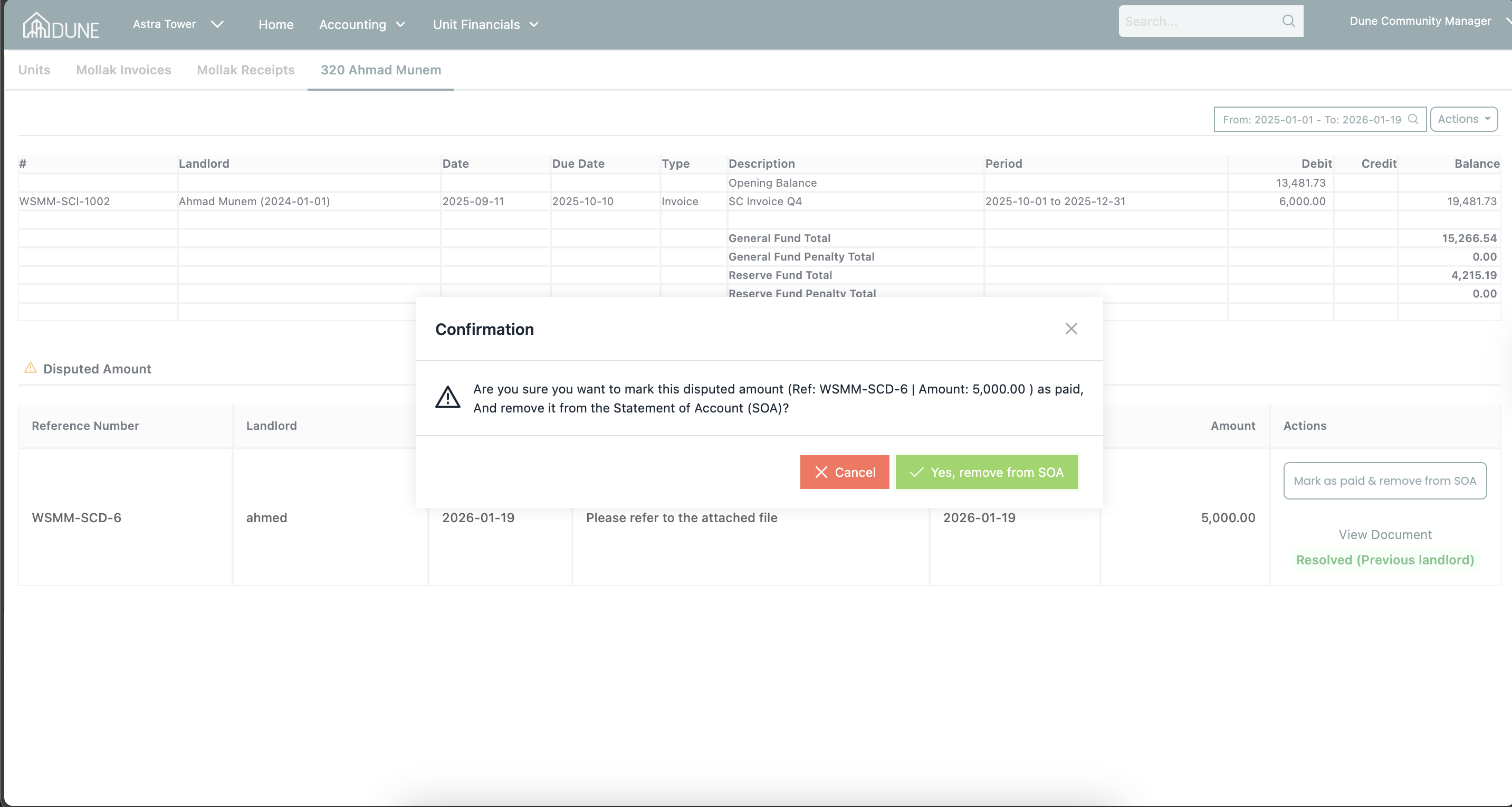
Click Mark as Paid & Remove from SOA.
A confirmation message will appear.
Confirm the action.
Result:
The disputed amount will be removed from the unit’s SOA.
The unit ledger will reflect the updated status.
Tips & Best Practices
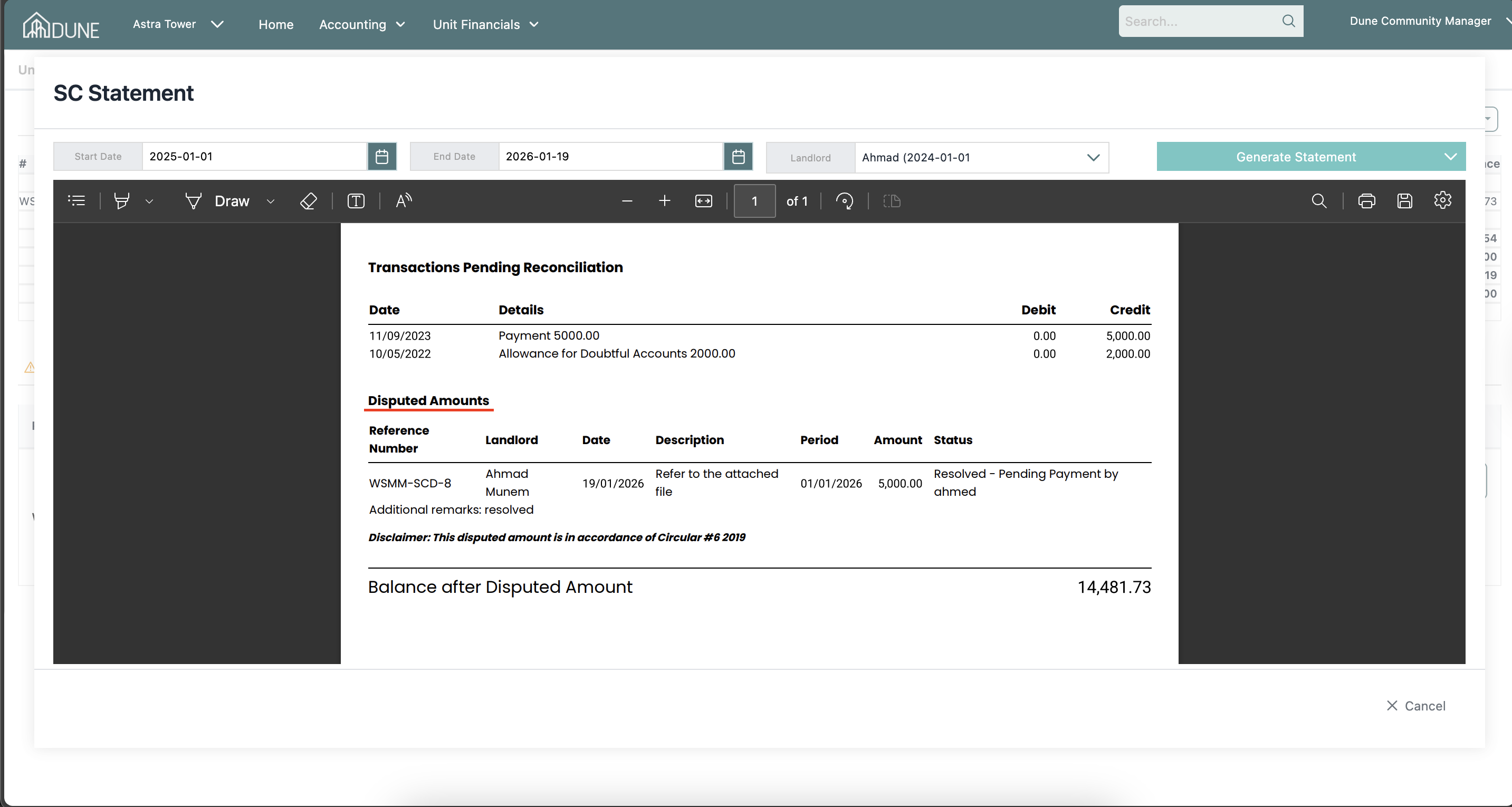
Before resolving a disputed amount, always review the SOA.
The SOA PDF will display the disputed amount at the end of the document, which can be shared with owners for transparency.
Ensure disputes are fully checked and paid before marking them as paid and removing them from the SOA.
Was this article helpful?
That’s Great!
Thank you for your feedback
Sorry! We couldn't be helpful
Thank you for your feedback
Feedback sent
We appreciate your effort and will try to fix the article