Overview
This article explains how an accountant can create a Service Charge Reverse Penalty directly from the Accounting module within a property group. Reverse penalties allow you to cancel or reverse previously applied service charge penalties for one or more units.
Access the Accounting Module
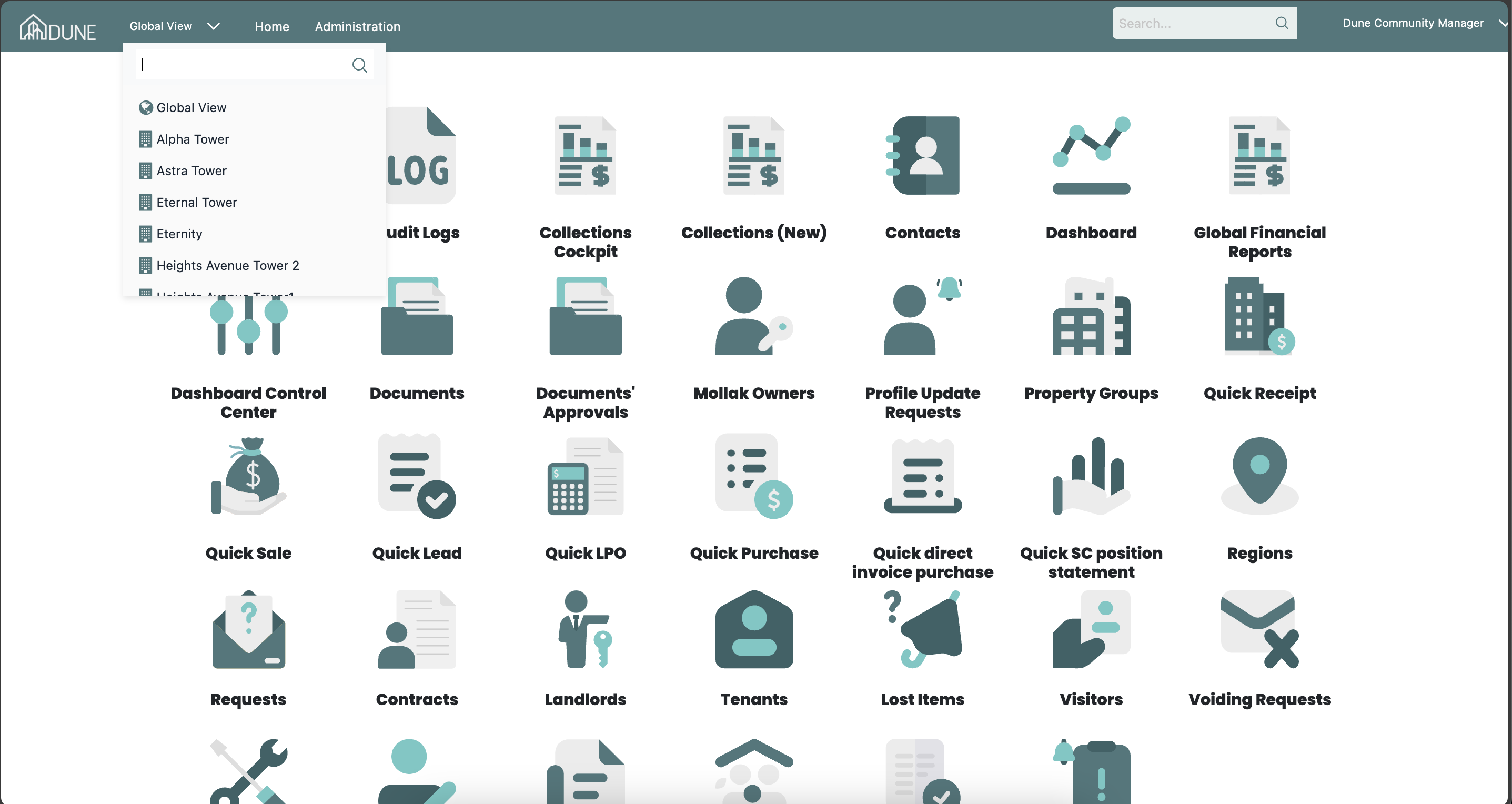
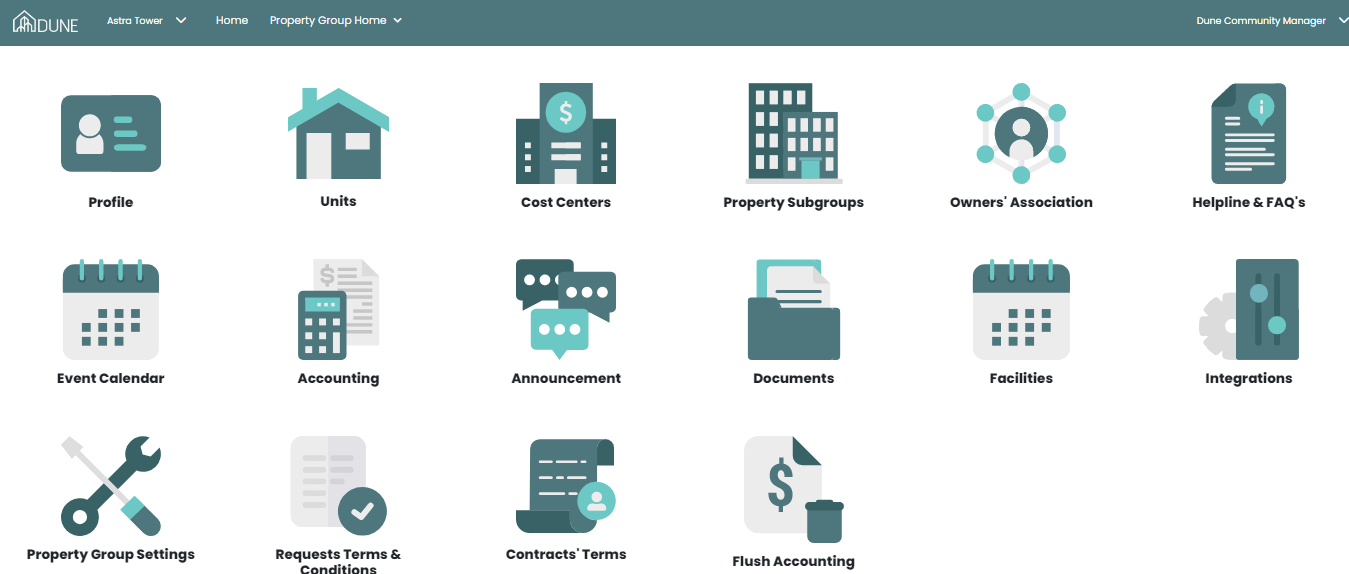
From the Global View, select the property group where you want to create the reverse penalty.
Click Accounting to enter the accounting module for the selected property group.
Navigate to Service Charges:
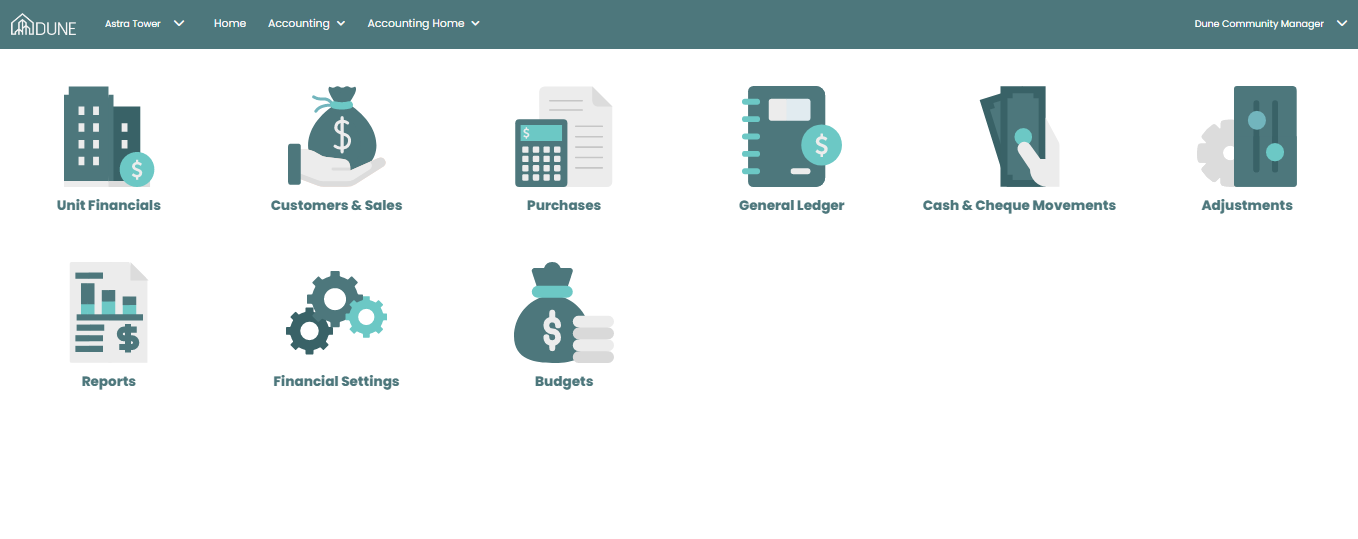
Within the Accounting module, go to Units Financials.
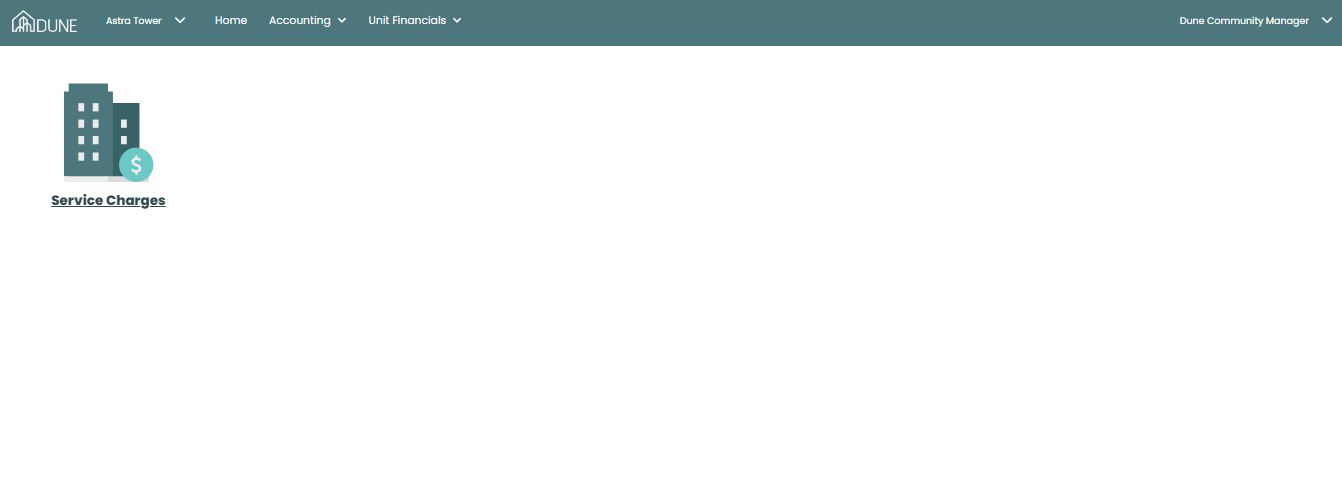
Select Service Charges to view the service charge details for all units.
Initiate Reverse Penalty:
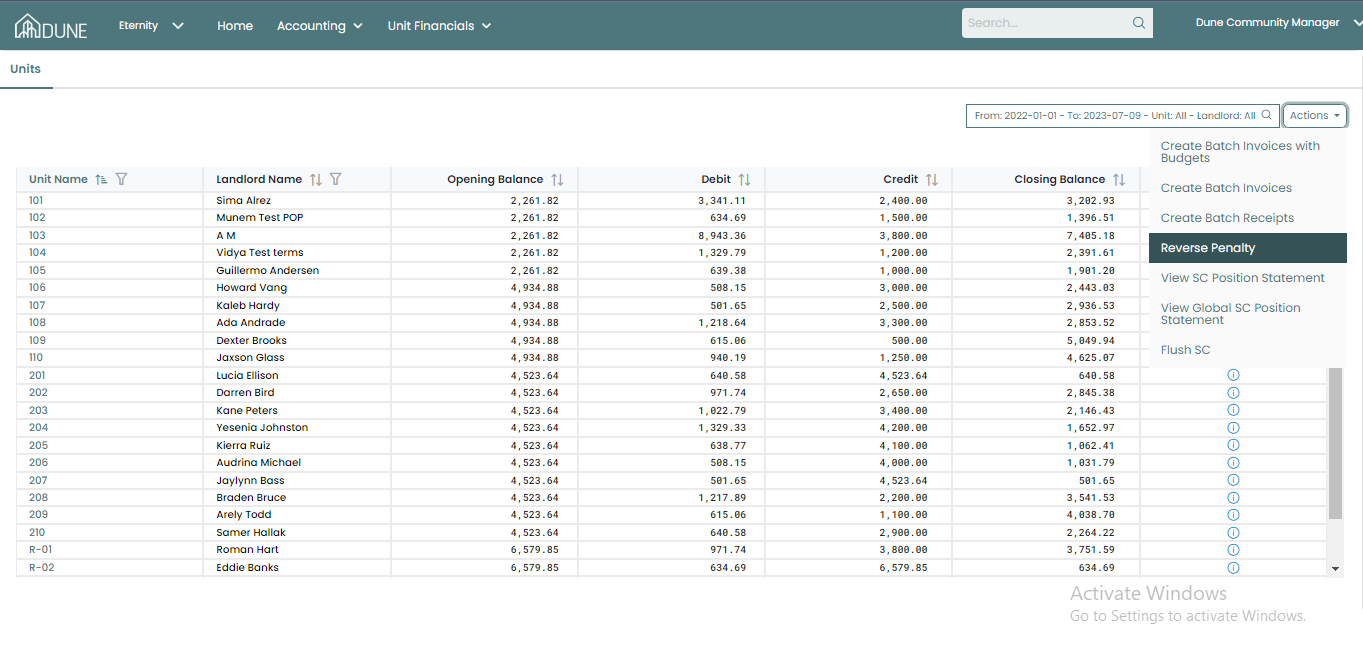
On the Service Charges screen, click Actions.
Select Reverse Penalty from the list.
Enter and Post Reverse Penalty Details:
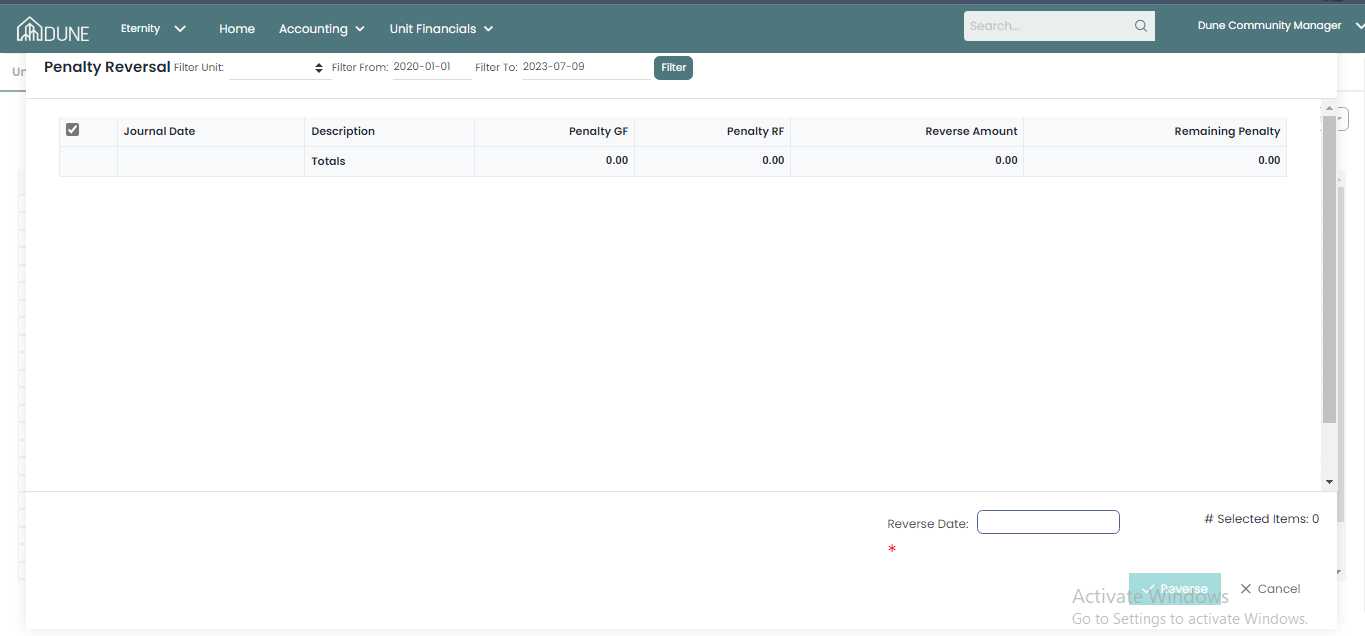
A new screen will appear.
Select the required Unit.
Specify the penalty date(s) to be reversed.
Review the details carefully.
Click Post to apply the penalty reversal.
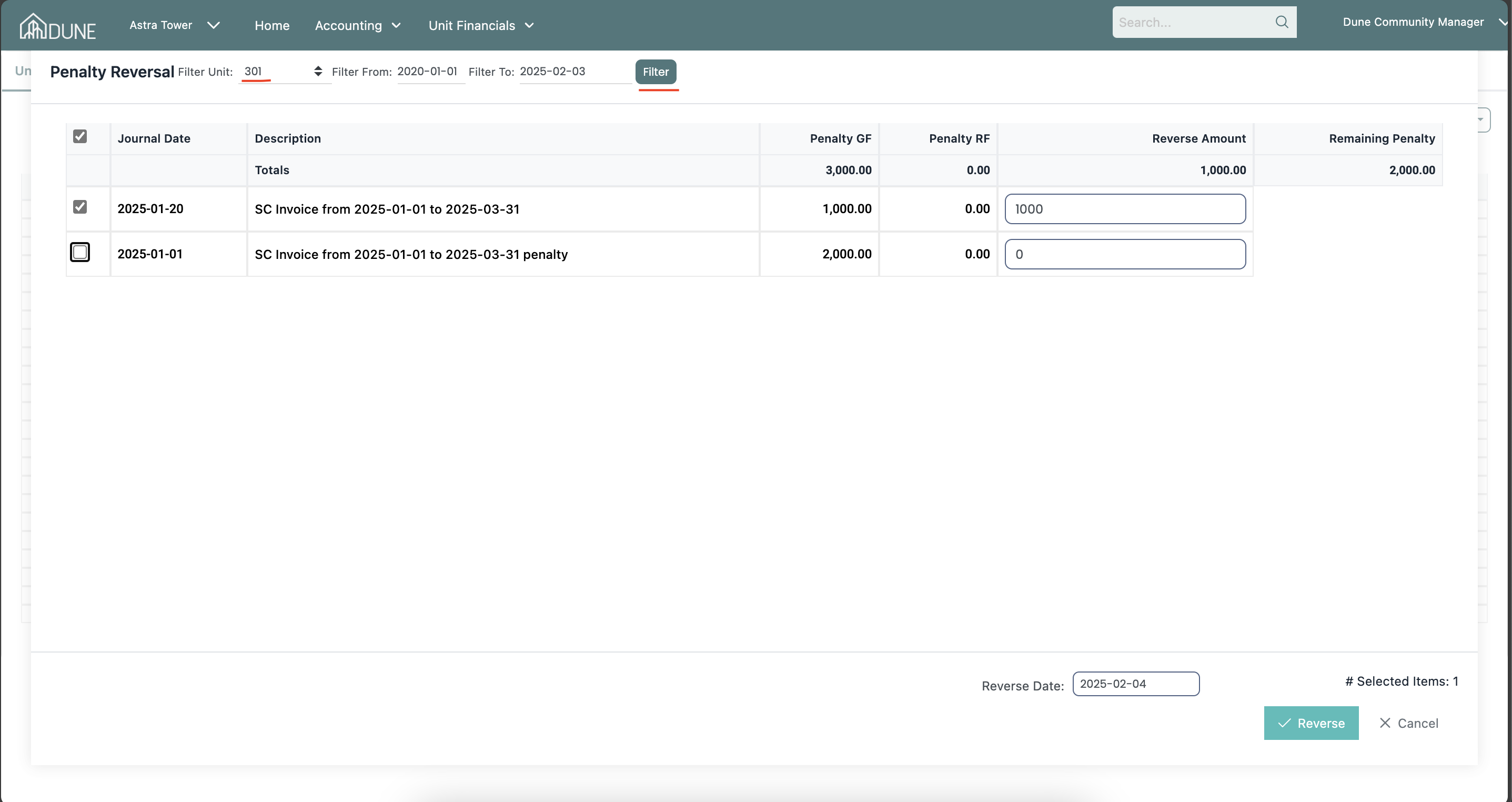
Post Multiple Penalty Reversals:
You can create and post multiple reverse penalties for the same unit, as long as they relate to valid previously applied penalties.
Each reversal will be reflected separately in the unit’s financial records.
Verify the Reversed Penalty
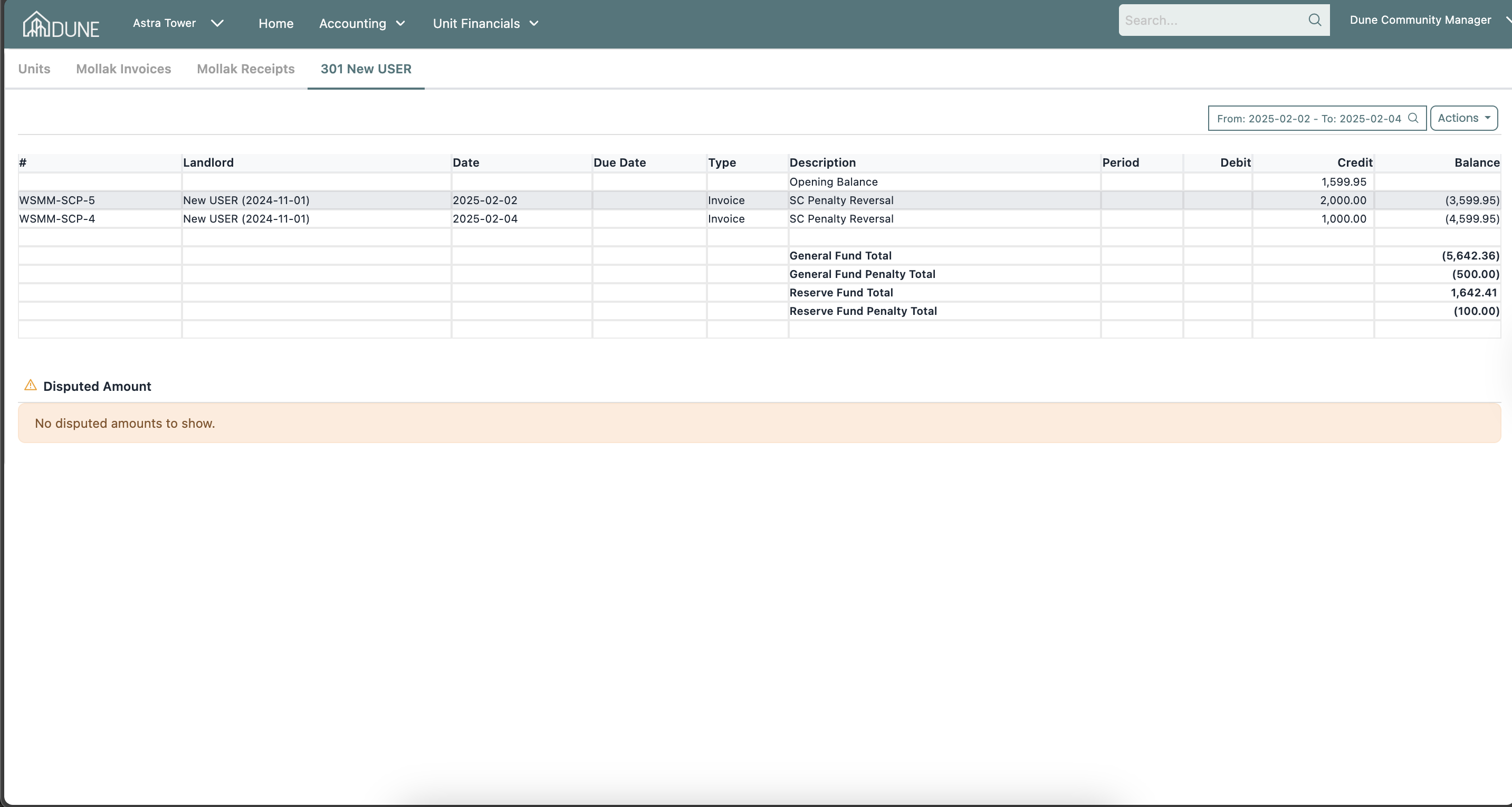
Open the relevant unit from the Service Charges screen.
Check the latest penalty reversal record to confirm that the reverse penalty has been successfully processed and the balance has been updated.
Tips & Best Practices
Ensure the penalty already exists before attempting to reverse it.
Double-check the unit and date range to avoid reversing the wrong penalty.
Verify the unit balance after posting to confirm the reversal was applied correctly.
Was this article helpful?
That’s Great!
Thank you for your feedback
Sorry! We couldn't be helpful
Thank you for your feedback
Feedback sent
We appreciate your effort and will try to fix the article