You can Create Invoice Entry from the accounting screen in the property group itself:
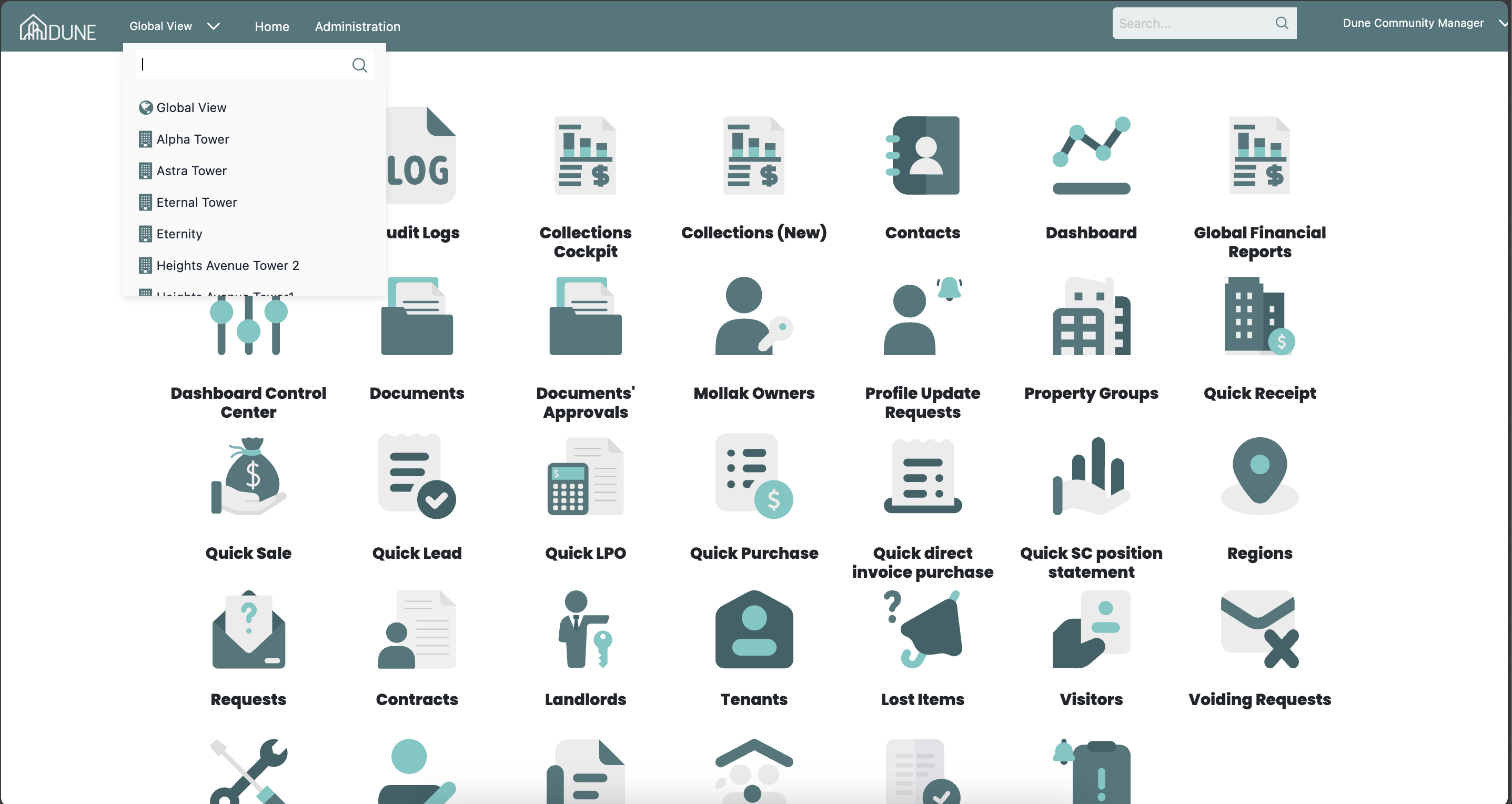
From the Global View, choose the property group where you want to create an invoice entry.
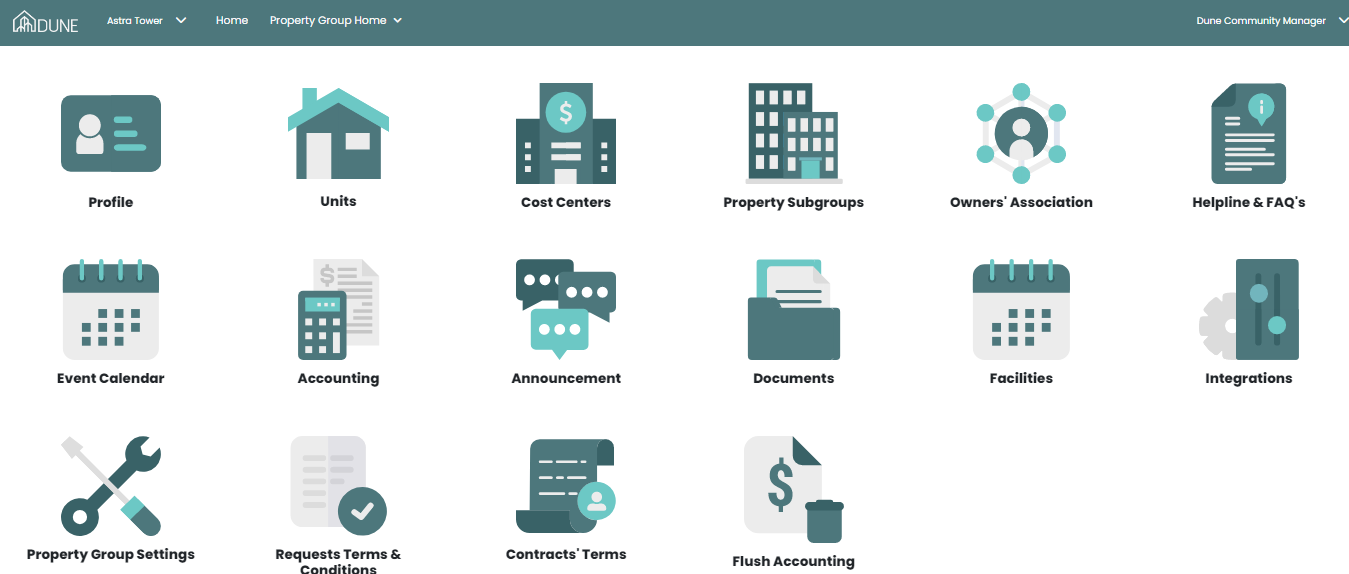
Access the Accounting Module
Click on Accounting to enter the accounting section of the selected property group.
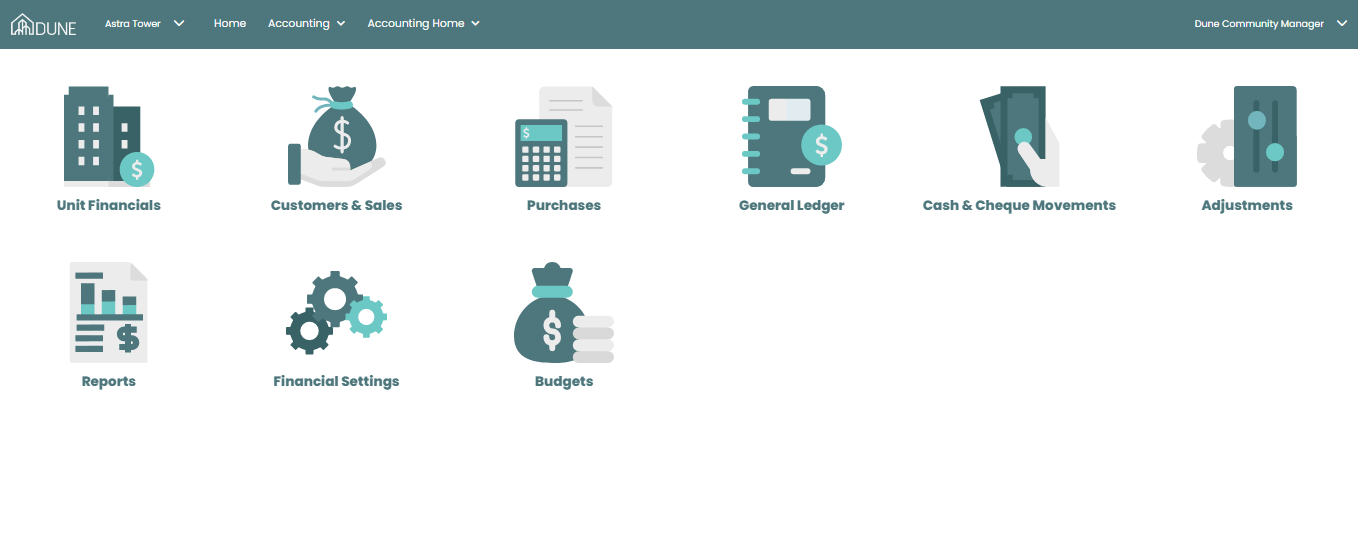
Navigate to Units Financials
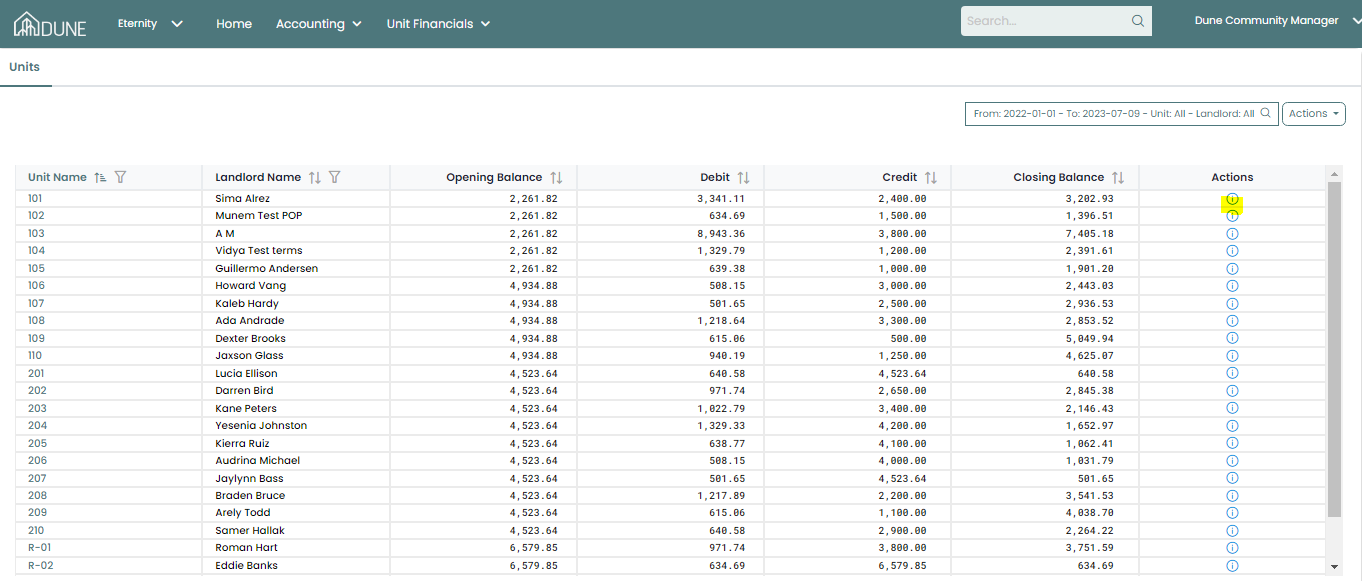
Choose Service Charges under Units Financials.
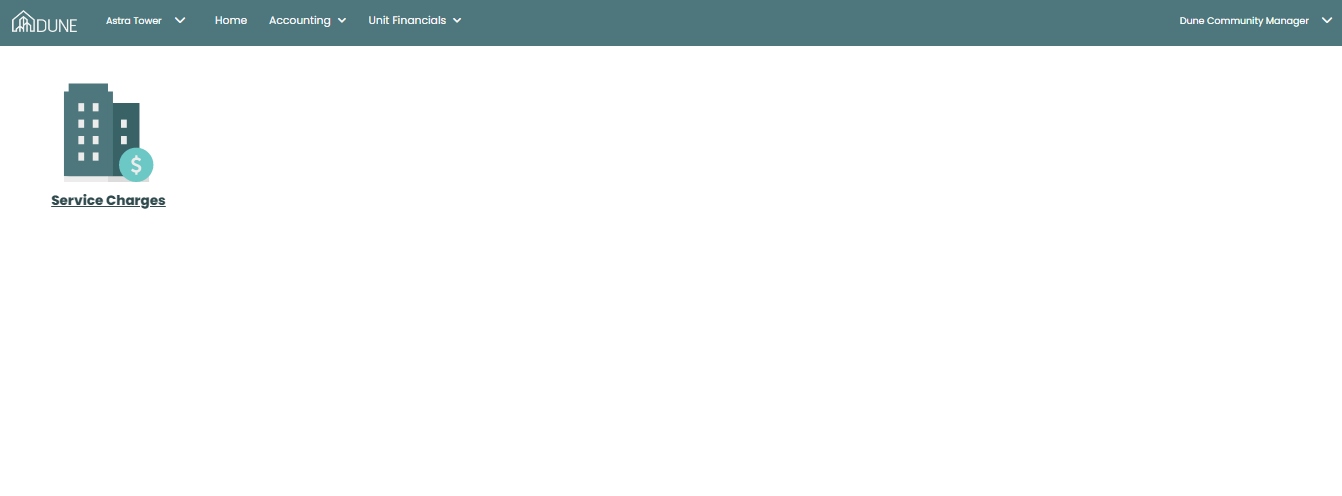
Access the Unit Ledger
On the Service Charges screen, click the information icon under the Action column. This will open the unit ledger for the selected unit.
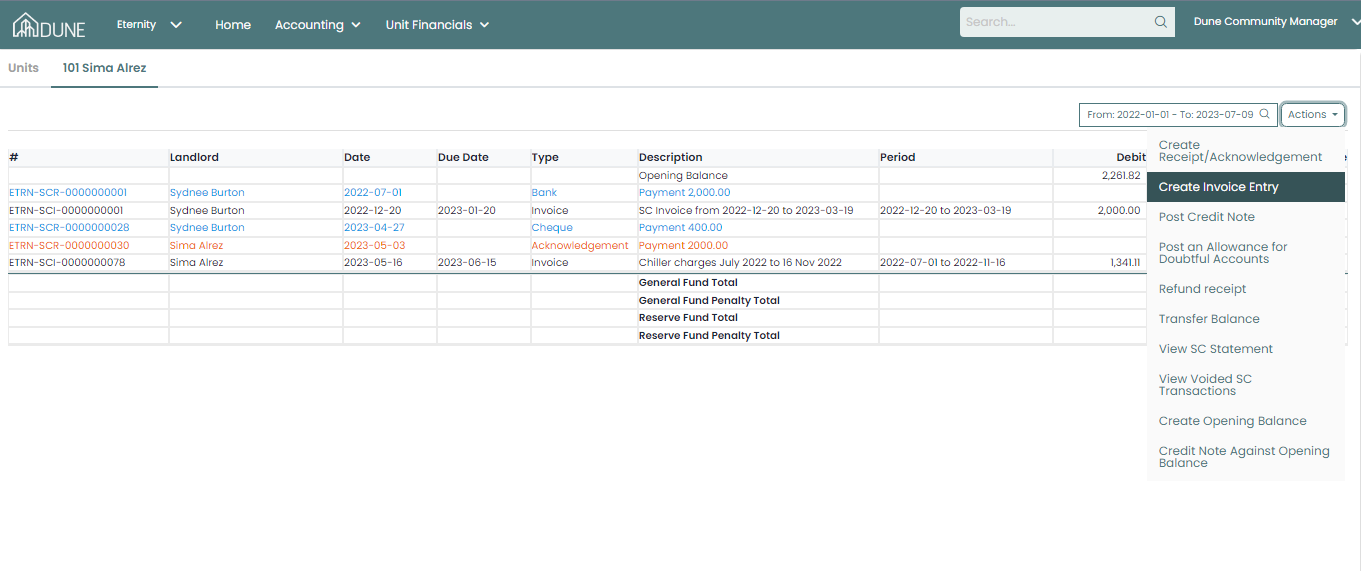
Create Invoice Entry
- Click the Actions button again and select Create Invoice Entry.
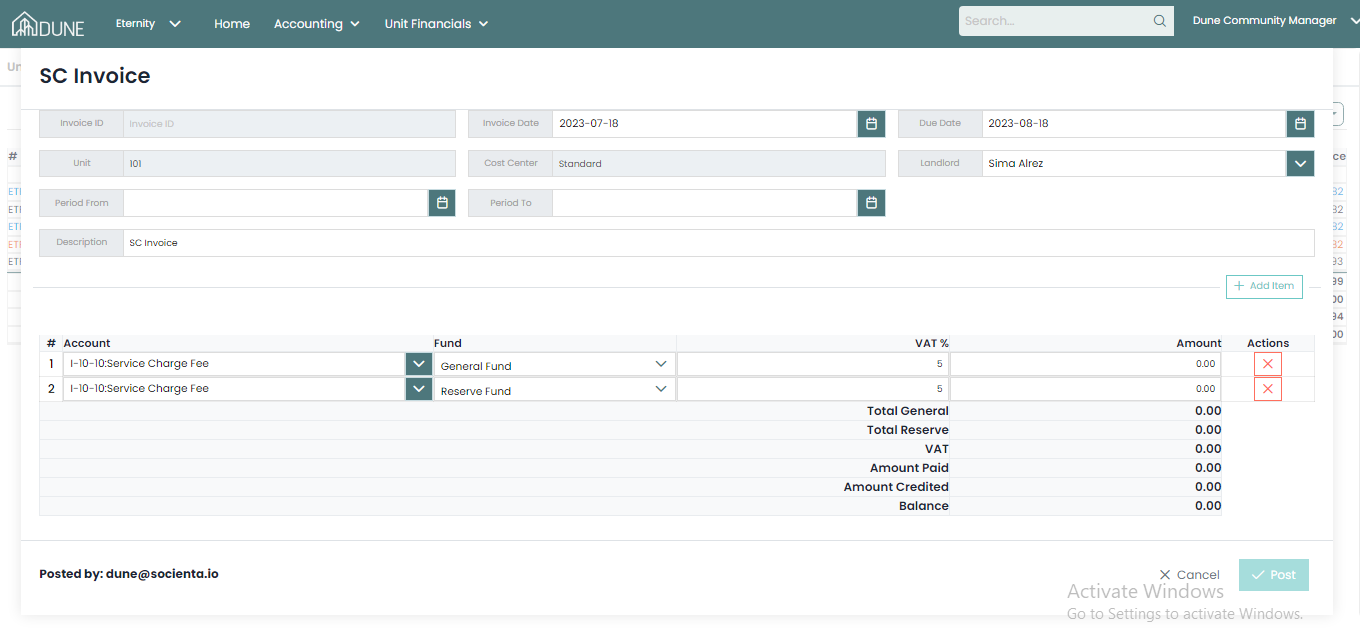
- A new screen will appear where you can enter the necessary details.
- Fill in the data and post the Invoice Entry.
Additional Options:
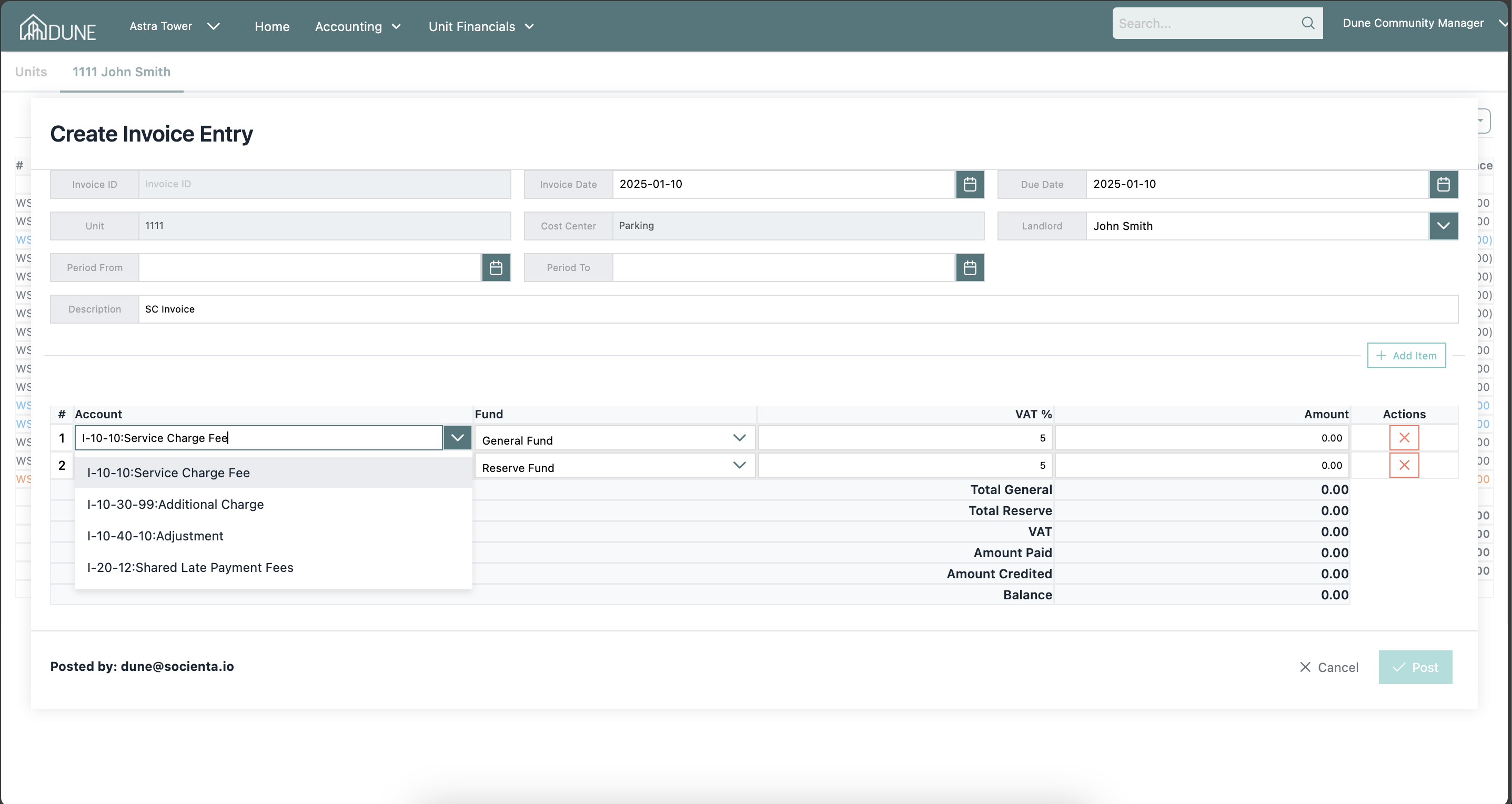
- Penalty Reversal: You can add a penalty reversal by selecting the Late Payment Fee account.
- Additional Charges & Adjustments: Choose an appropriate account, and add an additional charge, or an adjustment as needed.
Was this article helpful?
That’s Great!
Thank you for your feedback
Sorry! We couldn't be helpful
Thank you for your feedback
Feedback sent
We appreciate your effort and will try to fix the article