Overview
This article explains how an accountant can create Batch Invoices for service charges directly from the Accounting module within a property group. Batch invoices allow you to generate service charge invoices for multiple units efficiently using an Excel upload.
Access the Accounting Module:
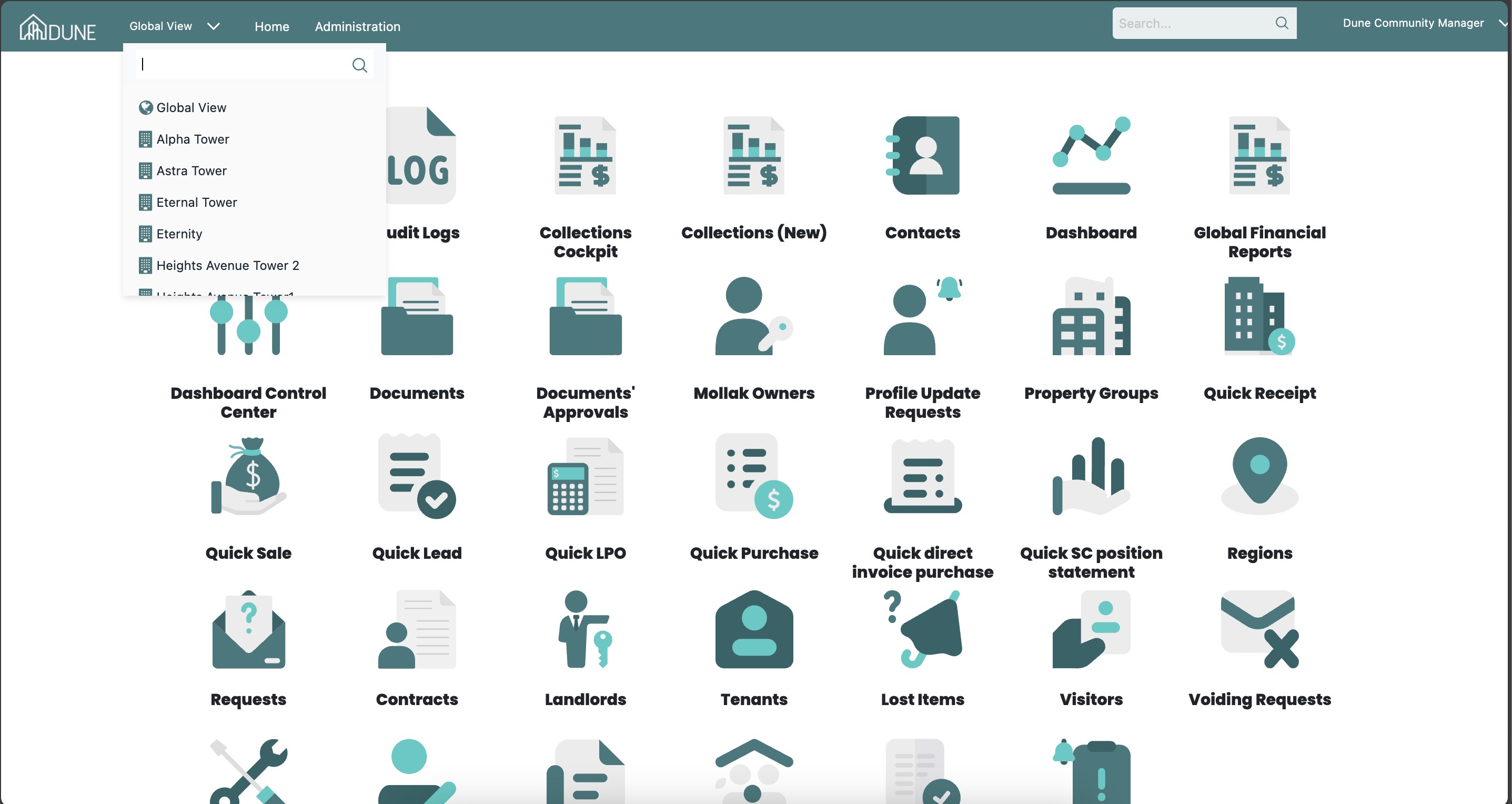
From the Global View, select the property group where you want to create batch invoices.
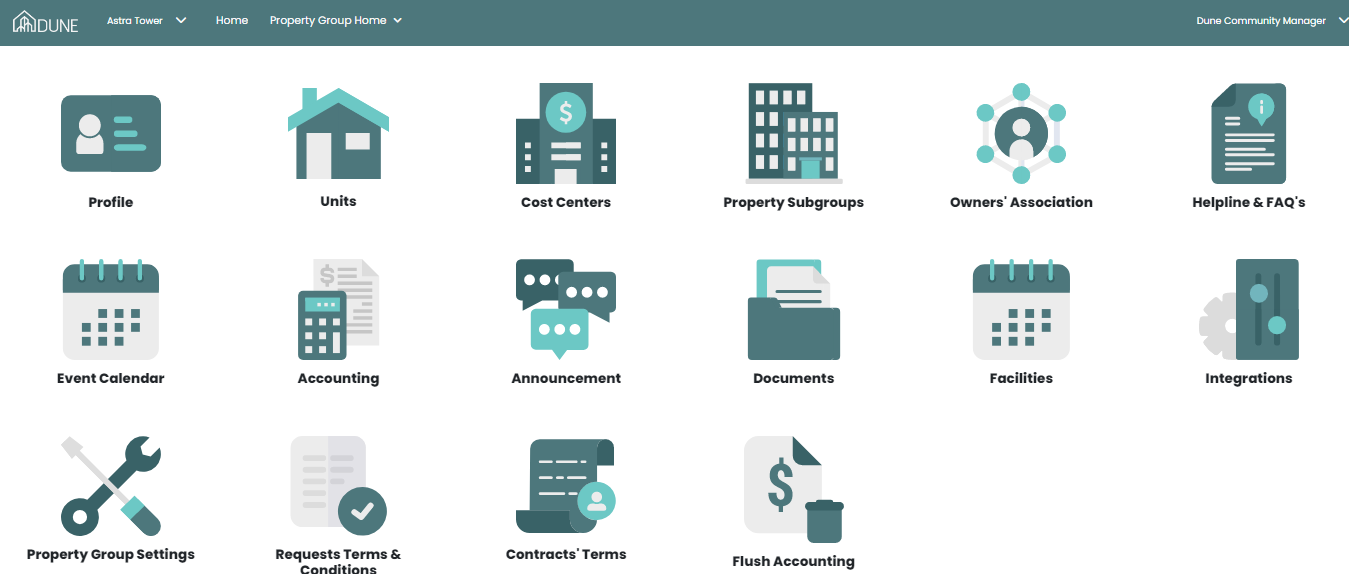
Click Accounting to enter the accounting module for the selected property group.
Navigate to Units Financials:
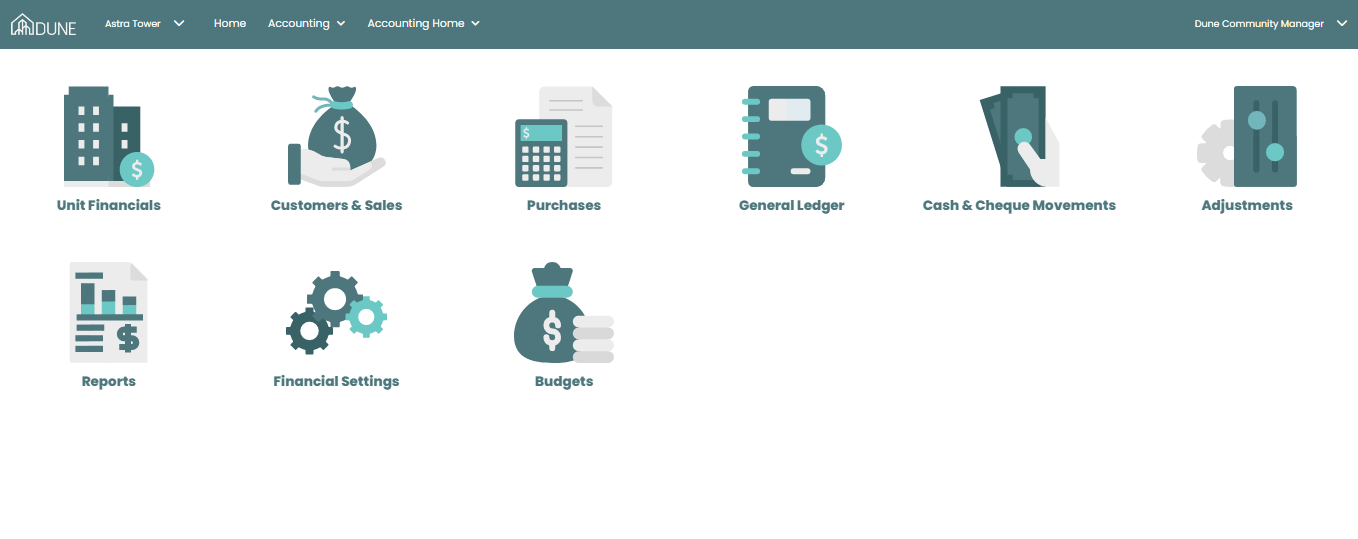
Within the Accounting module, go to Units Financials.
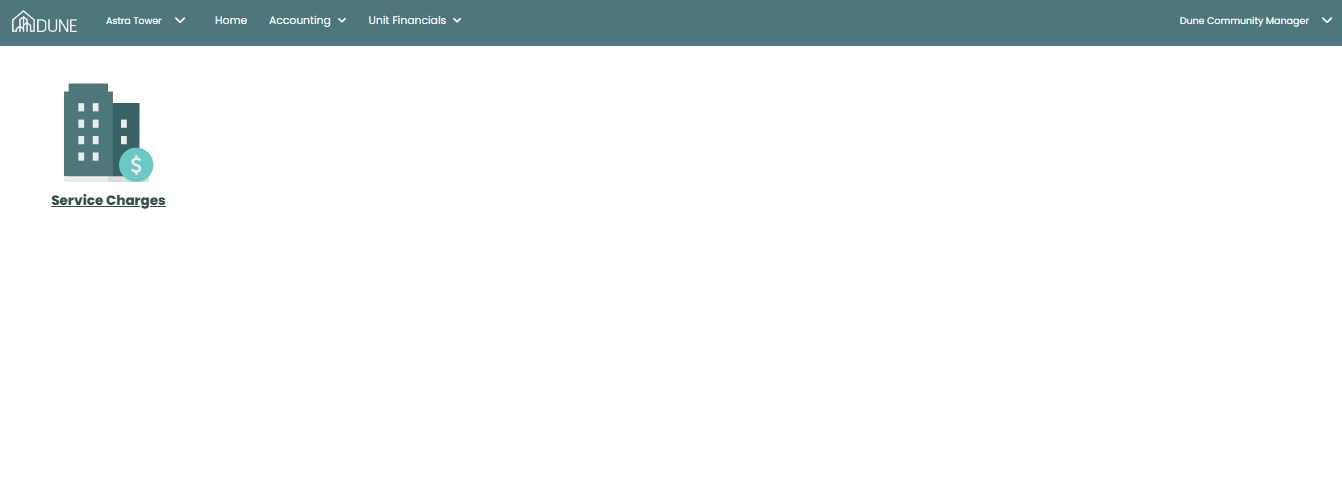
Select Service Charges to view all units and their service charge details.
Create Batch Invoices:
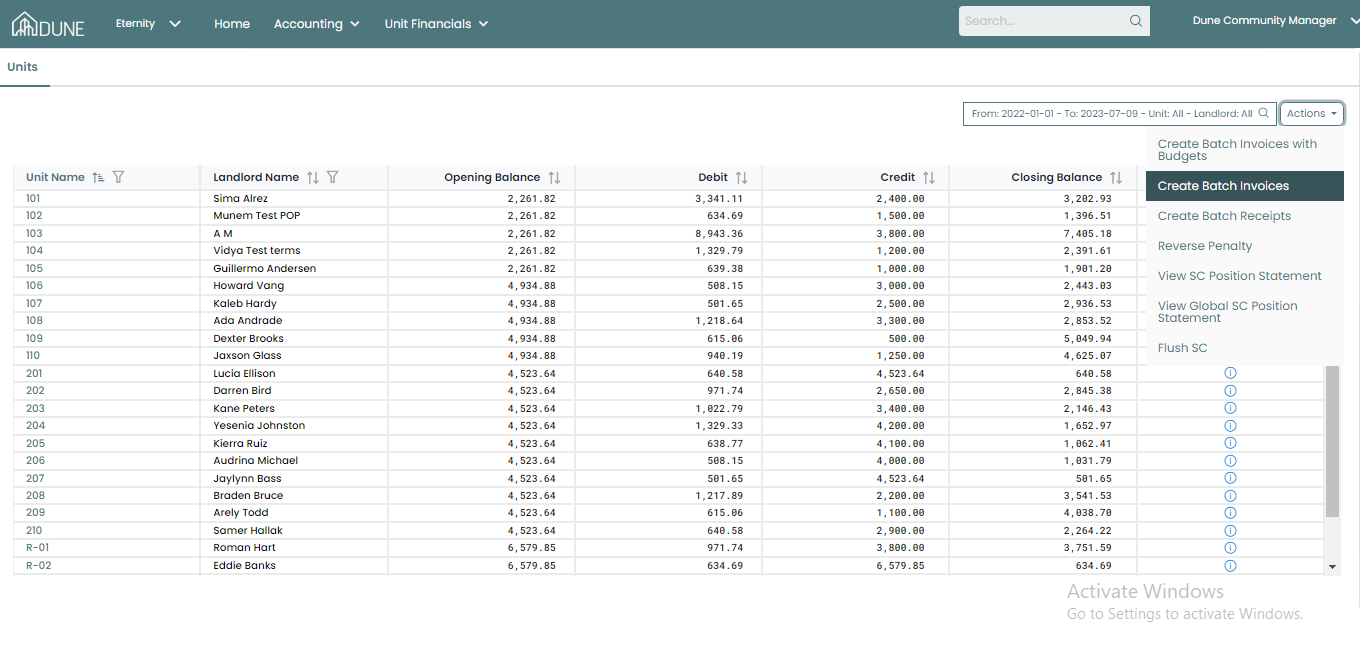
On the Service Charges screen, click Actions.
Select Create Batch Invoices.
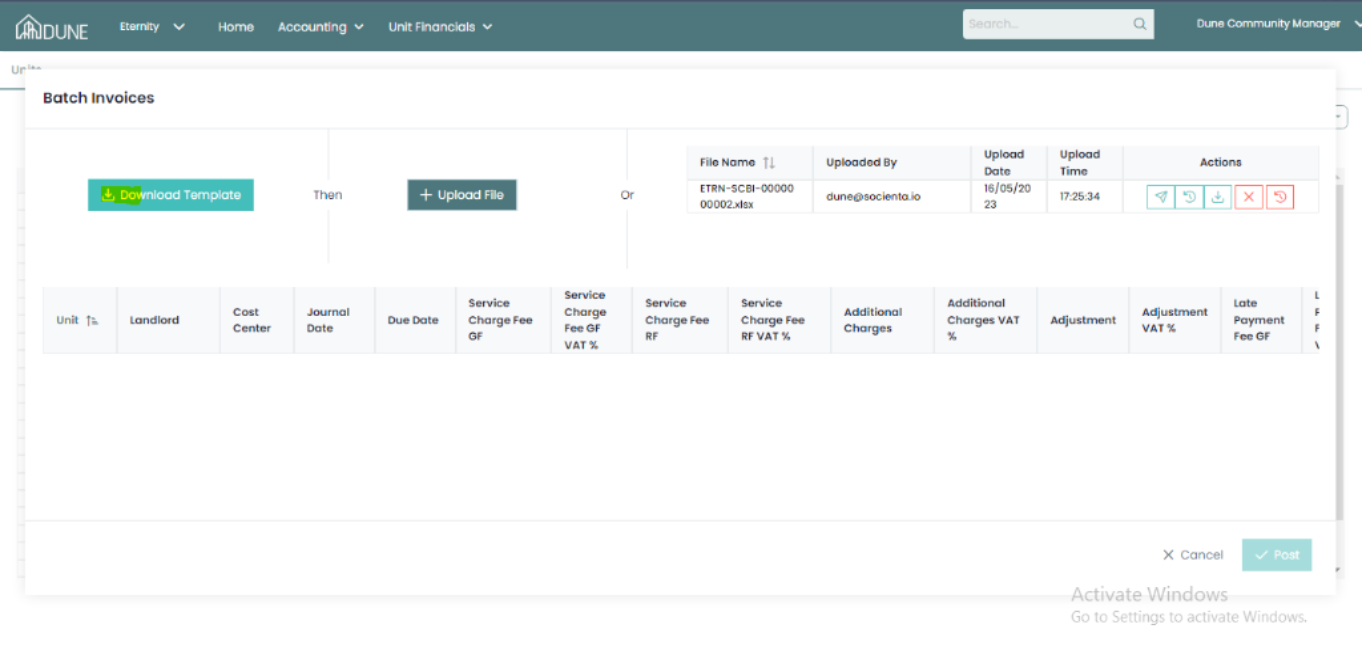
A new window will open with the option to download a sample Excel file.
Fill in the required invoice details in the Excel file (as per the sample format).
Upload the completed Excel file back into the system.
Manage Uploaded File:
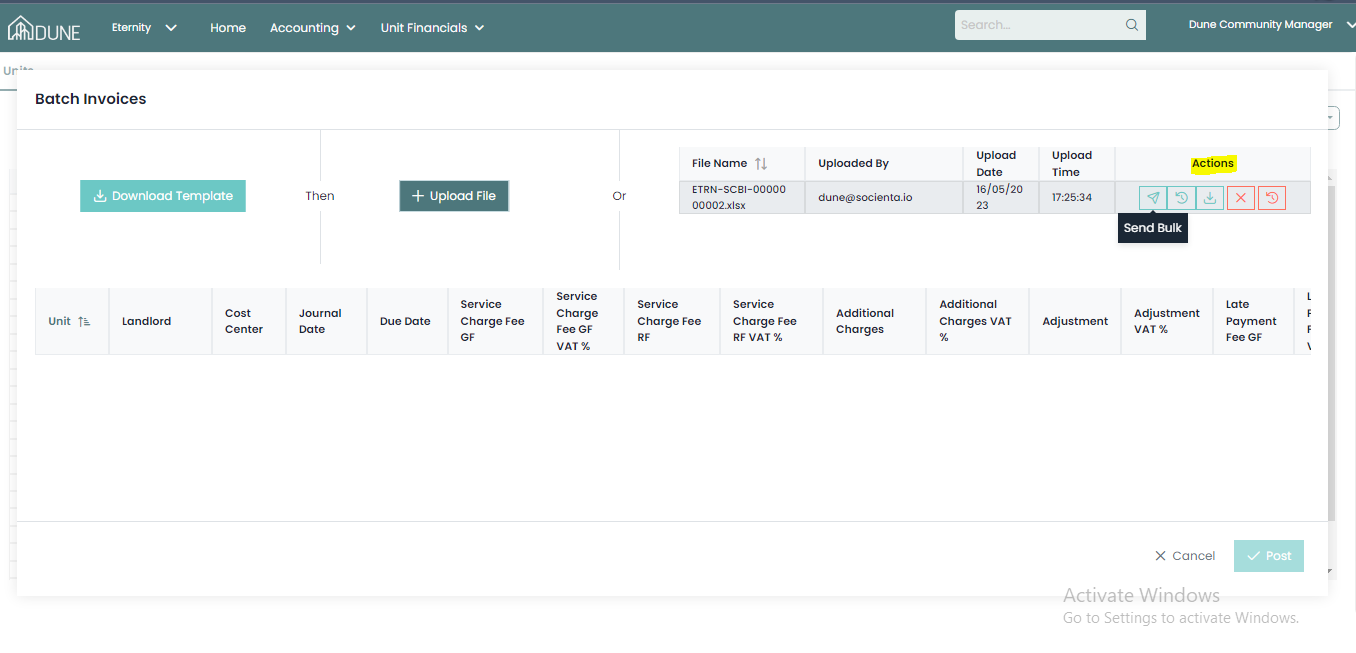
After uploading the file, you can perform the following actions from the batch window:
Post the batch to process the invoices
Send in bulk to residents
Download the uploaded file
Cancel the batch if needed
Verify the Batch invoices
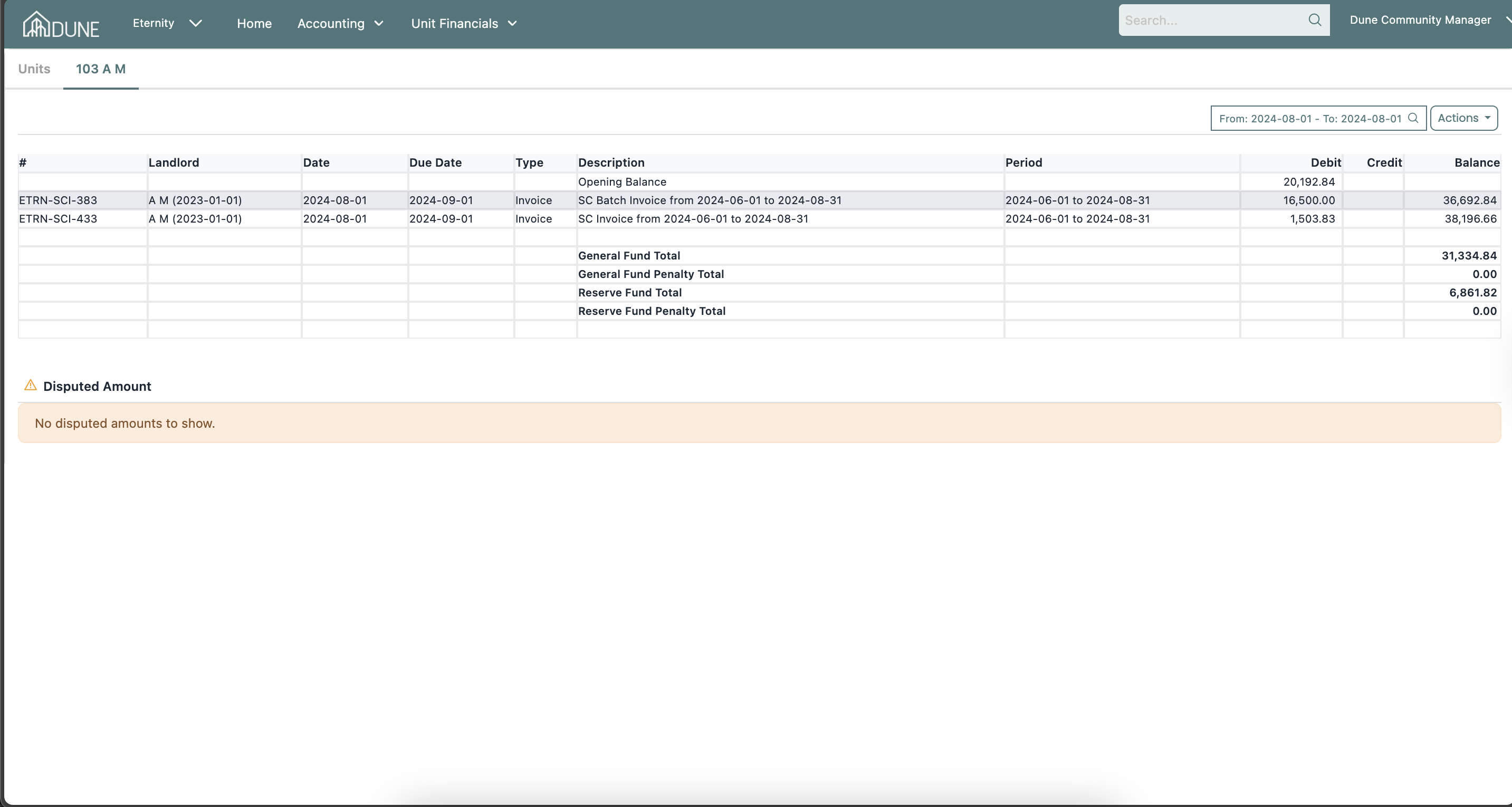
Open the relevant unit from the service charges screen.
Check the invoice to confirm the batch invoice was successfully processed.
Tips & Best Practices
Always use the sample Excel file to avoid formatting errors.
Ensure amounts and dates are entered correctly before uploading.
If a mistake is found, cancel the batch before posting and re-upload the corrected file.
After posting, verify a few units to confirm invoices were generated correctly.
Was this article helpful?
That’s Great!
Thank you for your feedback
Sorry! We couldn't be helpful
Thank you for your feedback
Feedback sent
We appreciate your effort and will try to fix the article