Go to the global view and click on requests to submit a new request on behalf of a customer.
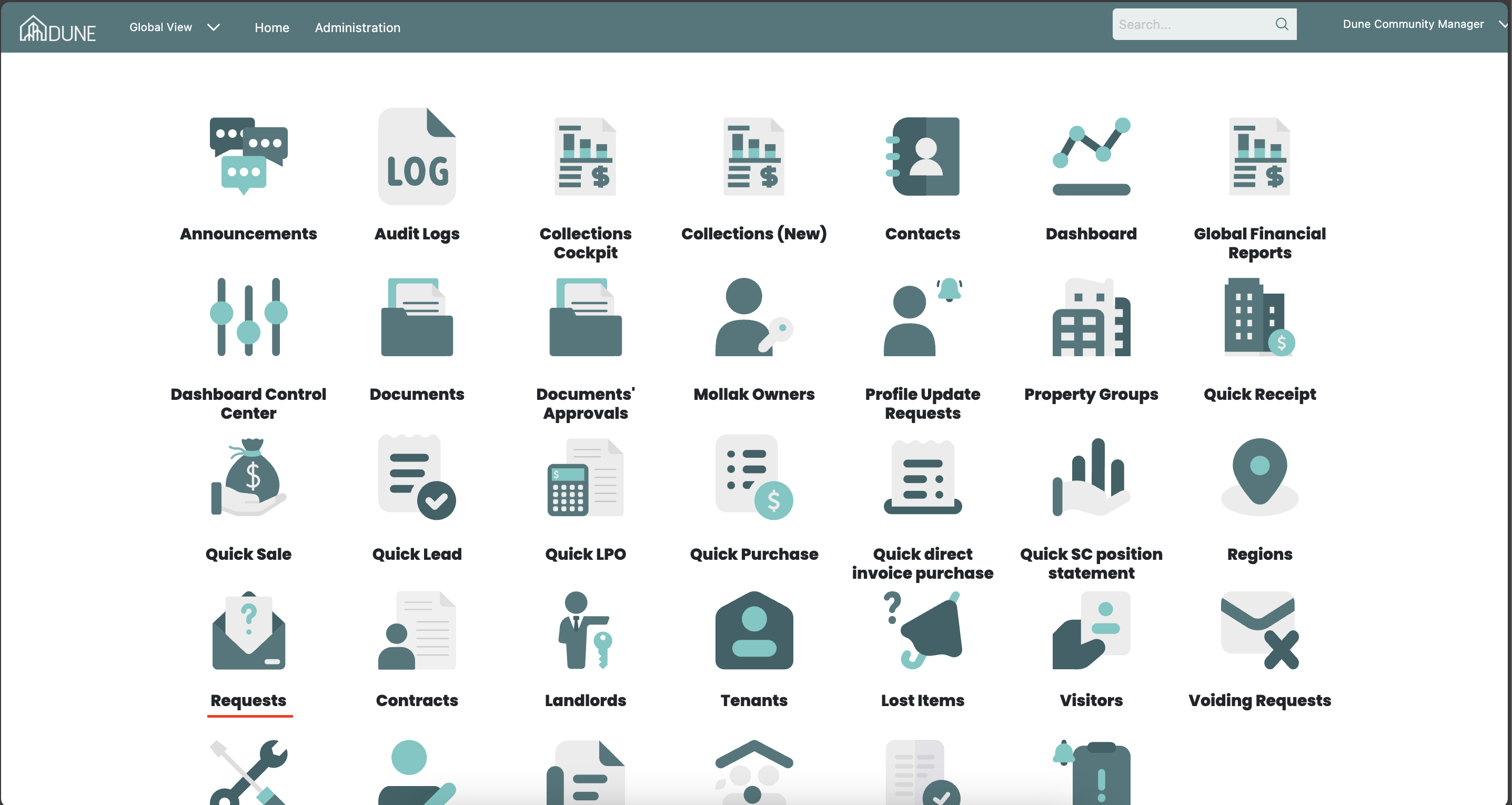
Steps to Submit a New Request on behalf:
Create a New Request:
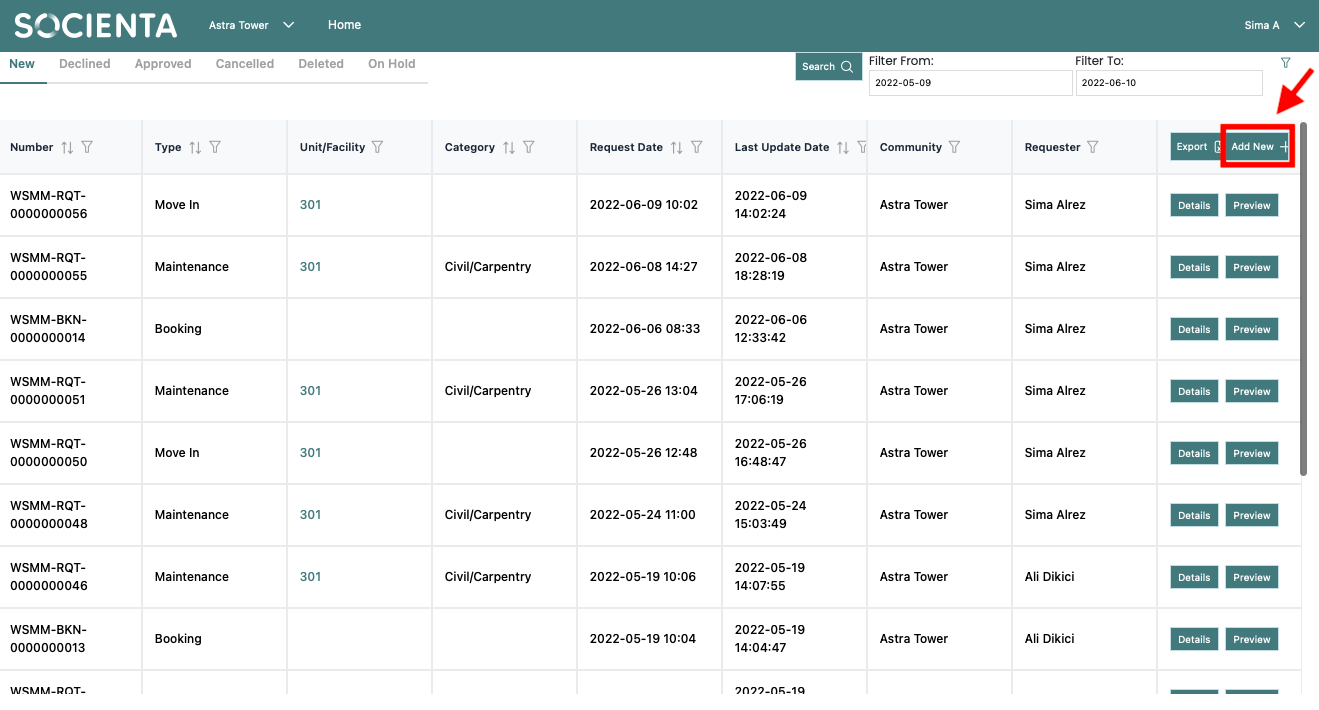
Click Add New to create a request.
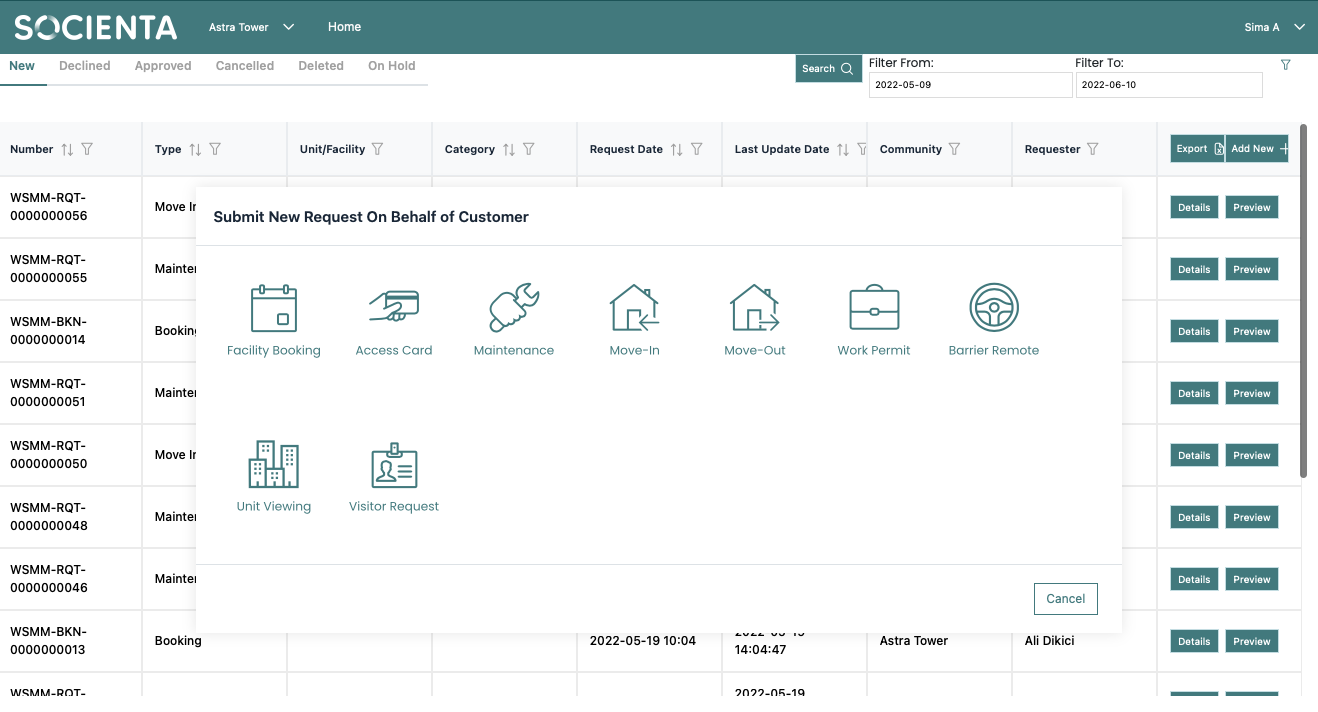
Choose the type of request you want to submit.
Select the Resident:
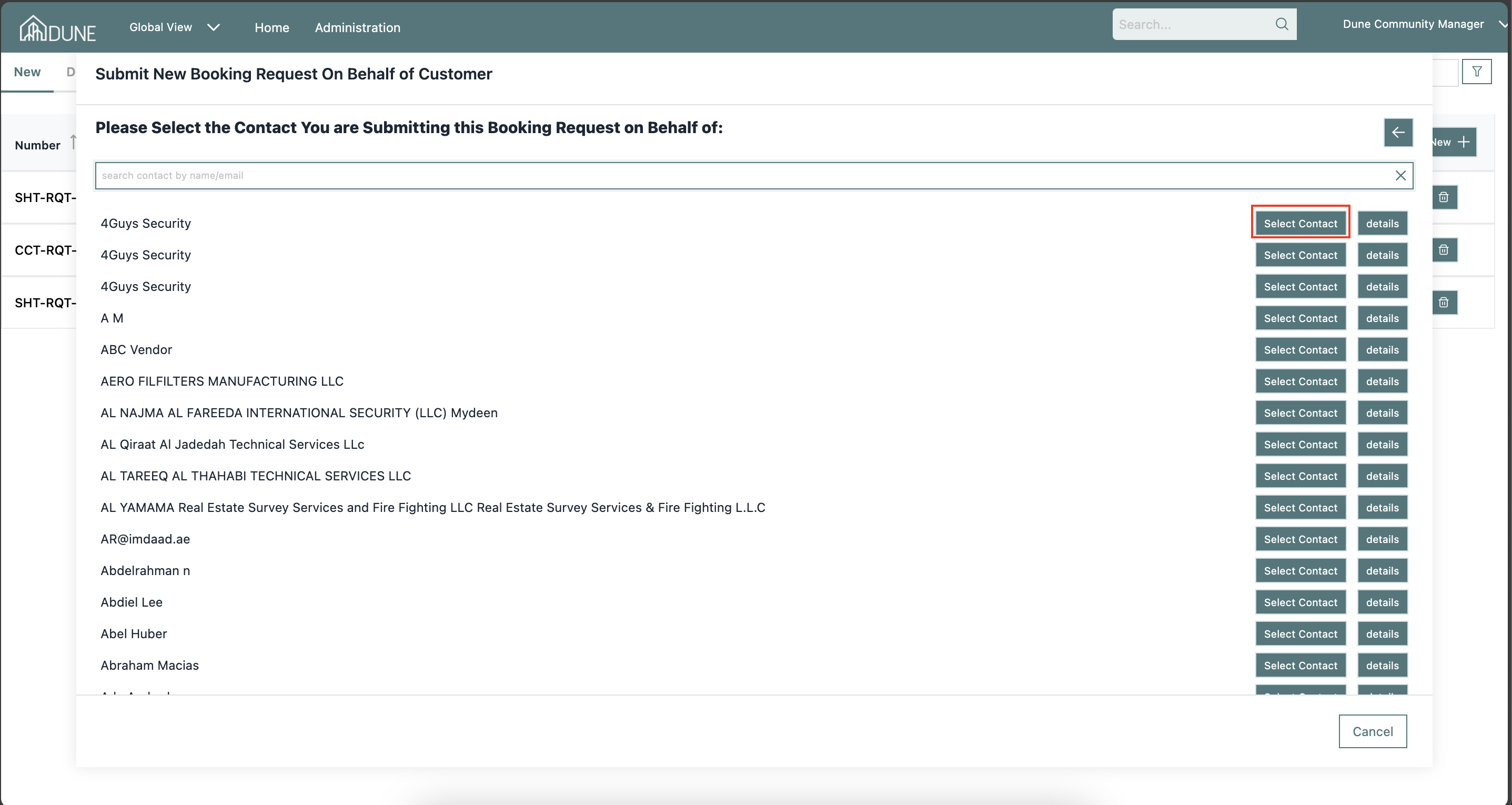
Select the resident(s) or search by email for whom you are submitting the request.
Click Select Contact to proceed.
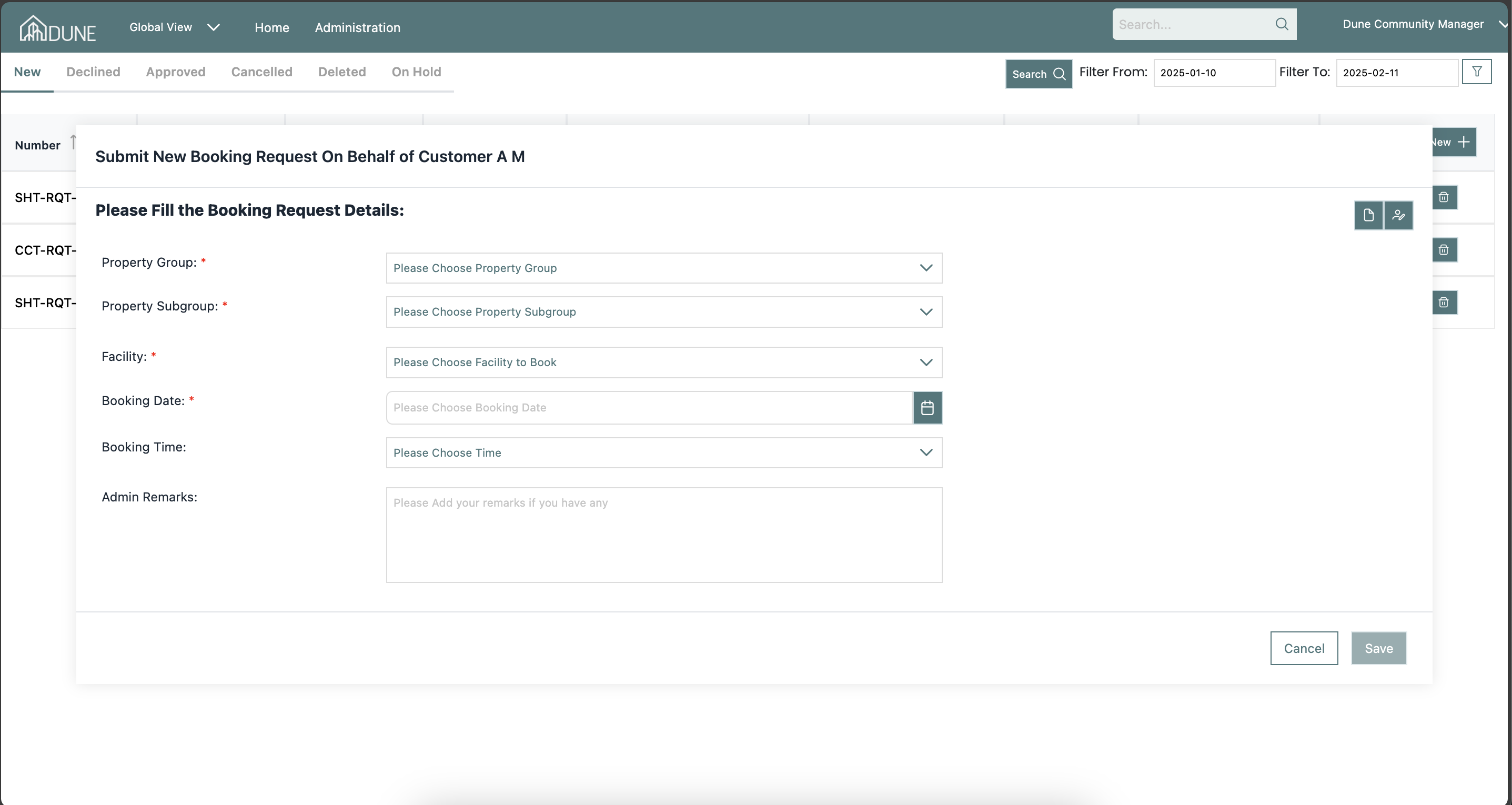
- Fill in the required request details.
- Upload any necessary documents as set in the property group settings.
- Click Save to submit the request.
Important notes:
What Happens After Submitting a Request on Behalf of a Customer?
The request is not automatically approved—it must go through the standard approval process.
The customer will receive a notification about the submitted request.
If the request is not approved, the resident has the option to edit and resubmit it from their end.
Was this article helpful?
That’s Great!
Thank you for your feedback
Sorry! We couldn't be helpful
Thank you for your feedback
Feedback sent
We appreciate your effort and will try to fix the article