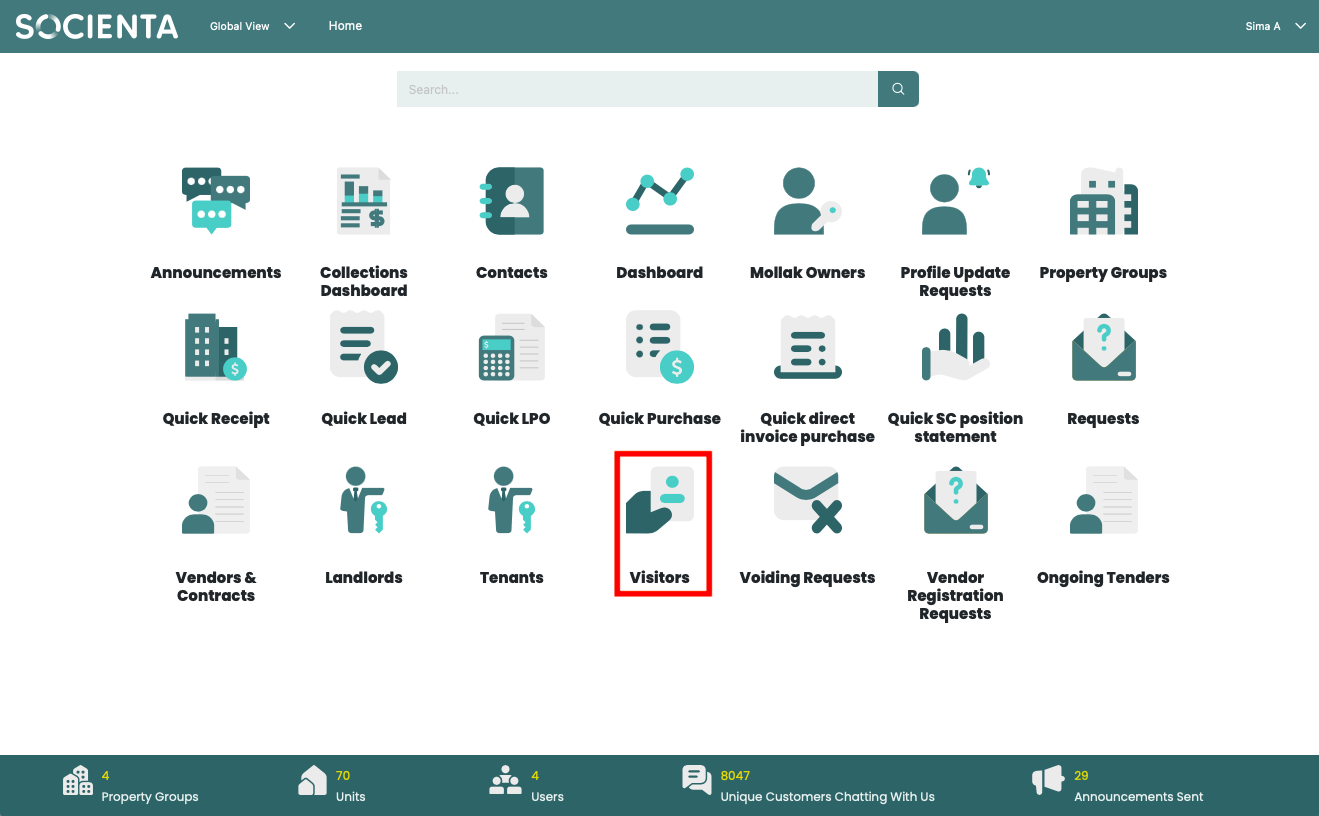
Go to the global view and click on Visitors.
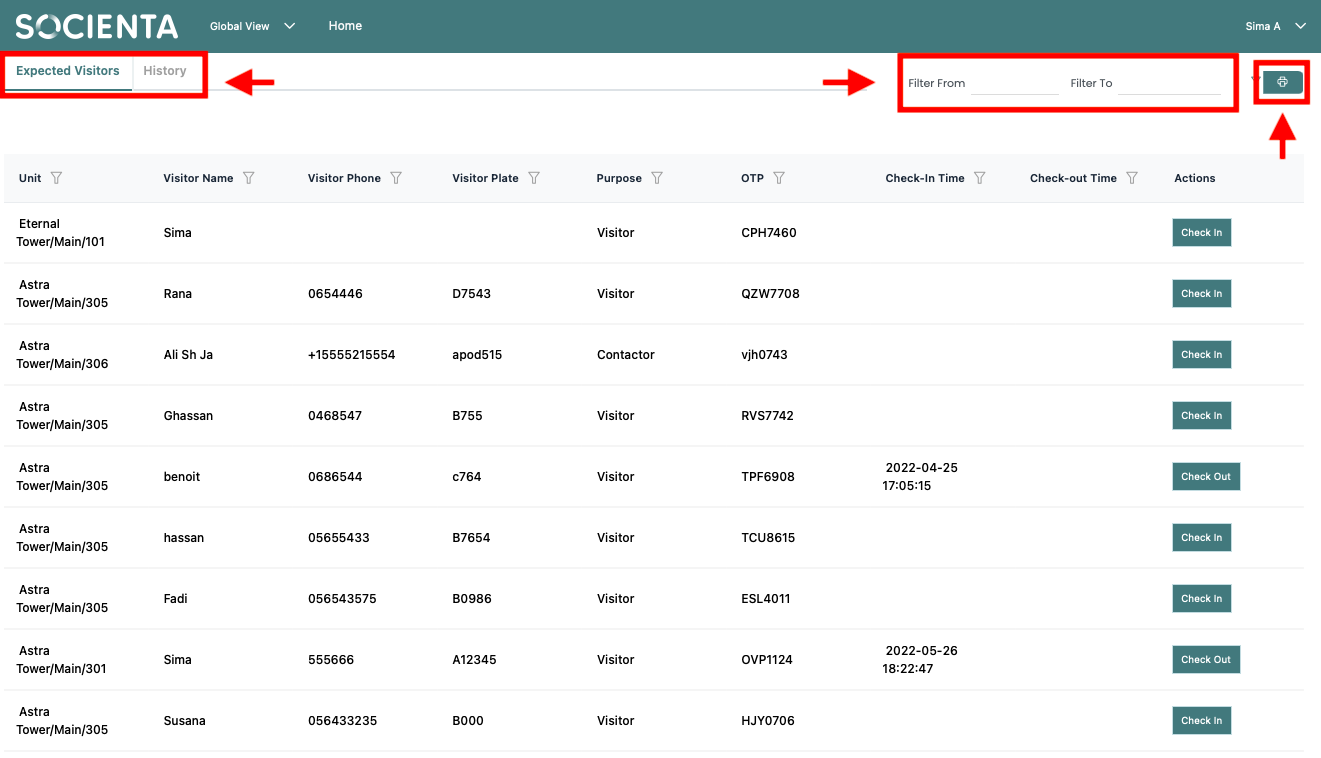
You can view expected visitors and visitor history on the visitors list page, filter the dates you want to see, or generate a CSV report of the visitors list.
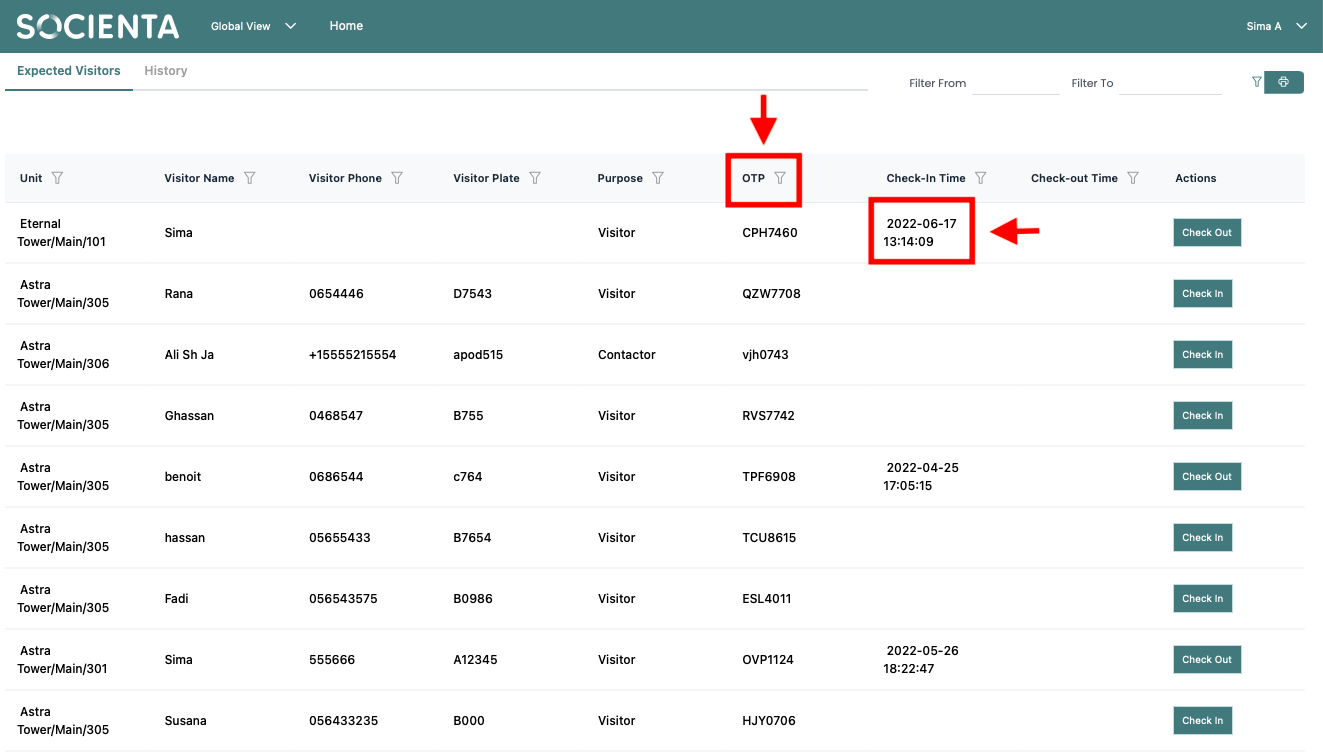
You must find the OTP that was presented to you in the list of expected visitors before you may check someone in, the OTP can be filtered from the button right next it.
The time and the date will appear in the check-in time section once you have checked them in.
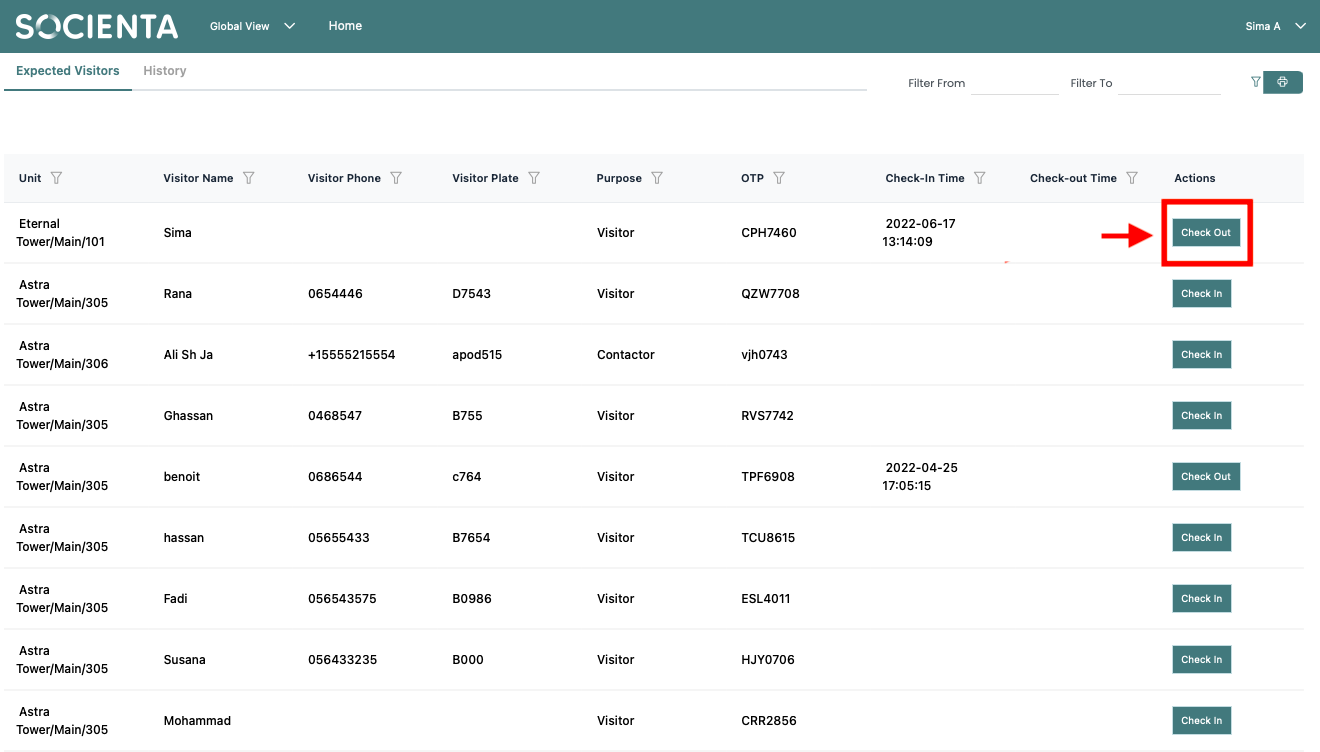
Click the check-out button to check-out a visitor. This visitor will be immediately moved to the history from the list of expected visitors.
Was this article helpful?
That’s Great!
Thank you for your feedback
Sorry! We couldn't be helpful
Thank you for your feedback
Feedback sent
We appreciate your effort and will try to fix the article