Prerequisite:
When you apply your scenario make sure you have these steps:
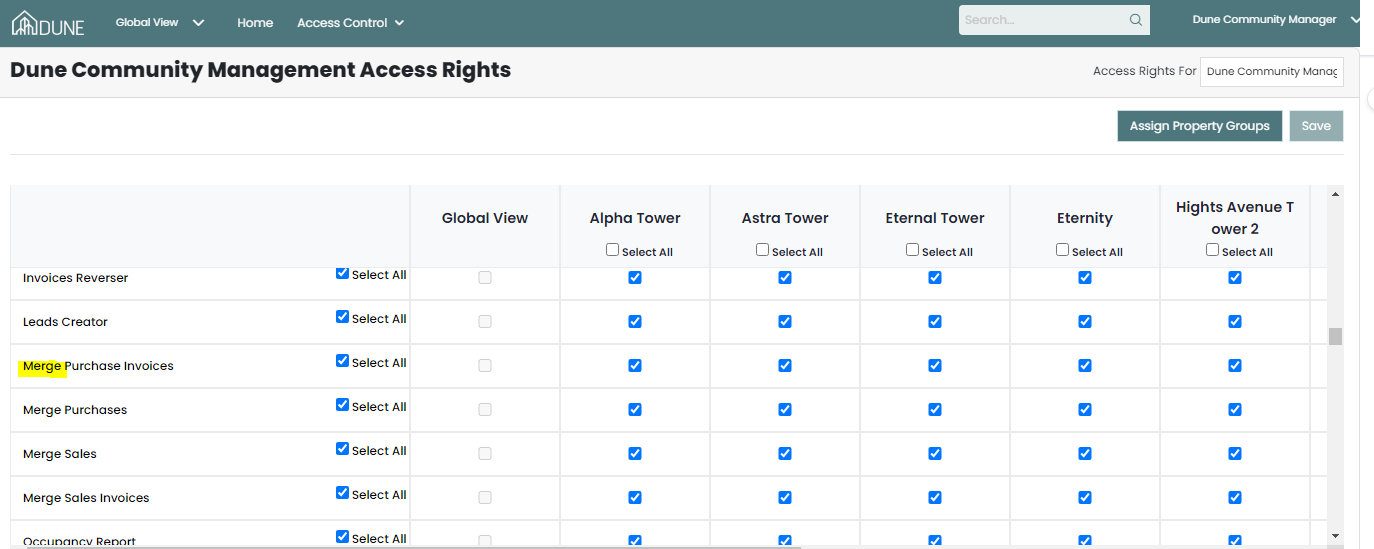
1-Make sure you have access right to merge the purchases (Contact your client admin user to provide you with this access)
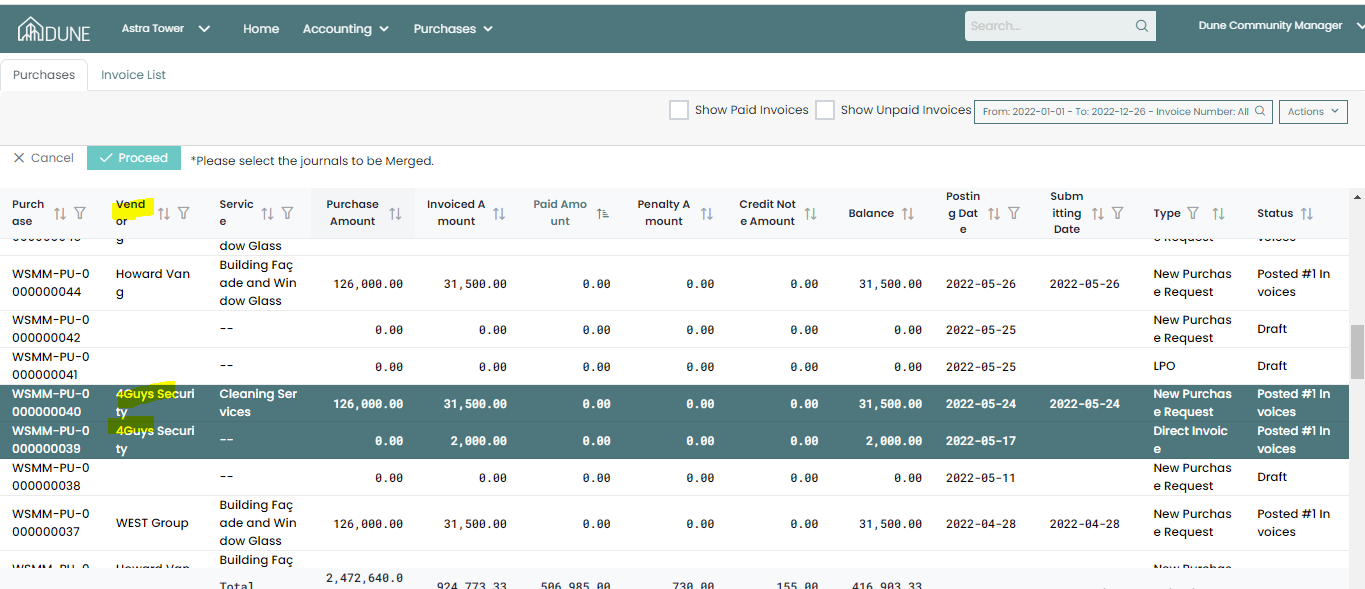
2-Make sure the assigned vendors are the same for both Purchases or you need to change the assgned vendor if you wish to merge old purchases
Result you have faced:
1-When change the vendor to merge with another purchases to have the same vendor, an error message pop up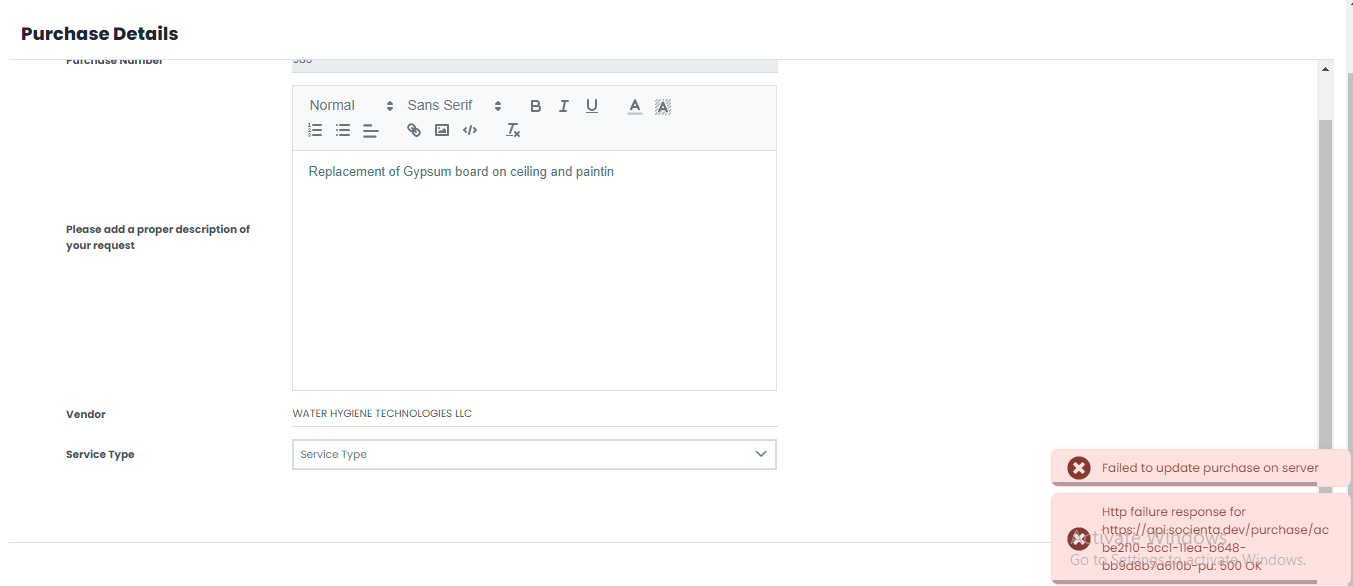
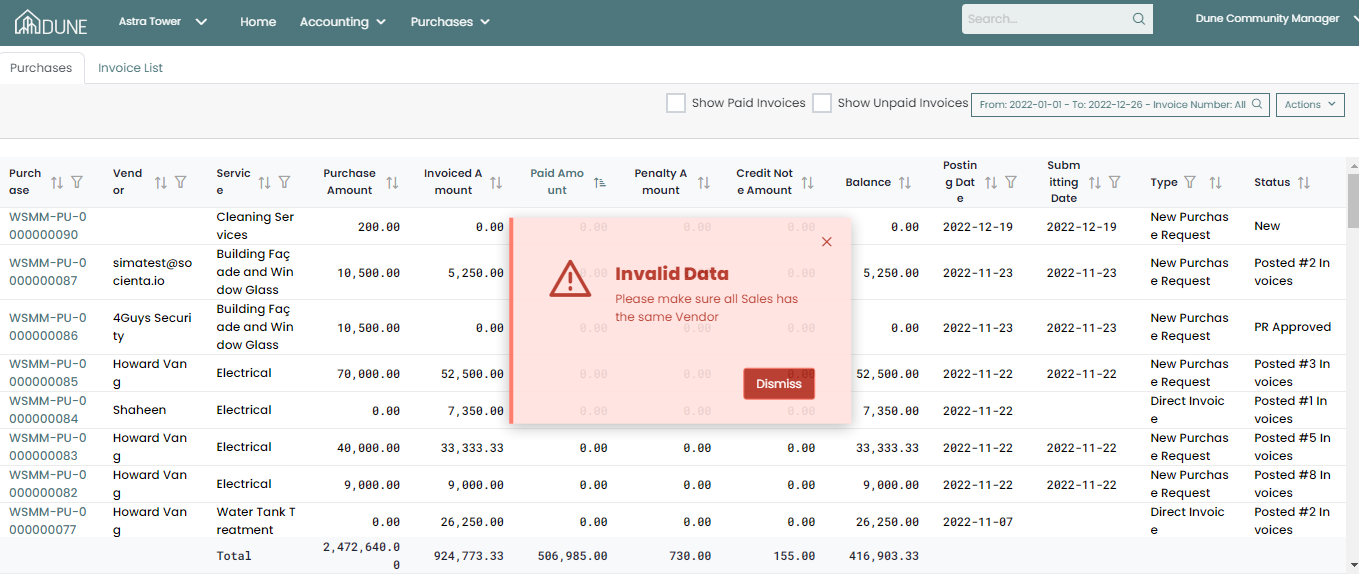
2-An error message pops up for me and I can't merge them
The Solution:
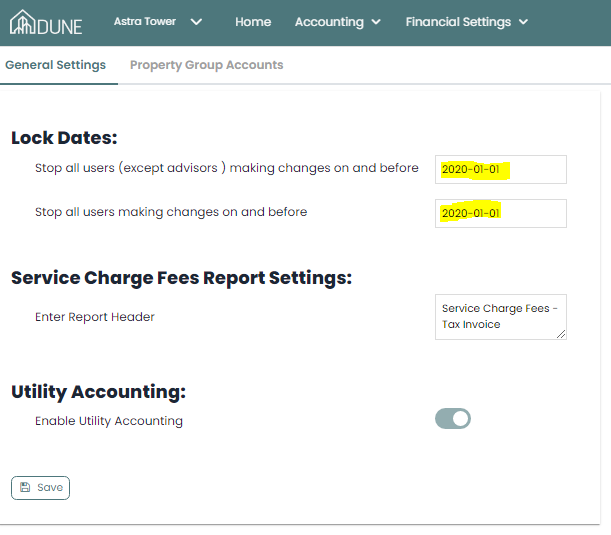
-Check the lock date in the financial settings and make sure the invoices not included the lock date period or remove the lock date.
Was this article helpful?
That’s Great!
Thank you for your feedback
Sorry! We couldn't be helpful
Thank you for your feedback
Feedback sent
We appreciate your effort and will try to fix the article