Prerequisite:
When you apply your scenario make sure you have these steps:
1-Make sure you have the payment account activated in a 3rd party for example APS (Amazon Payforrt Services)
Result your vendors faced:
1-Something went wrong, but we are on it (same as a screenshot)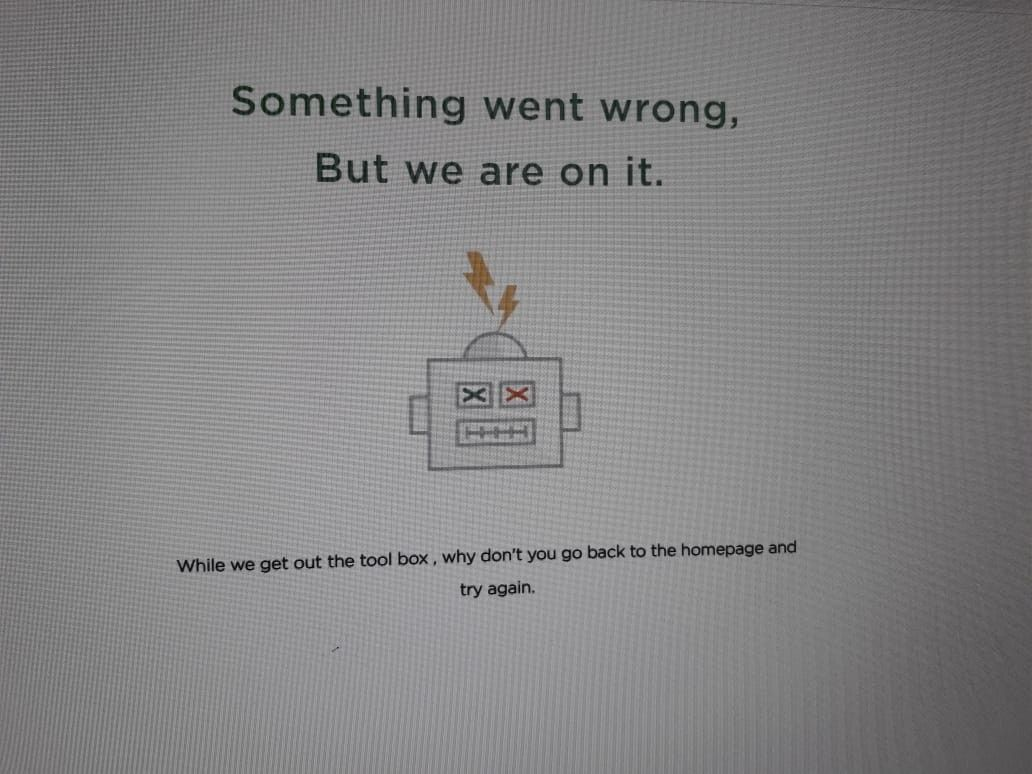
The Solution:
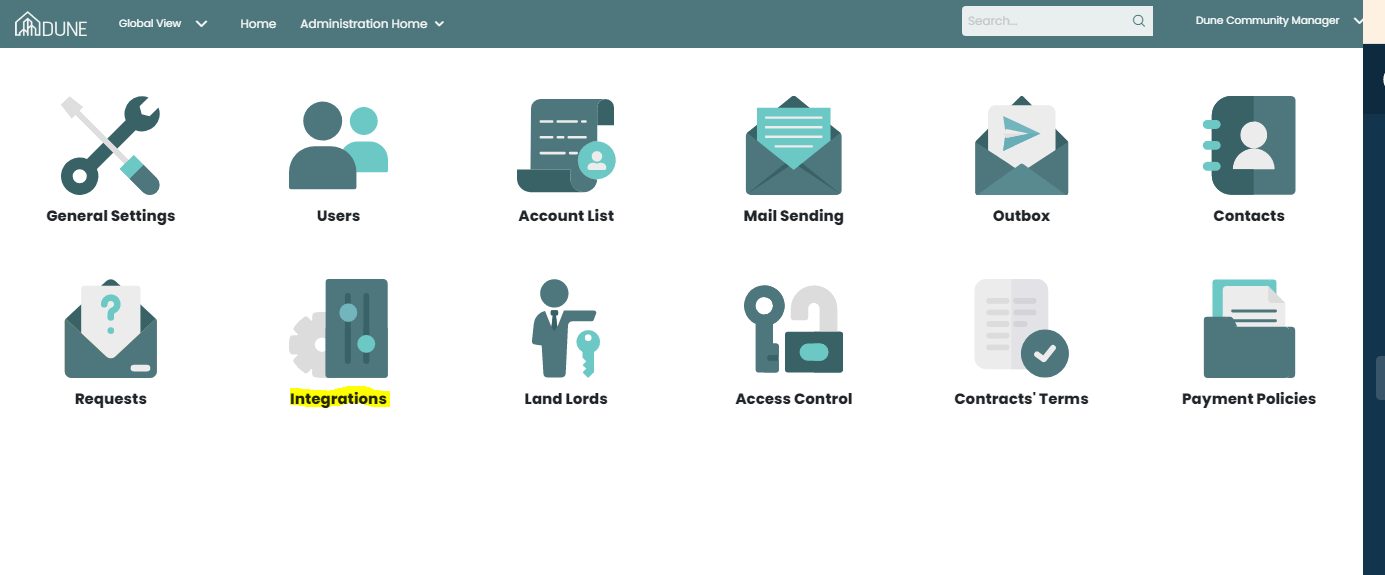
1-Contact your client administrator to fill in the information in the integration section in Socienta from the administration home page by following the steps same as in Screenshots, once you get the details for the activated account in 3rd party APS (Amazon Payforrt Services):
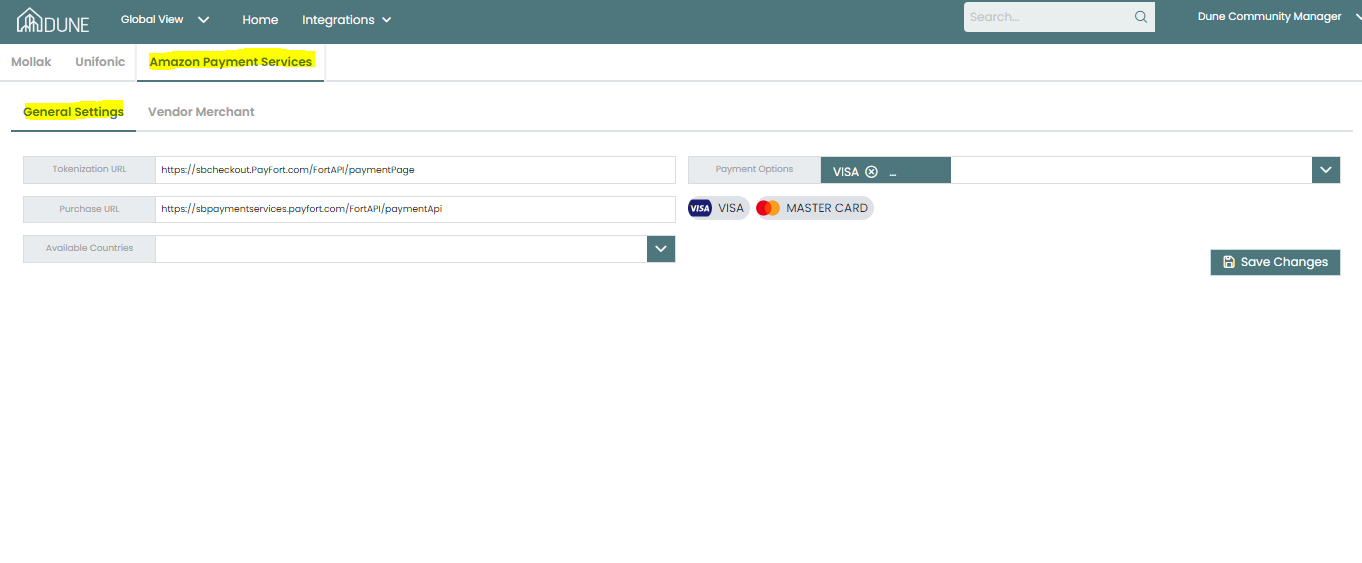
2-In the general setting tab, your client administrator can add the setting from AMAZON
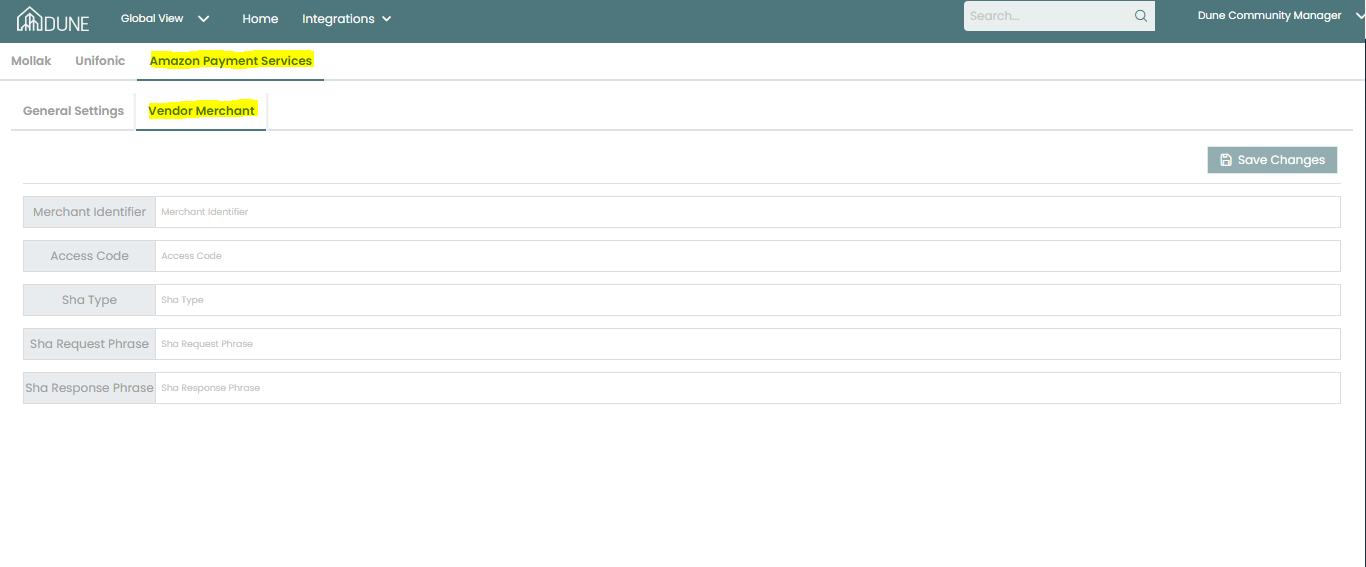
3-In the vendor merchant tab, your client administrator can add the merchant information from APS (Amazon Payforrt Services) to activate the integration and then the payment process activated to vendor access:
Was this article helpful?
That’s Great!
Thank you for your feedback
Sorry! We couldn't be helpful
Thank you for your feedback
Feedback sent
We appreciate your effort and will try to fix the article