To add a new resident in the PM unit:
Go to the property group, open the PM Units list, and select the desired unit by clicking on its name.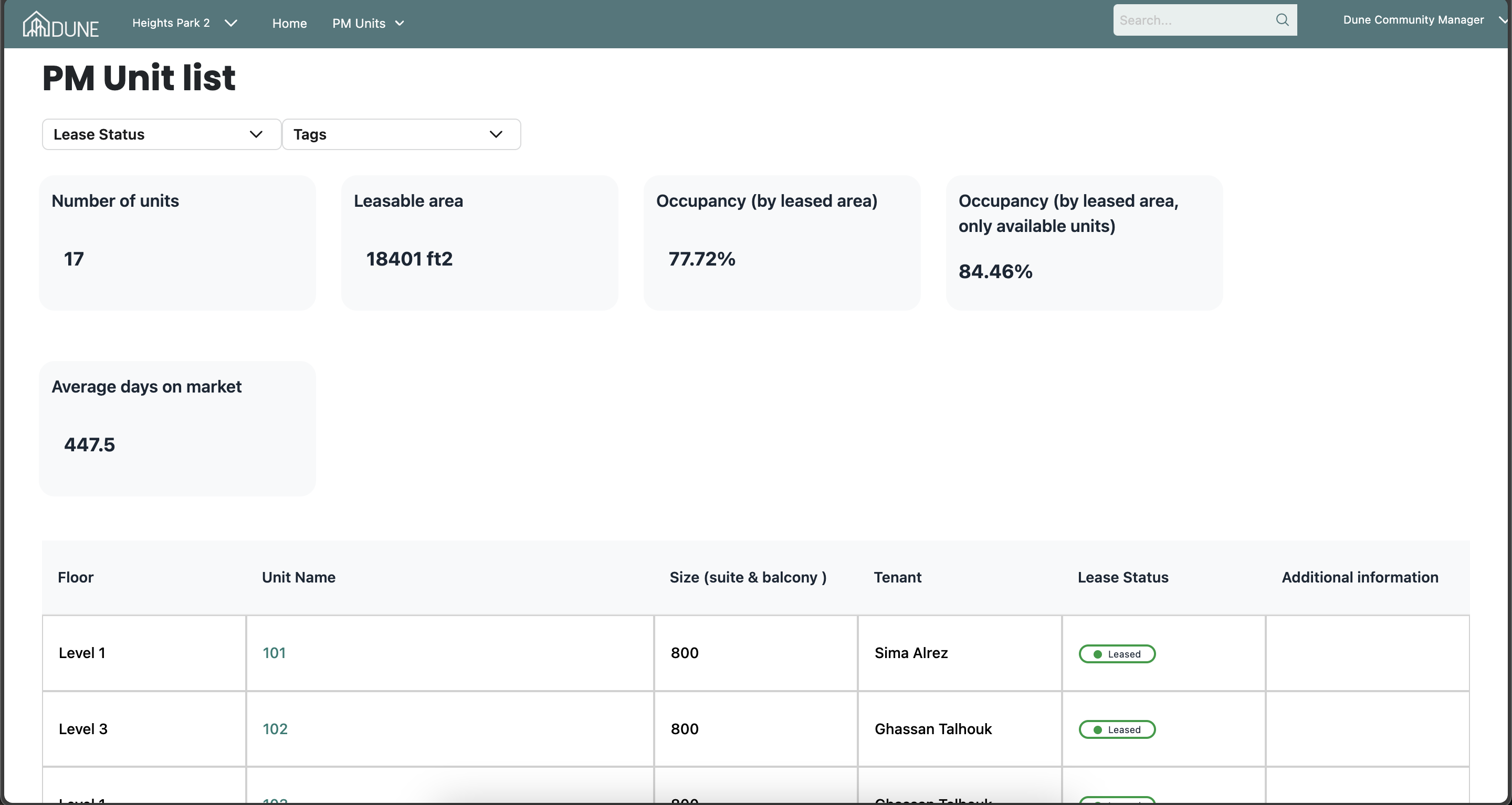
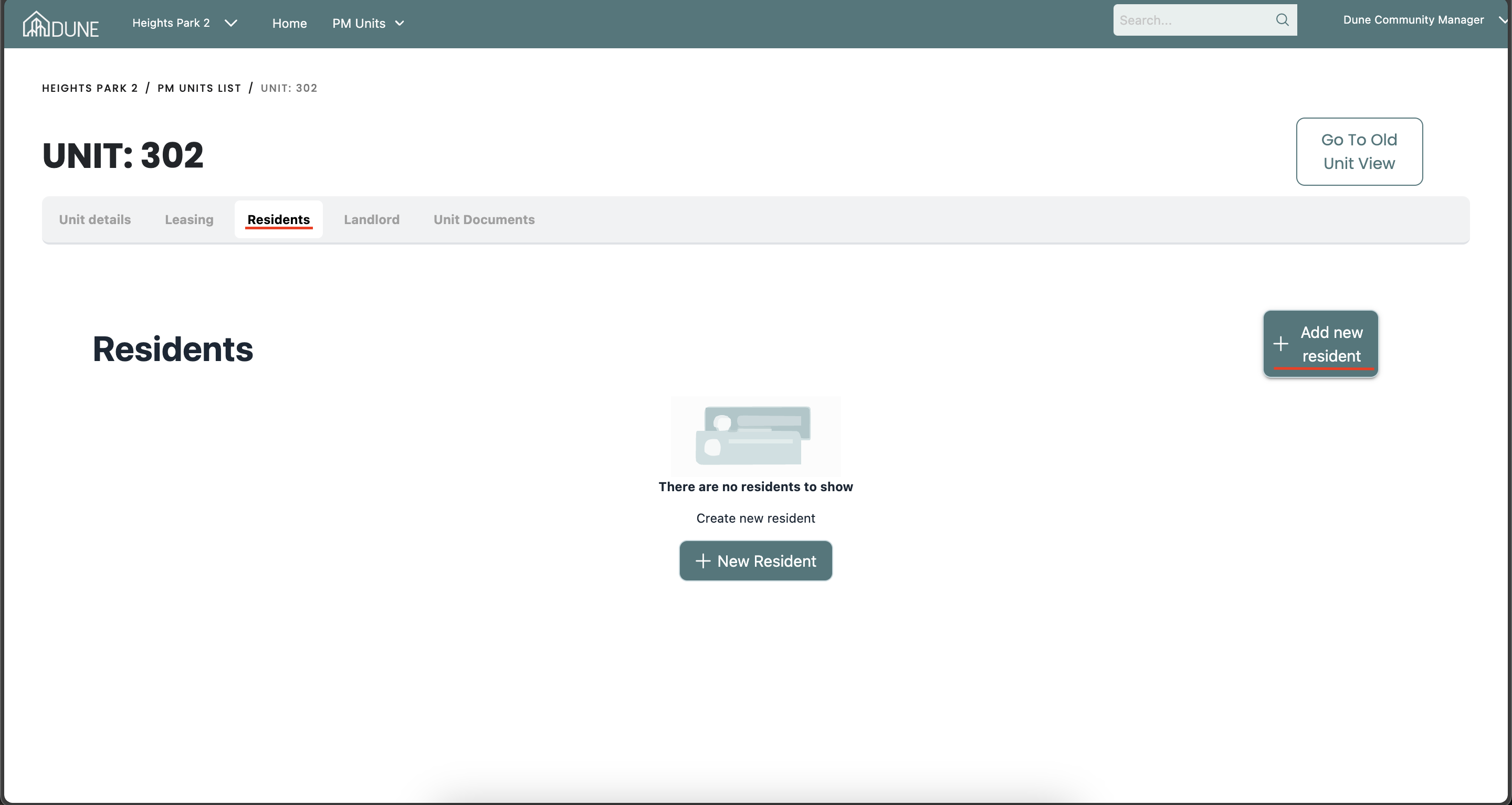
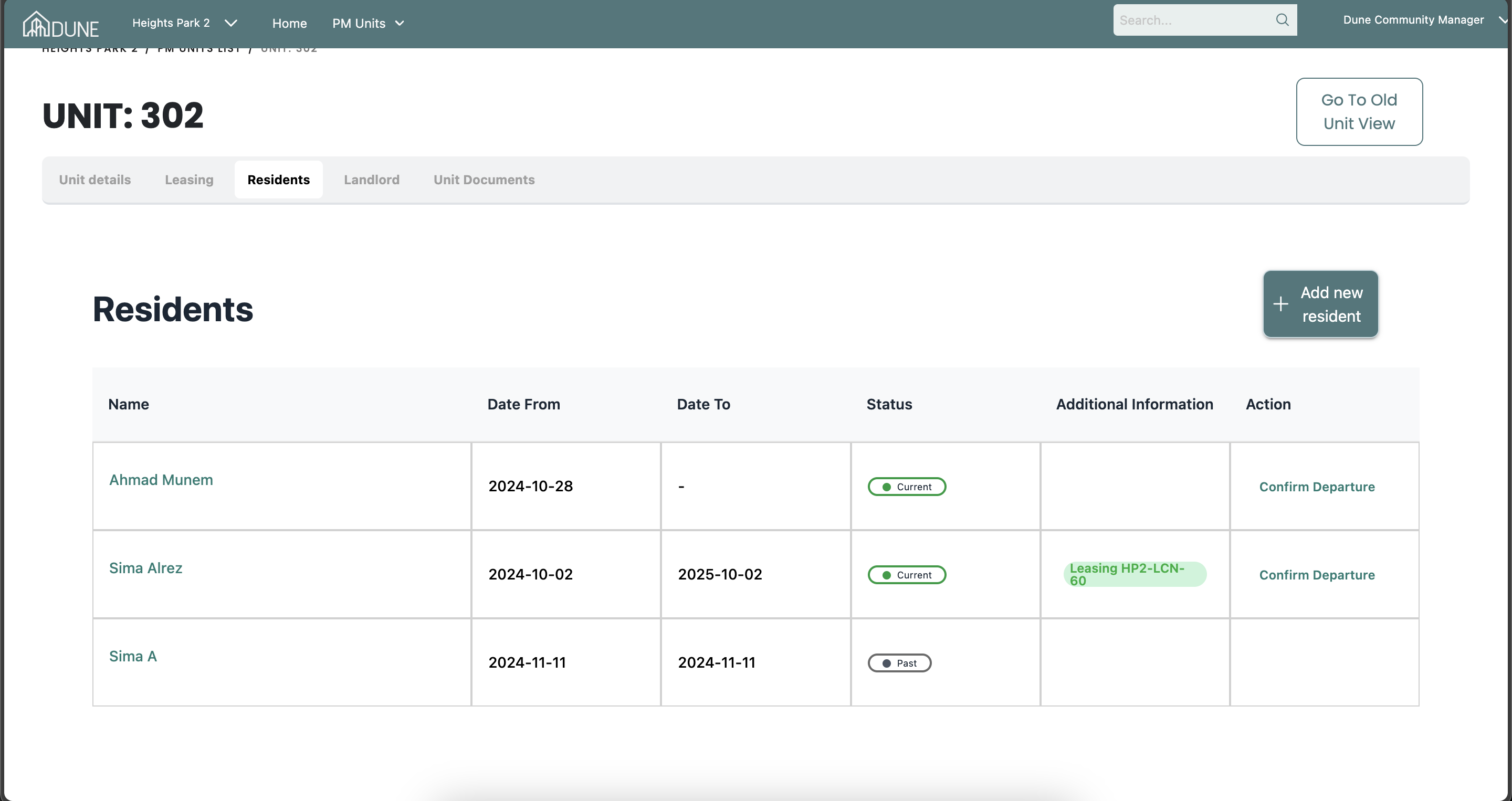
Add a New Resident: Navigate to the Resident tab and click Add New Resident.
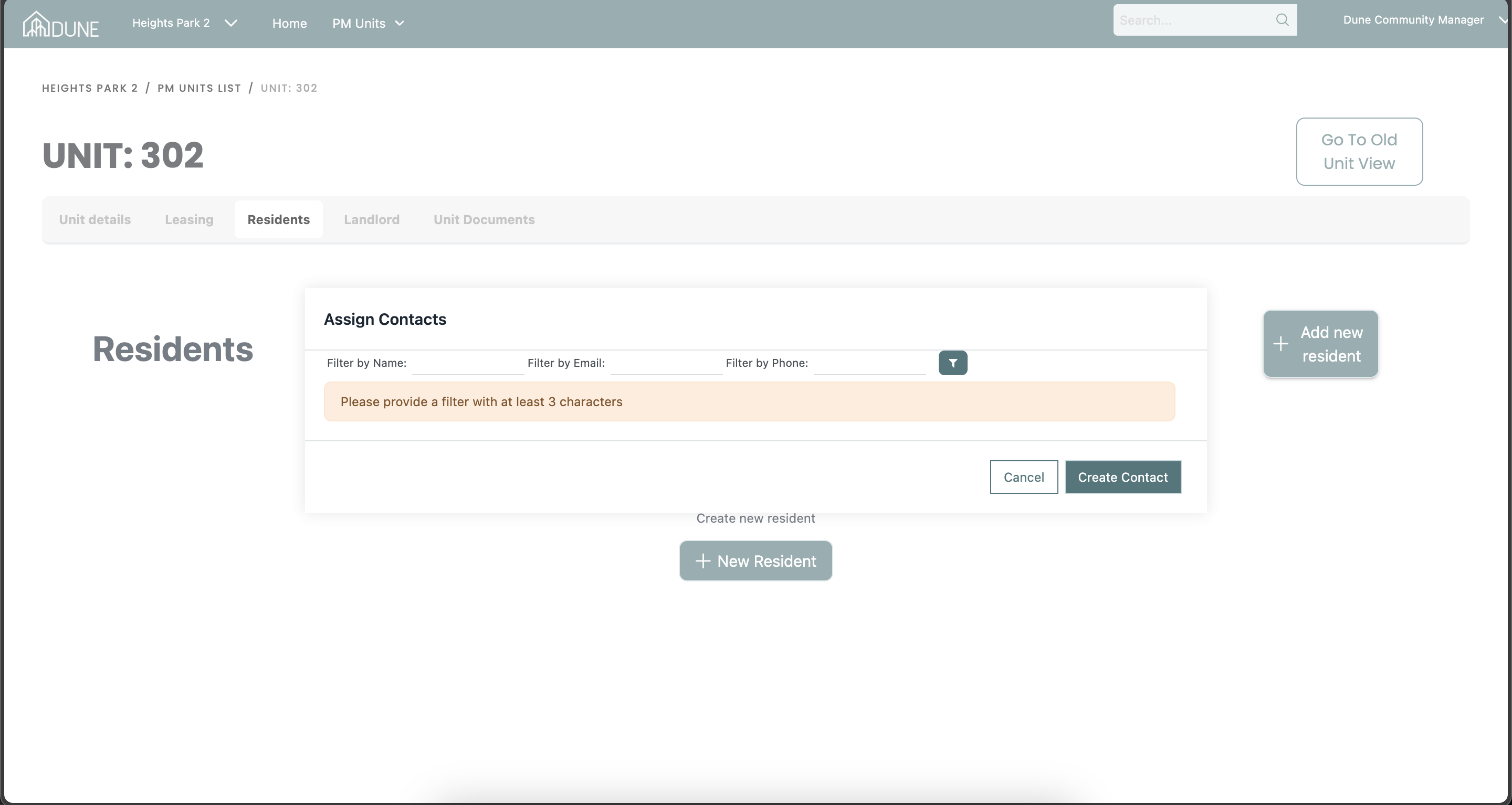
Enter Resident Details: A pop-up screen will appear. Here, you can:
- Enter the resident’s email if the contact exists in the system & assign the existing contact.
- Or create a new one if the resident is not yet in the system.
View Additional Information: In the Additional Information section, you can:
- See the associated lease details for the resident.
- View the move-in and move-out requests made by the resident.
Confirm Departure:
- Mark a Confirm Departure for residents moving out in the Action column.
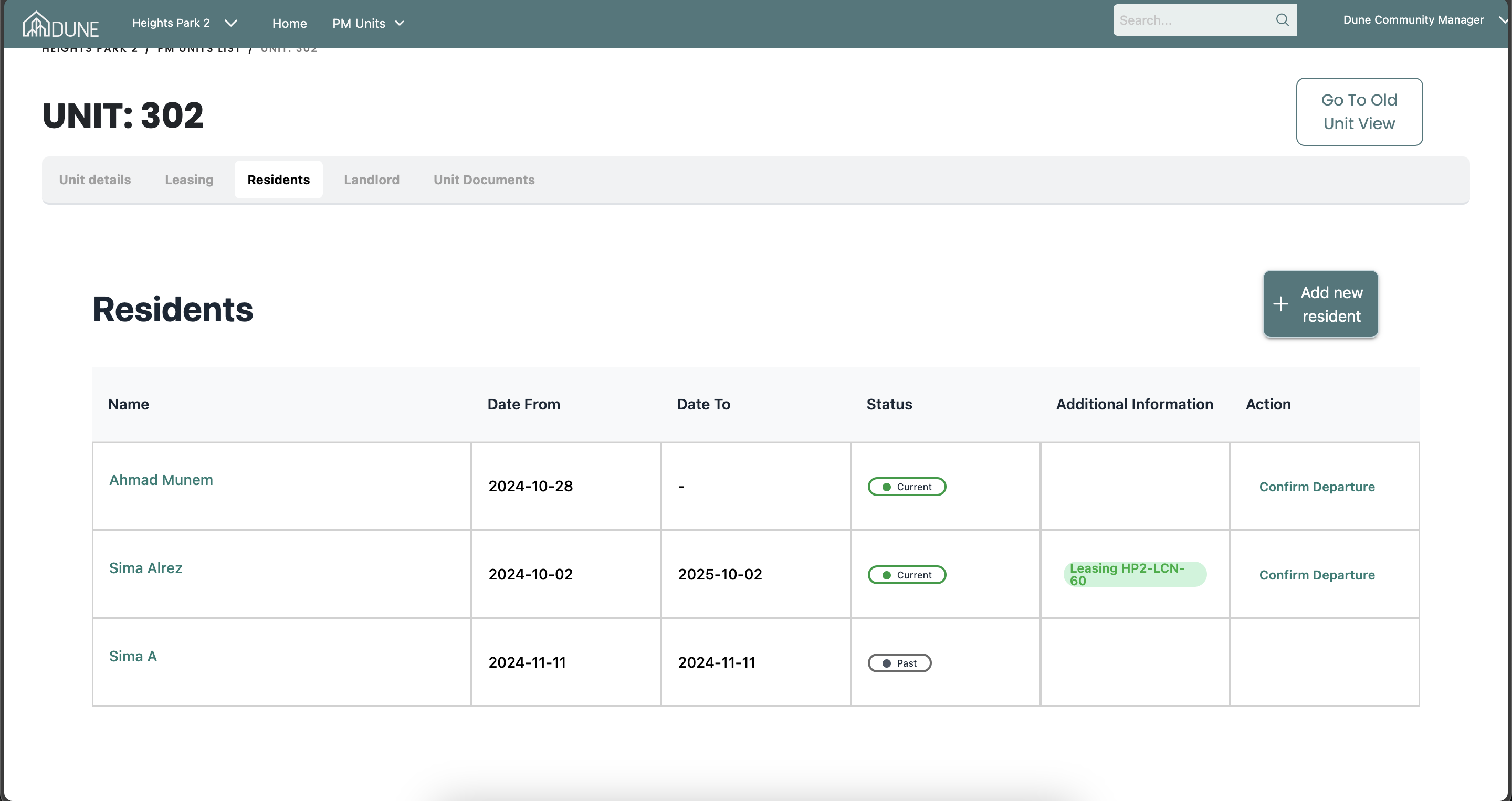
Additionally, you can add multiple residents to the unit, allowing you to maintain a history of all past and current residents for the specific unit
Tip and Trick:
Make sure to add the residents to the unit. If you don’t, it will not reflect in the lease dashboards, and this will also affect the information shown in the dashboard.
Was this article helpful?
That’s Great!
Thank you for your feedback
Sorry! We couldn't be helpful
Thank you for your feedback
Feedback sent
We appreciate your effort and will try to fix the article