After creating and submitting the purchase, you will see the Publish Tender button on the requisition page.
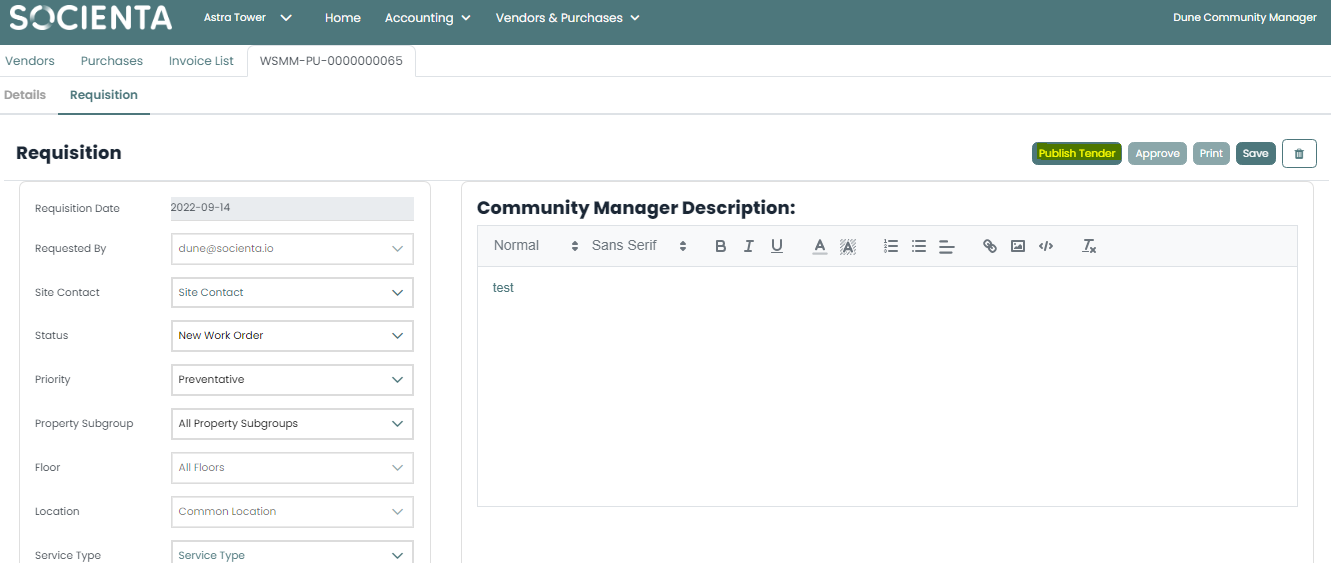
Once you click on it, a pop-up box will appear where you may specify the type of tender: (Opened Tender - Closed Tender - Specified Vendors):
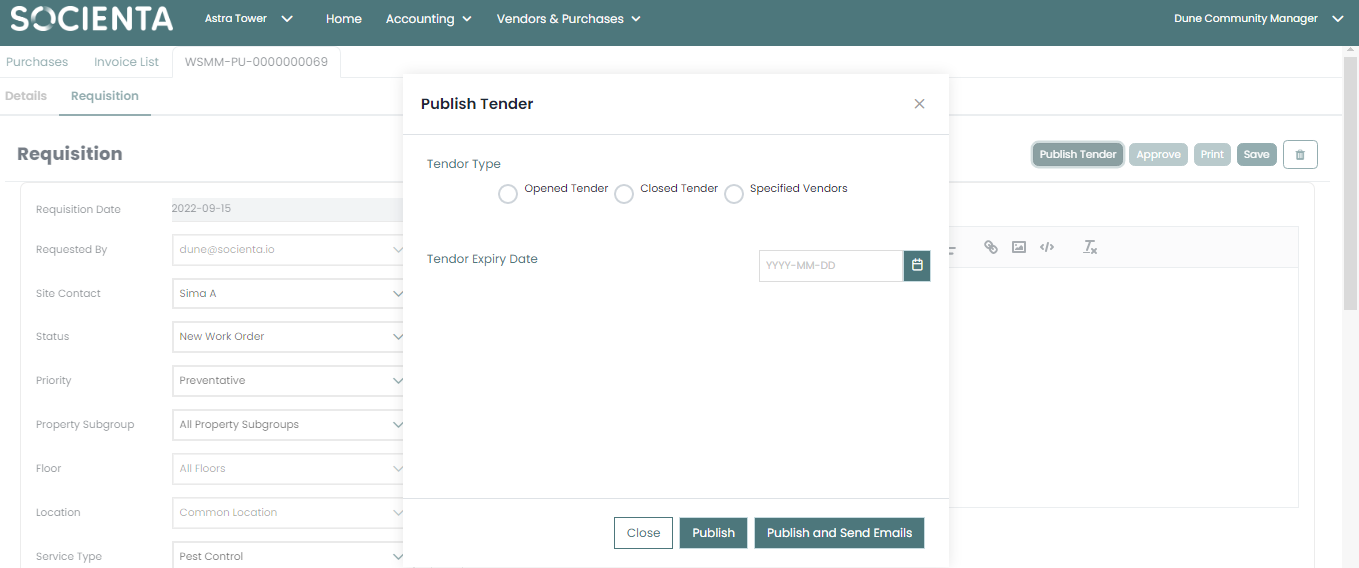
1. Open Tender: If you select an open tender, any vendor (registered and non-registered) with access to the vendor portal will have access to the tender.
2. Closed Tender: If you select a closed tender, only vendors who have registered with your company will be able to submit bids.
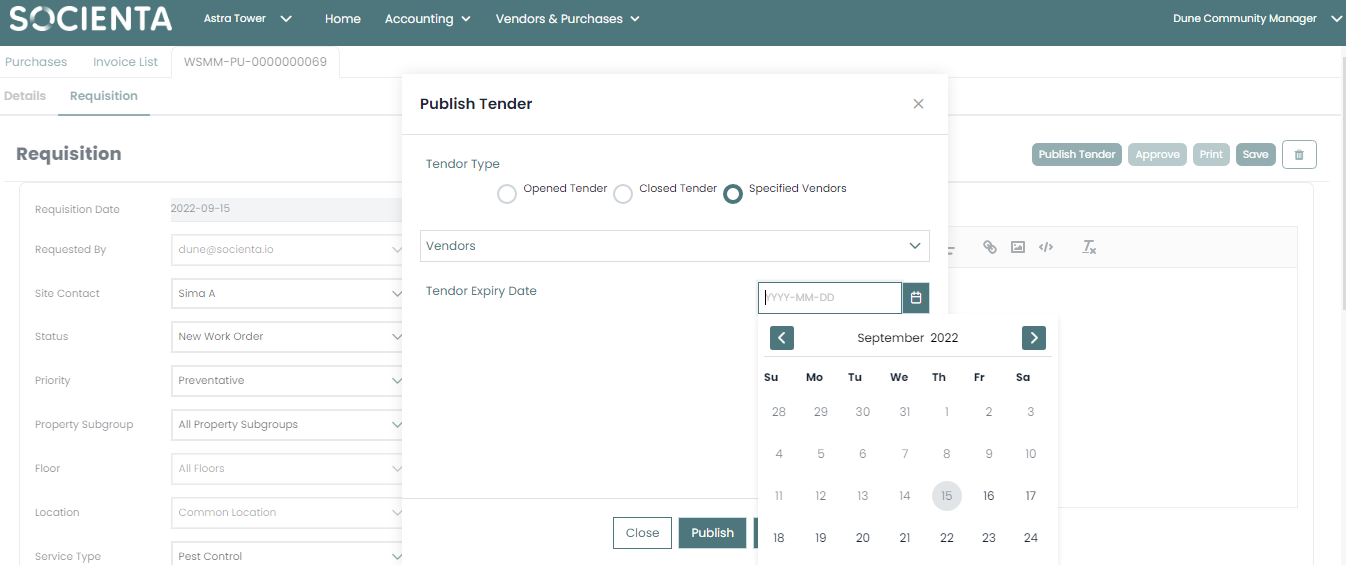
3. Specified vendors: If you select a specified vendors, only the vendors you specify will be eligible to participate in the tender.
Expiry Date:
You can select the expiry date for each tender through the requisition page once you click on Publish Tender. A notification email will be sent to vendors prior to the expiration date.
Was this article helpful?
That’s Great!
Thank you for your feedback
Sorry! We couldn't be helpful
Thank you for your feedback
Feedback sent
We appreciate your effort and will try to fix the article